Help Center Media & Videos
The gallery for your visitors
What your visitors can do in your gallery: open folders, view pictures and play videos, open an item's own page to rate it and read comments, filter, run a slide show and get a QR code.
Watch it done: a short silent video with captions · 1:45. The steps below show the same thing picture by picture.
Before you start
- Nothing: this is what any visitor sees. Your gallery may have another name in your menu (here: Help Videos).
Open a folder
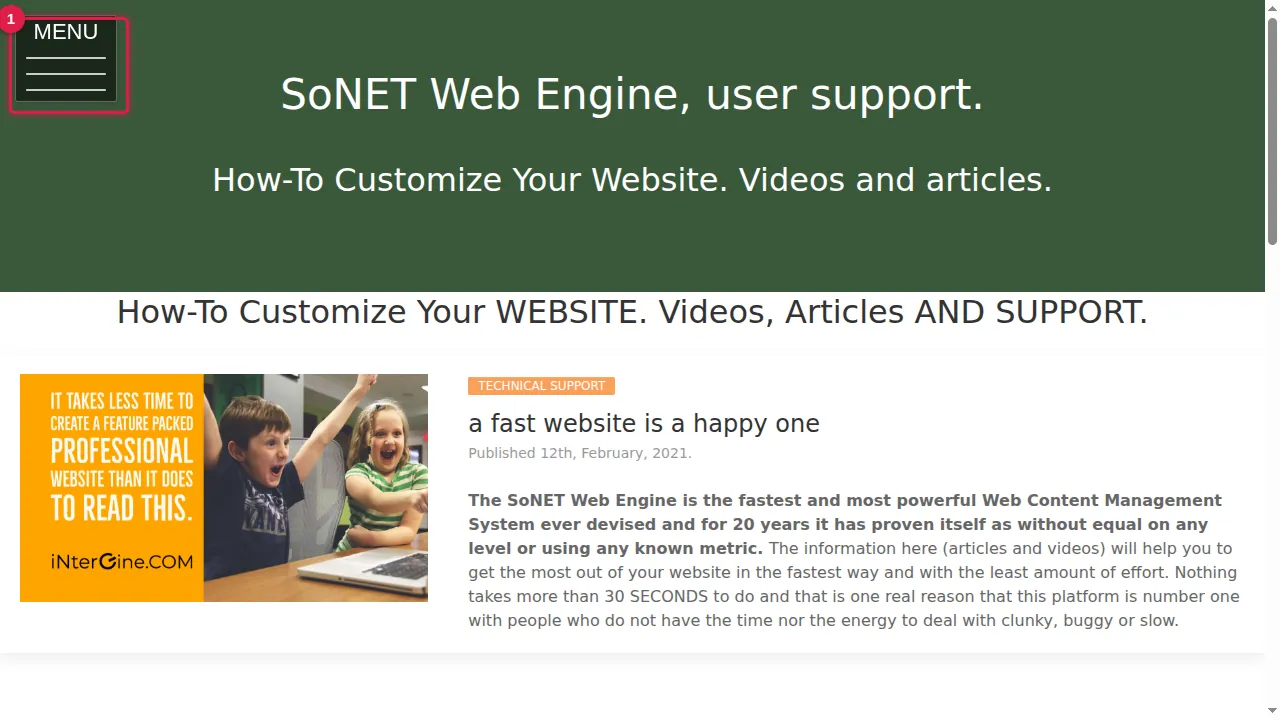
Step 1. Visitors open the gallery from the MENU (here it is called Help Videos).
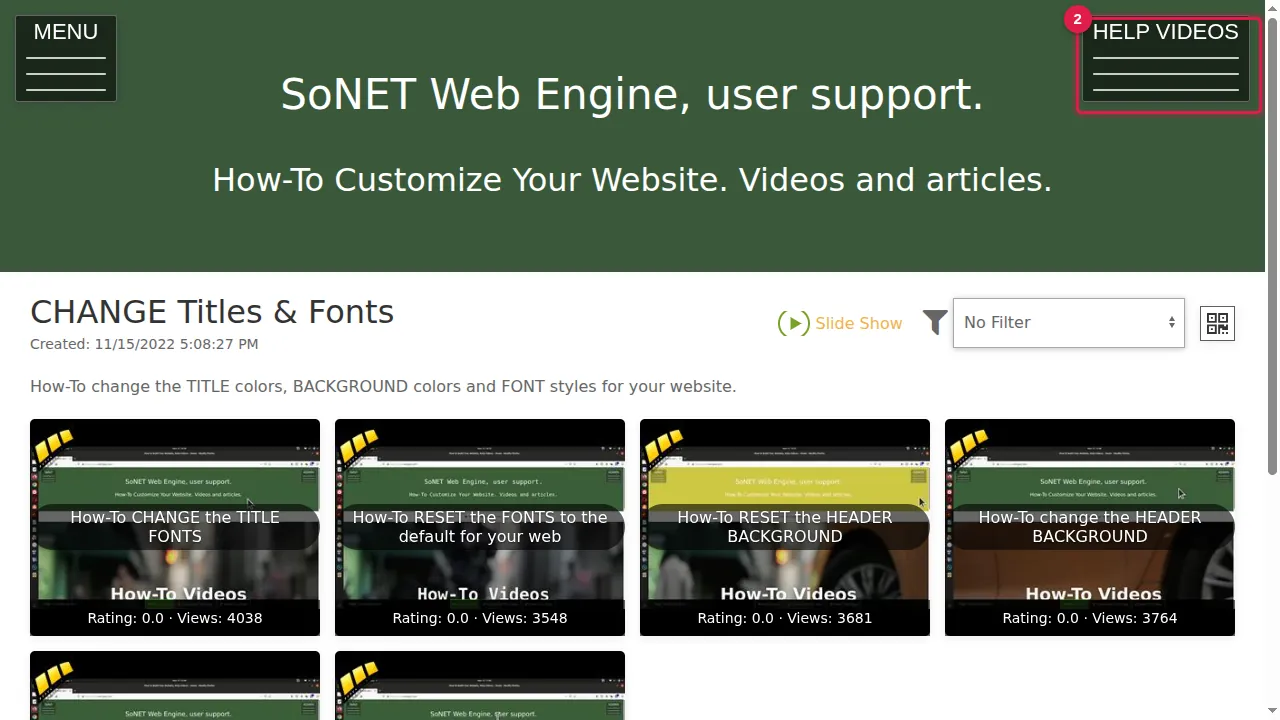
Step 2. The gallery opens on a folder (which one is set in the gallery settings). The button at the top right, with the gallery's name, opens the list of folders.
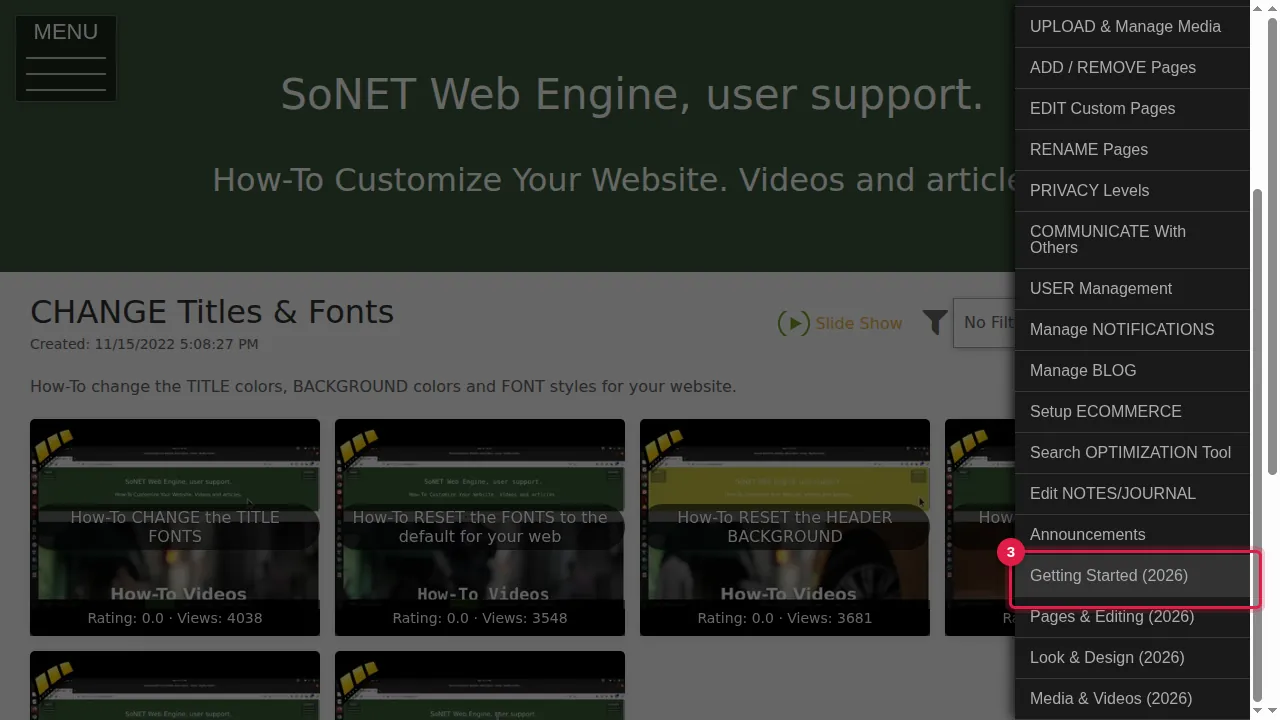
Step 3. Click a folder to open it.
View, rate and comment
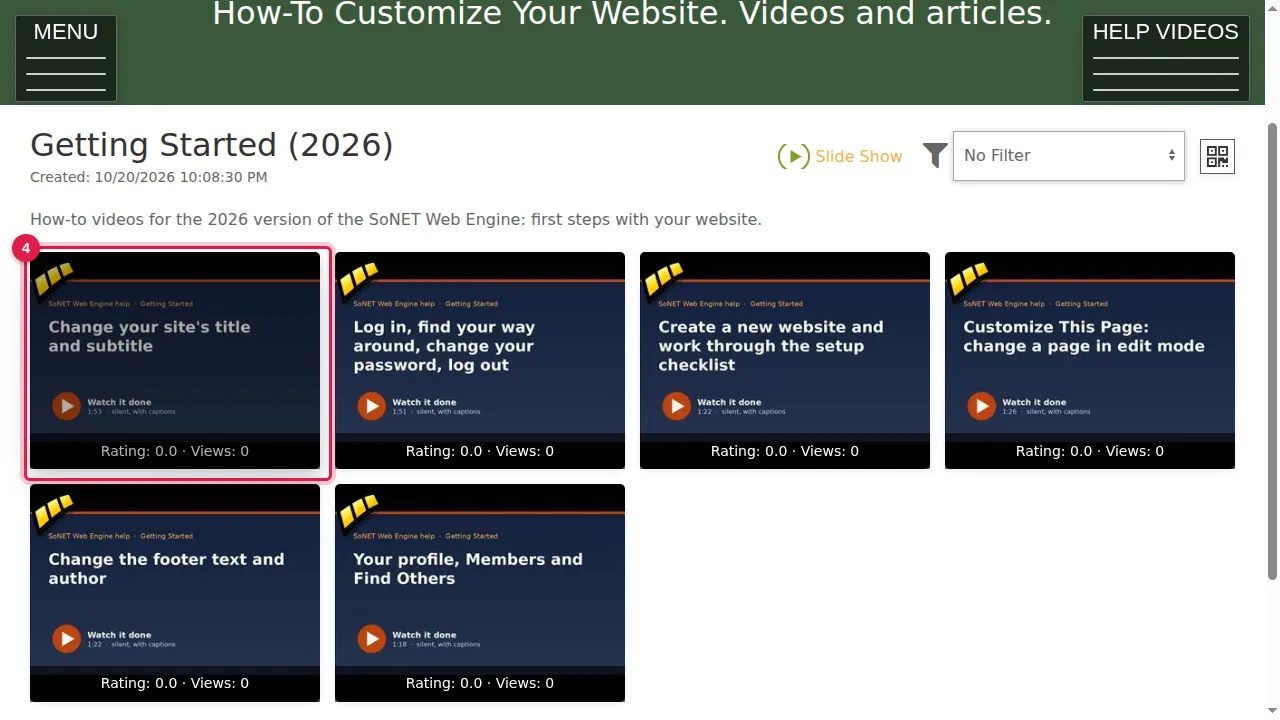
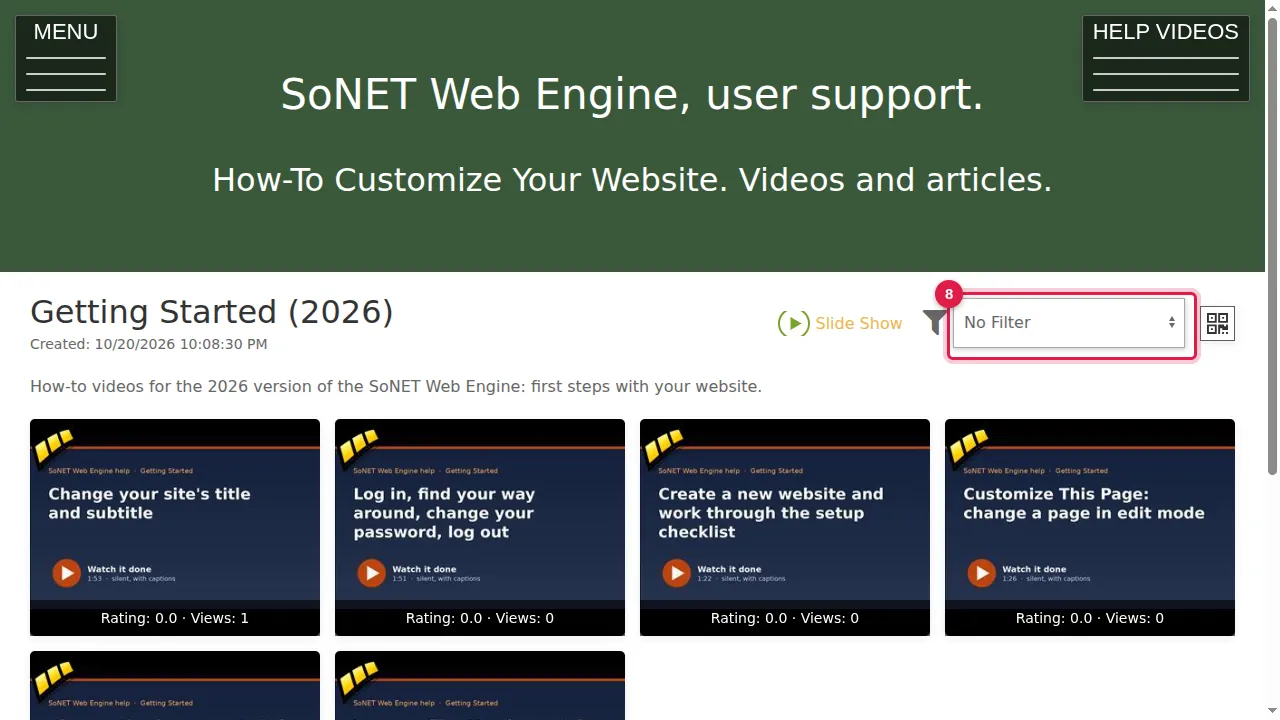
Step 4. The folder shows its pictures and videos as thumbnails, with their rating and number of views. Click one to see it large or to play it.
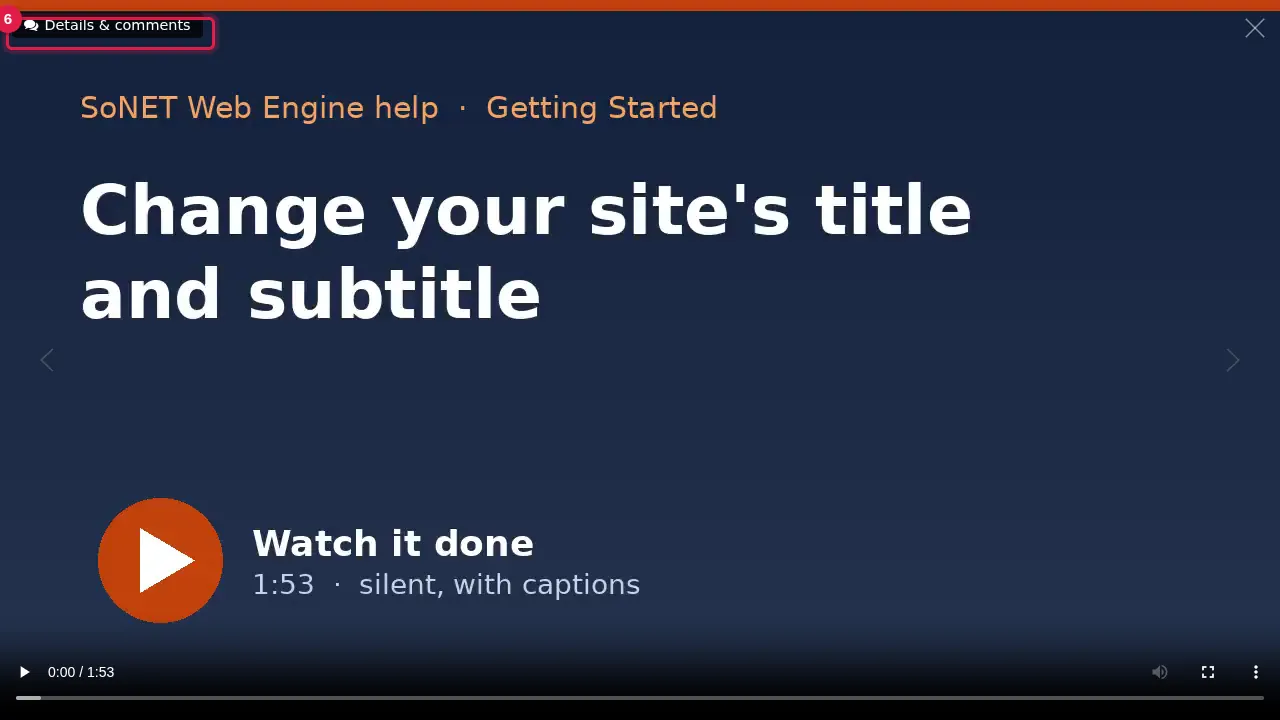
Step 5. "Details & comments" at the top left leads to the item's own page.
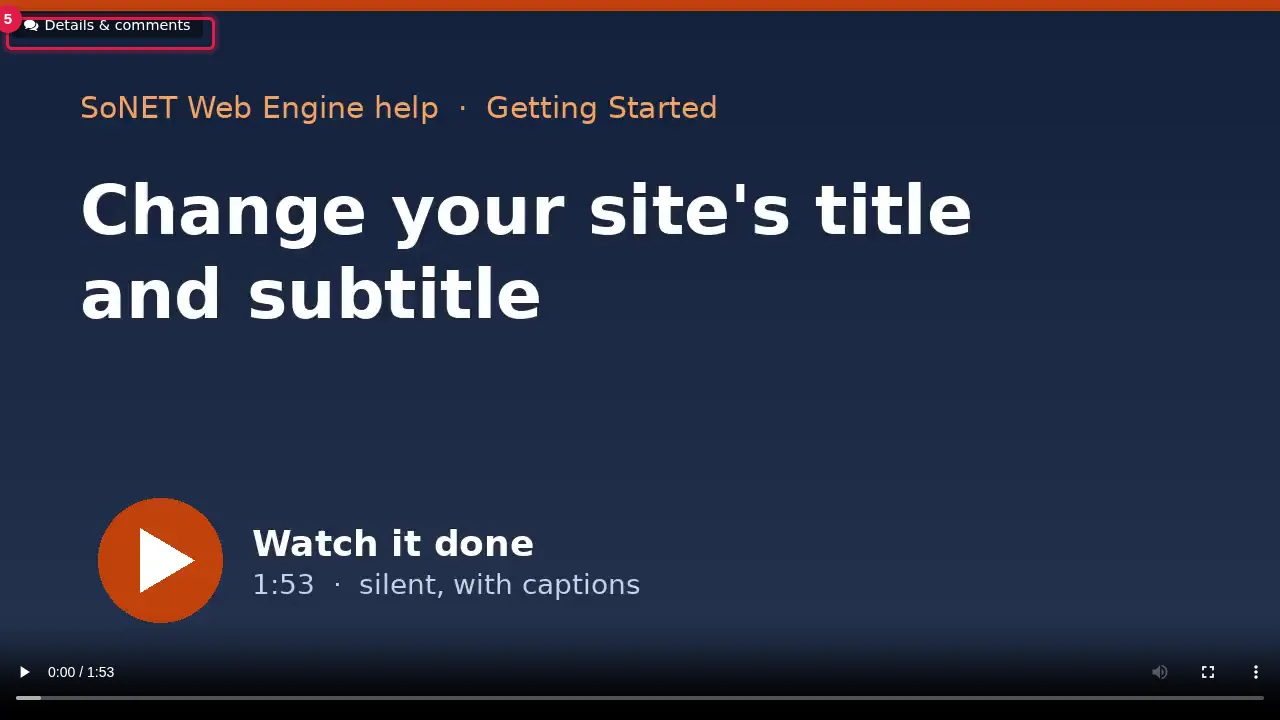
Step 6. On that page visitors can rate the item ("How would you rate this video?"), read the comments and, when logged in, write one; Next goes to the following item.
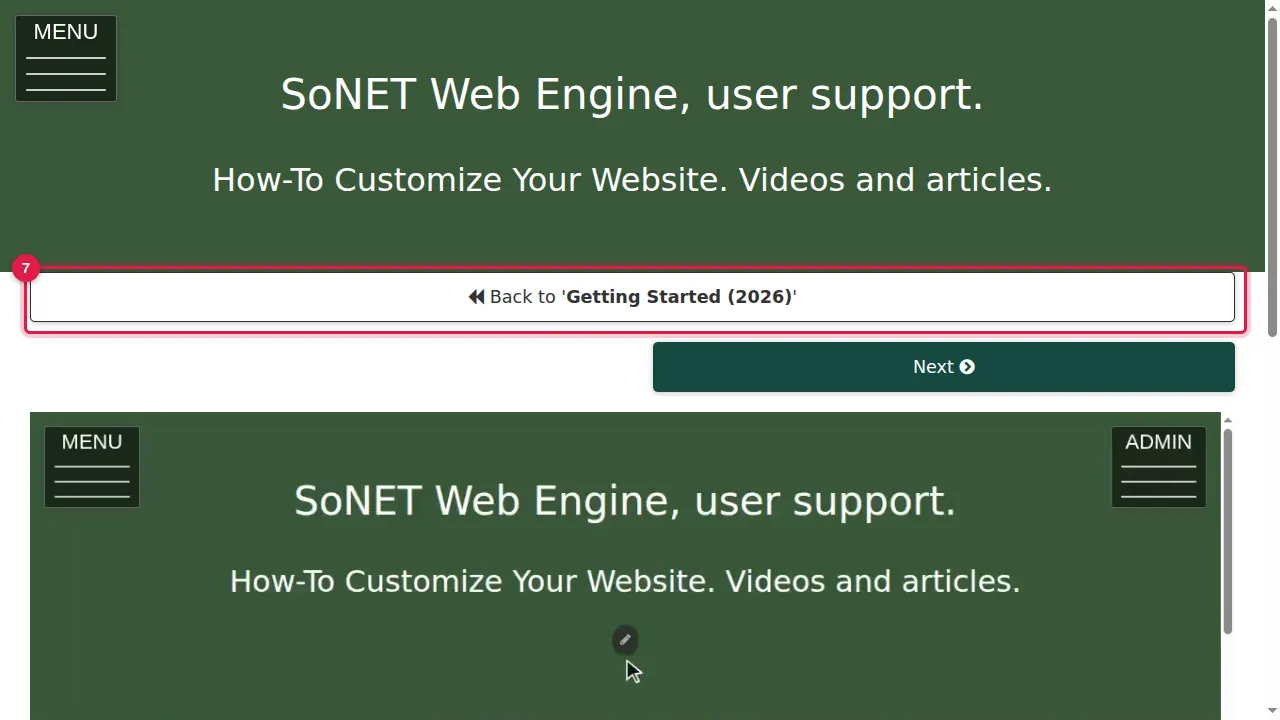
Step 7. "Back to" returns to the folder.
Filter, slide show and QR code
Step 8. The filter shows only items with comments, items not rated yet, or items with a certain rating.
Step 9. Slide Show plays the folder's pictures one after the other.
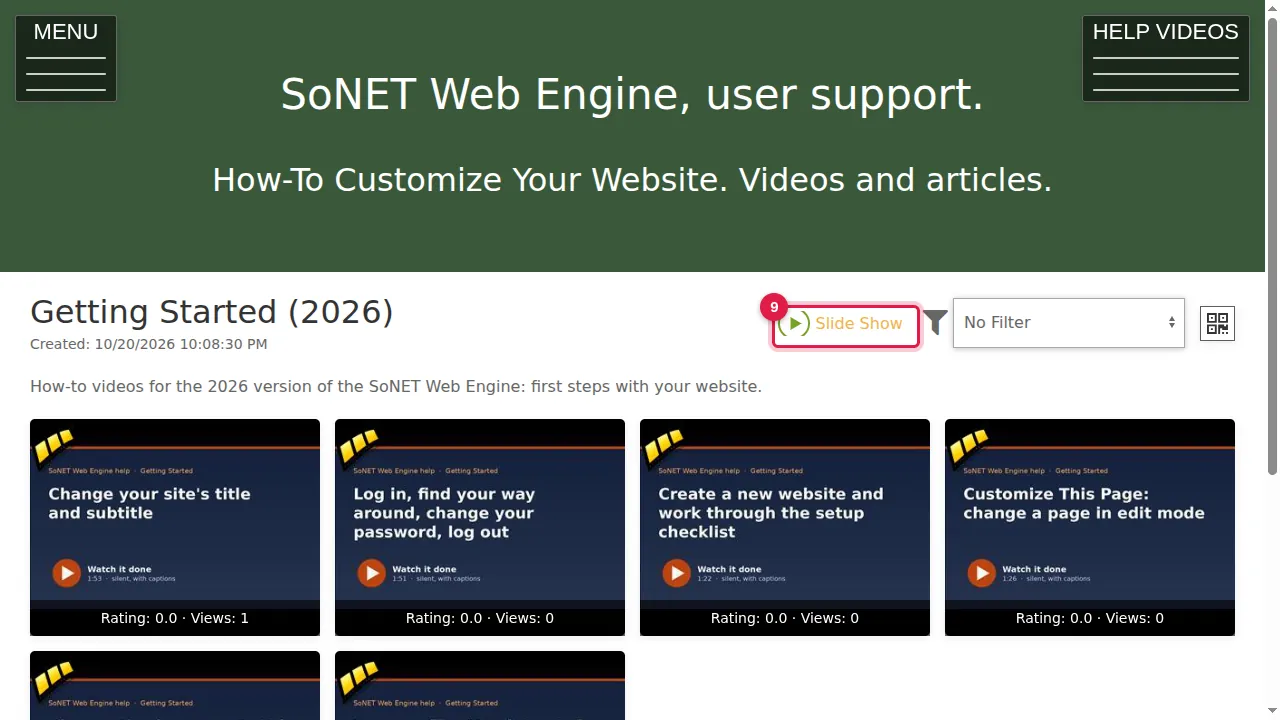
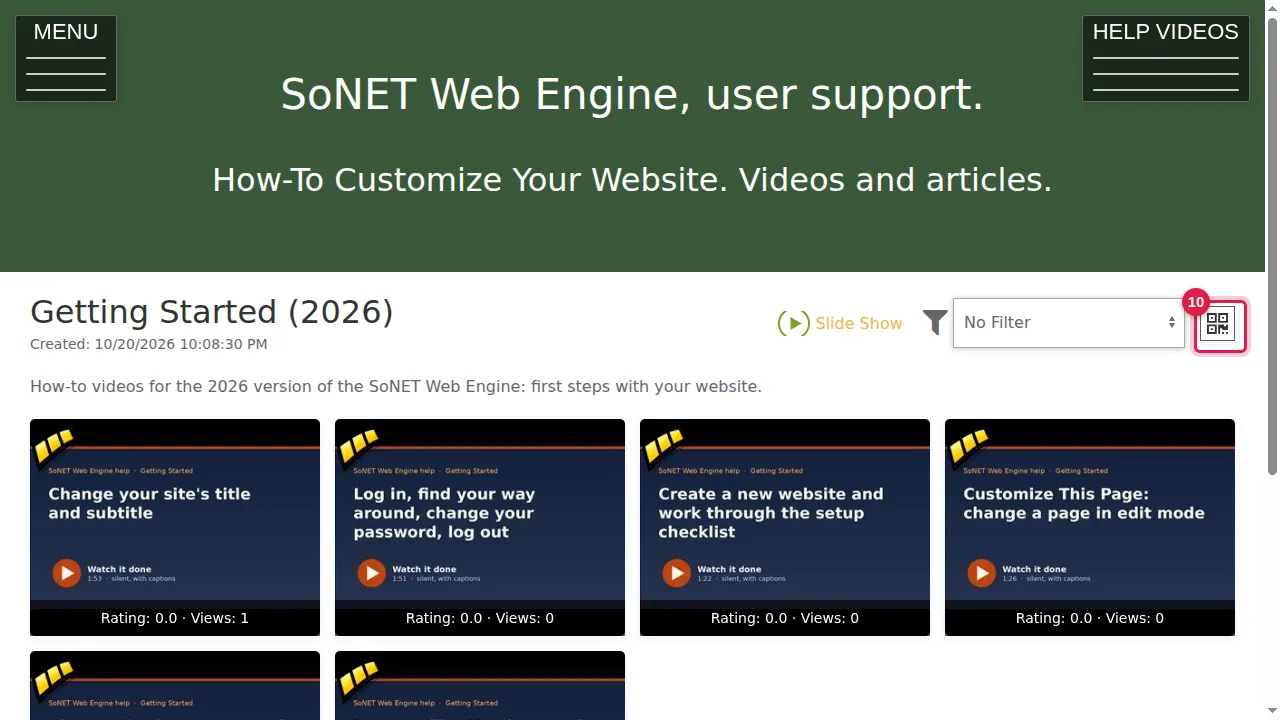
Step 10. The QR button shows a code that opens this folder on a phone.
Check it worked
Open your gallery in a private window and try each of these as a visitor.
Good to know
- You decide whether visitors may rate and comment: Site Settings › Privacy Levels has "do not allow public comments" and "do not allow public ratings".
Related help
Shown on the 2026 version of the SoNET Web Engine. Last checked 21 October 2026. Something different on your screen? Tell us through the Contact page.