Help Center Look & Design
Let the site suggest colors
In the Template Kit, the site can suggest color sets that fit your site, or match the colors of a website you like. You choose one, preview it, and save it only if you like it.
Watch it done: a short silent video with captions · 0:37. The steps below show the same thing picture by picture.
Before you start
- Log in as the site owner.
- Open ADMIN › Template Kit.
Ask for colors
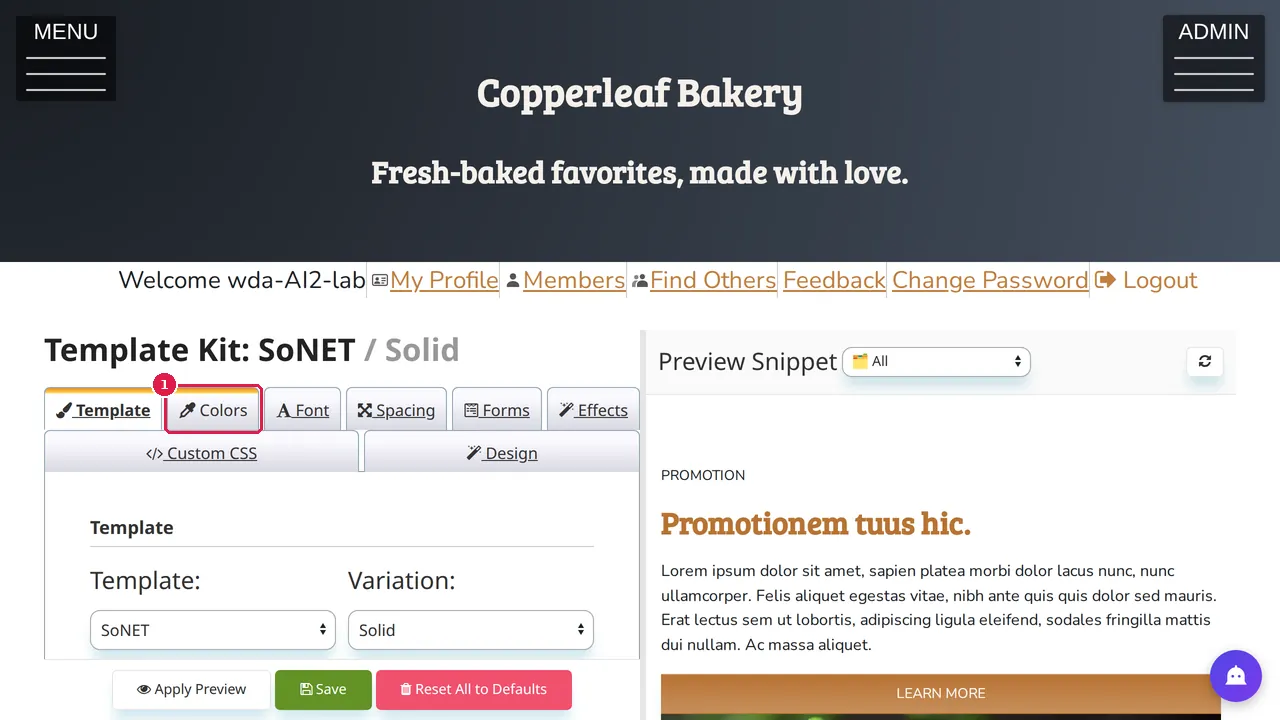
Step 1. In the Template Kit, open the Colors tab.
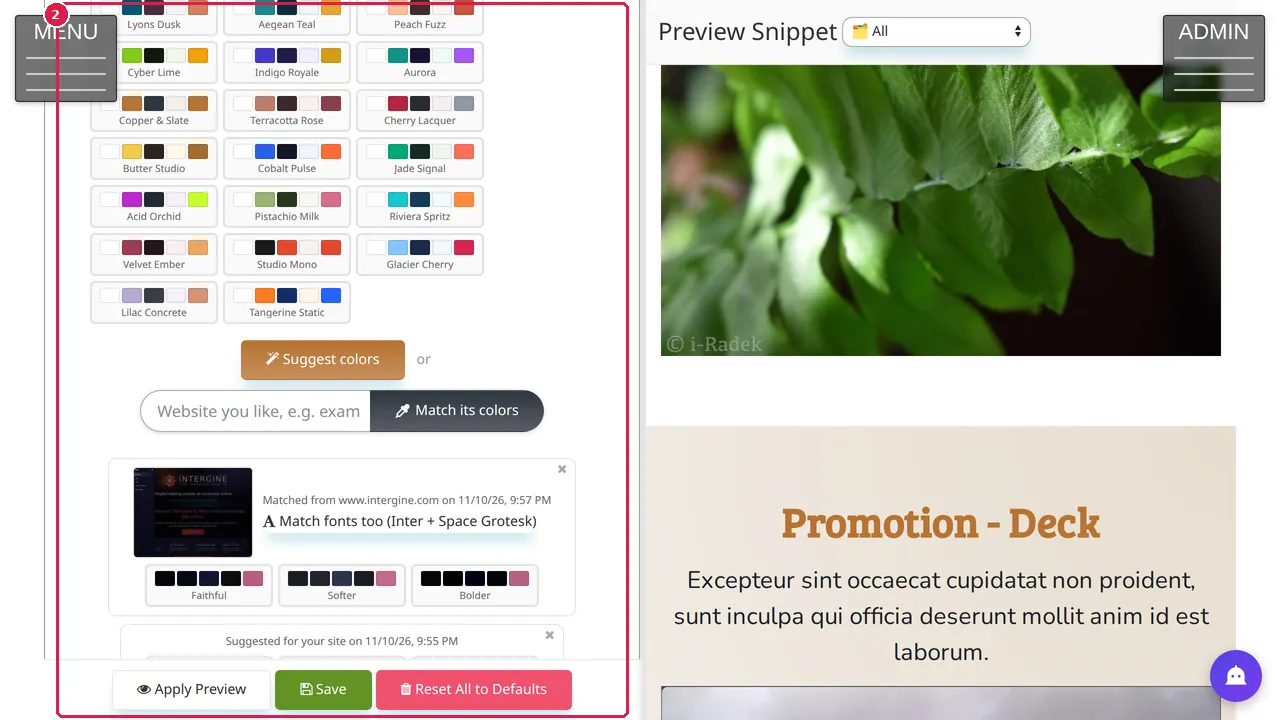
Step 2. Below the color sets are two buttons: Suggest colors (the site suggests colors that fit your site), or type the address of a website you like and click Match its colors.
What you get
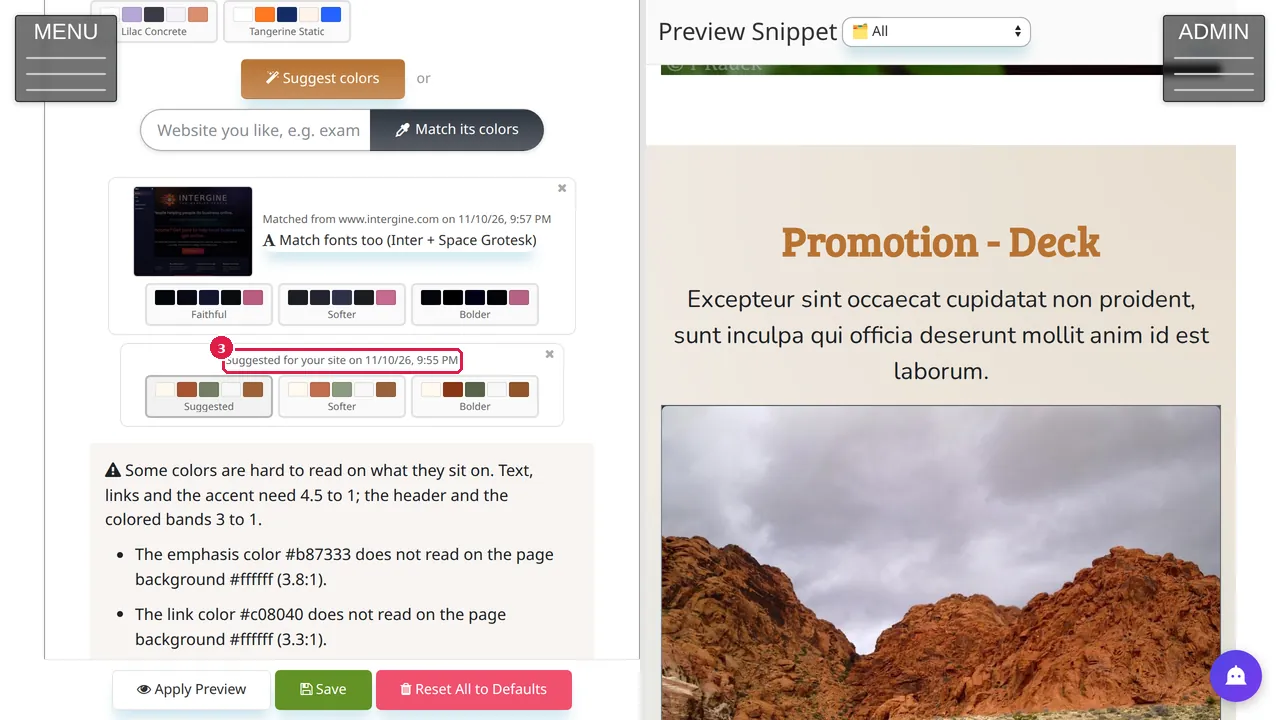
Step 3. Suggest colors gives three palettes: Suggested, Softer and Bolder, with a line about the idea behind them. In this example, made for a bakery's demo site, it suggested warm copper, bakery cream and leafy sage. Click a palette to load it into the color pickers.
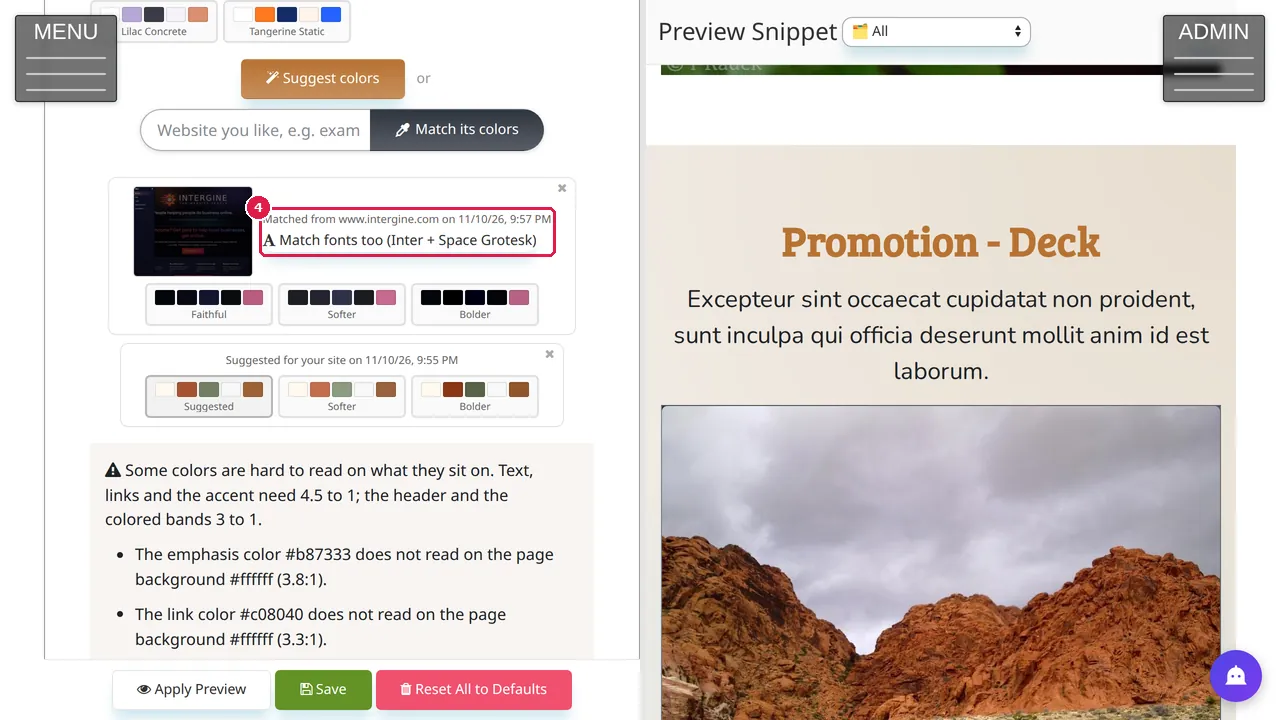
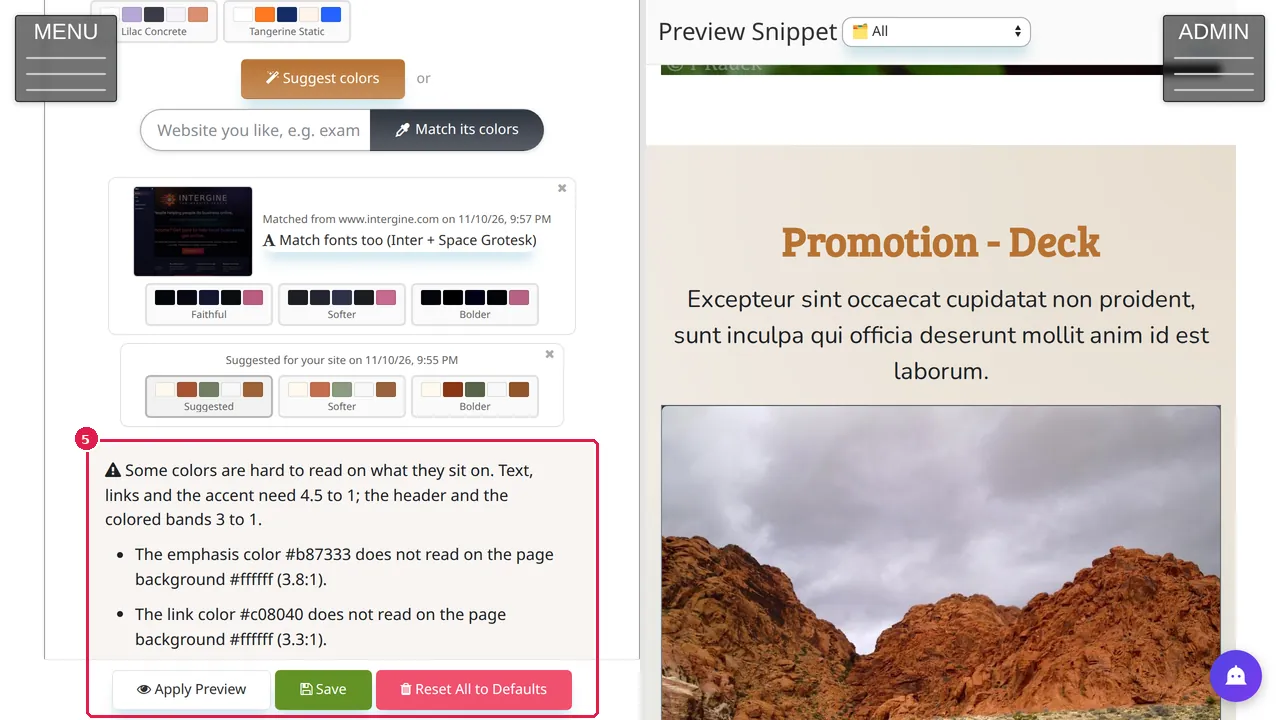
Step 4. Match its colors shows a picture of the website you named, three palettes taken from it (Faithful, Softer, Bolder) and its fonts, which you can match too. Each result is kept on the tab with its date until you close it with its ×.
Step 5. The Template Kit warns when colors are hard to read on what they sit on, with the contrast it measured. Nothing on your site changes until you click Apply Preview to try it and Save to keep it.
Check it worked
After saving, open your site in a private window and read a page: text and links must still be easy to read.
Good to know
- Suggestions differ every time: if you do not like them, close them and ask again, or pick colors yourself.
- Match only the colors of a site you are allowed to look like; the fonts are a suggestion too.
Related help
Shown on the 2026 version of the SoNET Web Engine. Last checked 10 November 2026. Something different on your screen? Tell us through the Contact page.