Help Center Pages & Editing
Sub-menus, menu styles and a trail of links
Put menu entries under others to make sub-menus, choose how the menu's entries look and how the menu opens, and show visitors a trail of links back to Home.
Watch it done: a short silent video with captions · 0:54. The steps below show the same thing picture by picture.
Before you start
- Log in as the site owner.
- Open any page and click Edit Menu.
Make a sub-menu
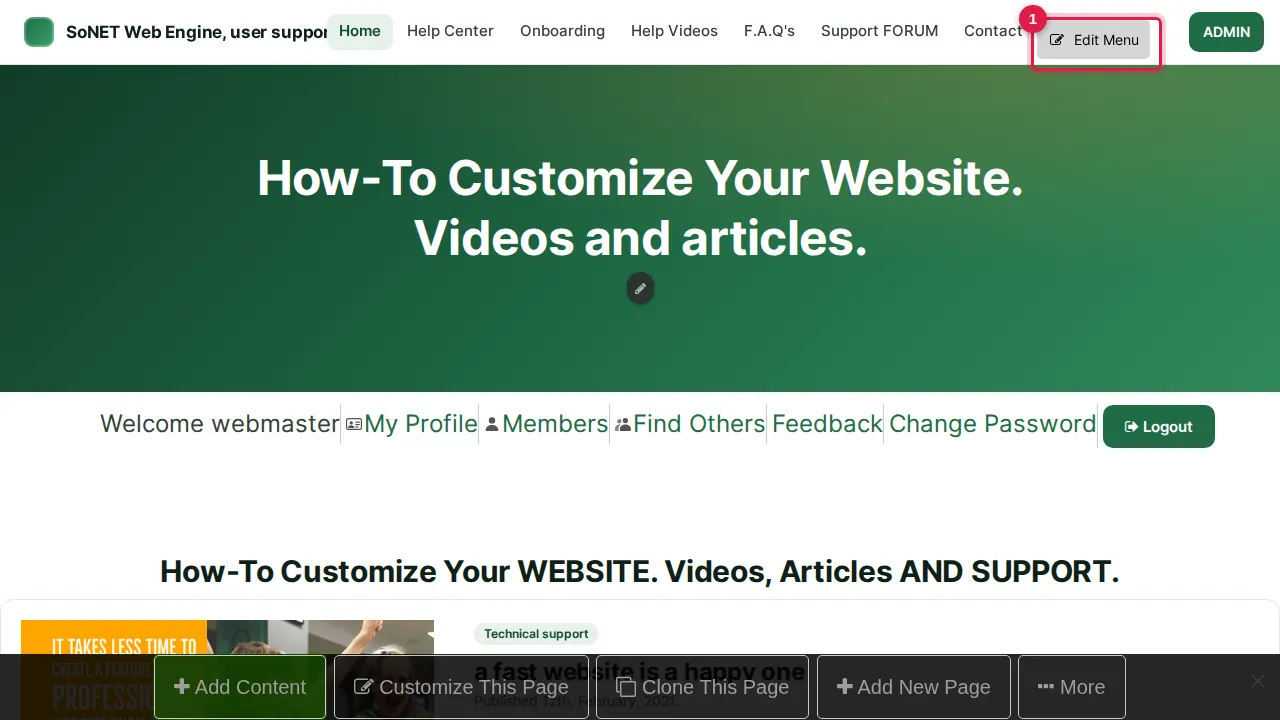
Step 1. Click Edit Menu (next to the row of tabs, or at the bottom of the opened MENU). The Items tab lists every menu entry.
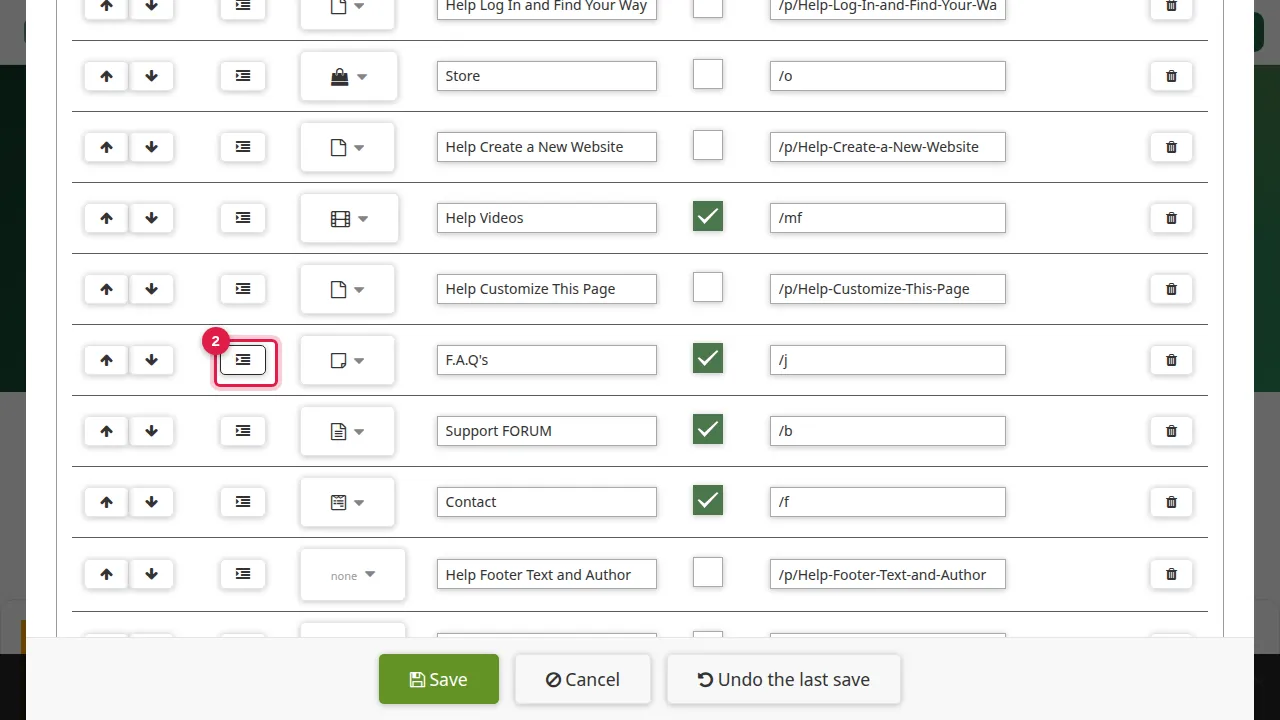
Step 2. To put an entry under the one above it, click its indent button.
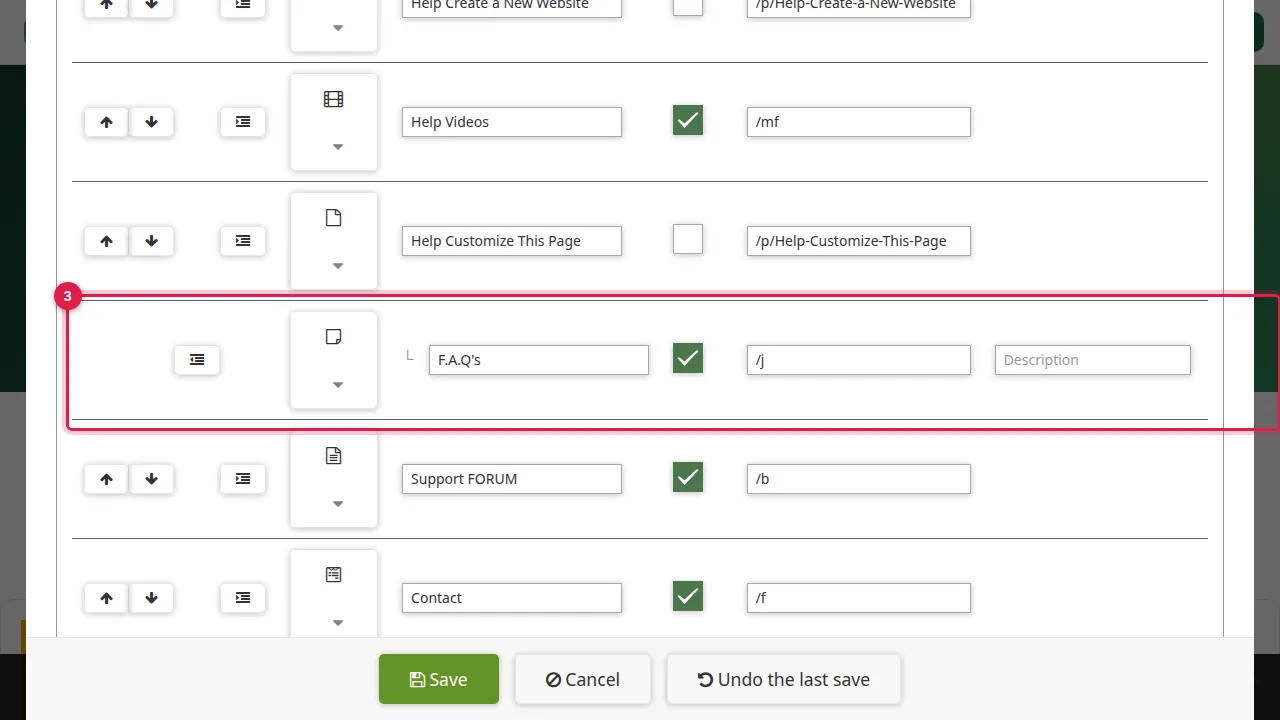
Step 3. It is now a sub-entry: it opens from the entry above it, and it gets its own Description box. The outdent button puts it back.
How the menu looks
Step 4. Click the Look tab: how the menu looks on every page of the site.
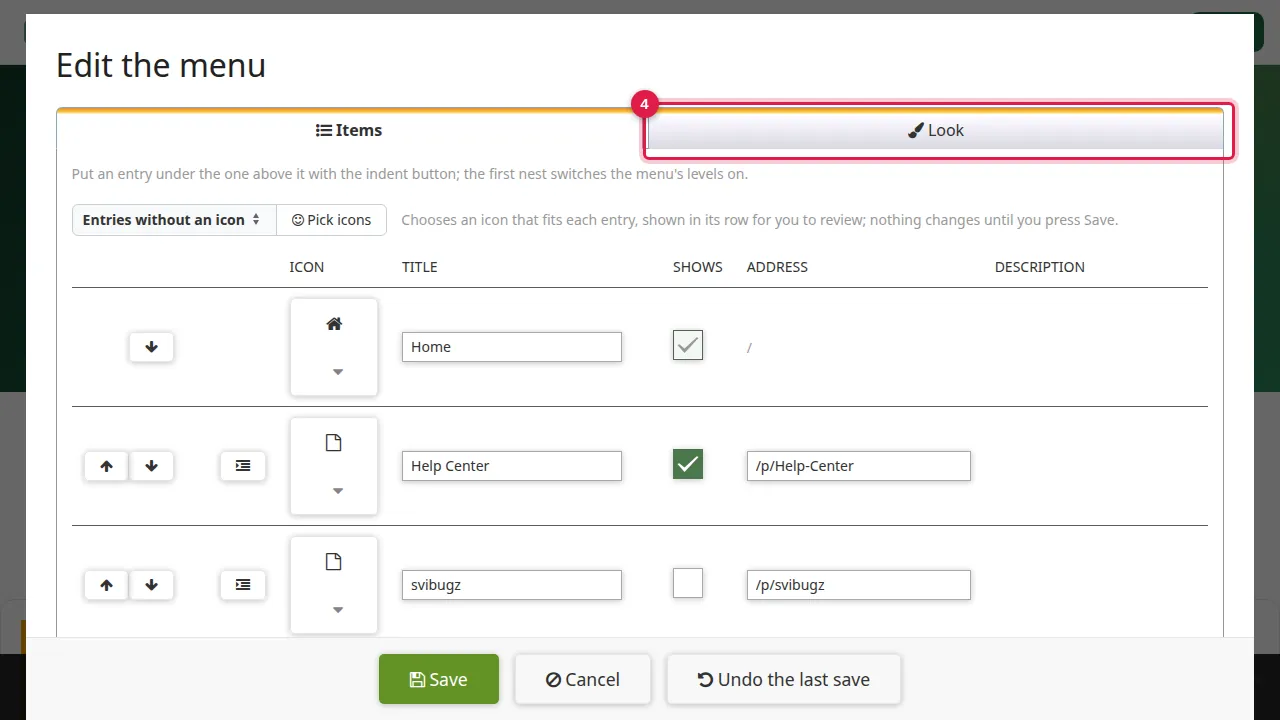
Step 5. How the entries read: the template's own, spaced capitals, pill, numbered, box, code, dot or highlighter.
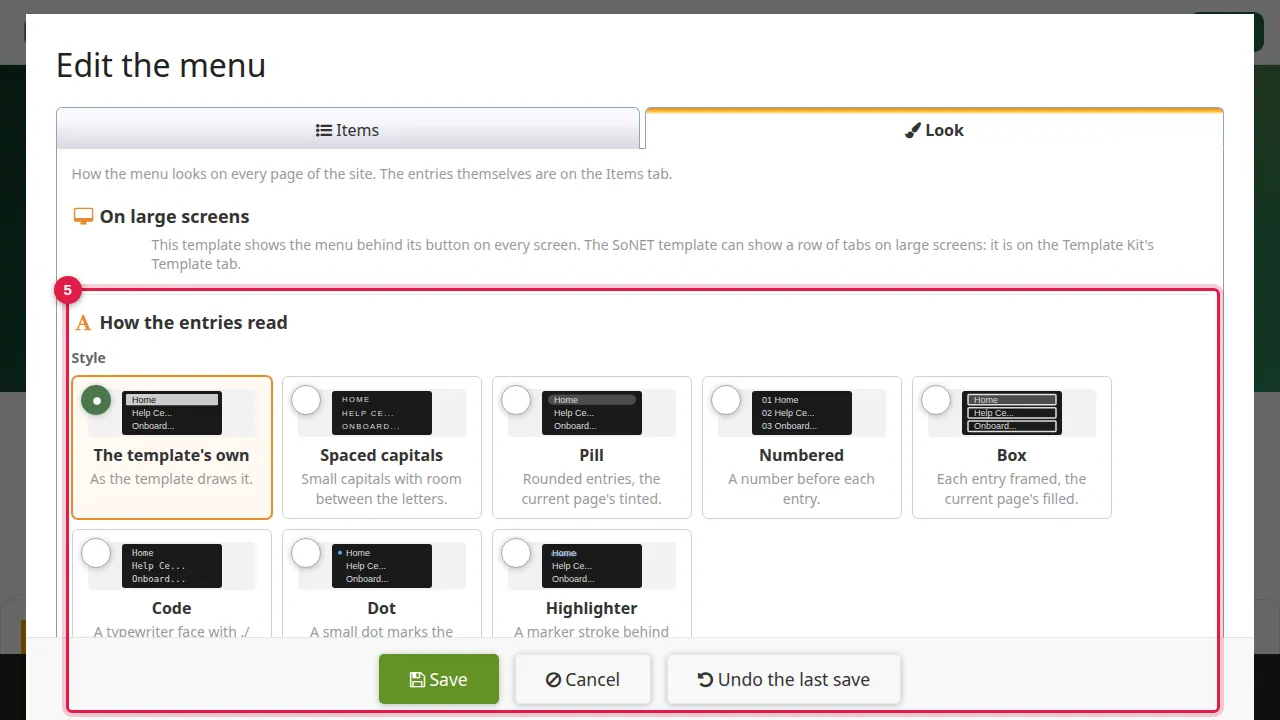
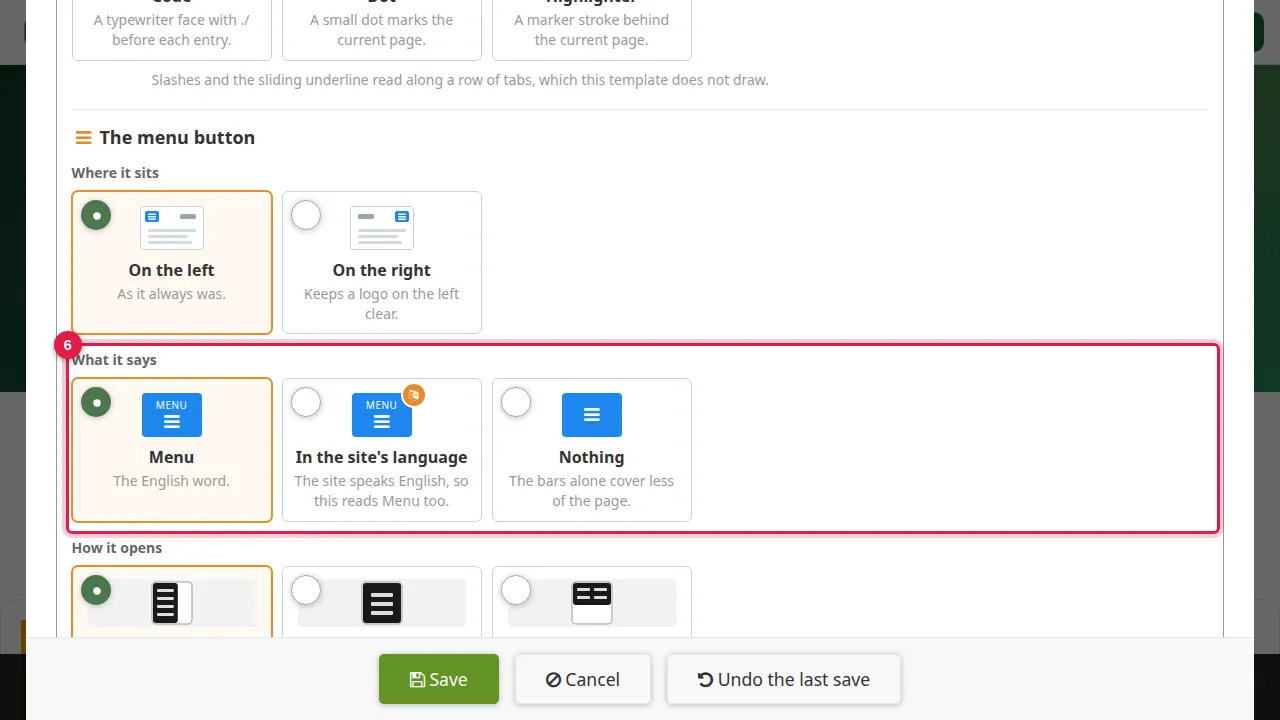
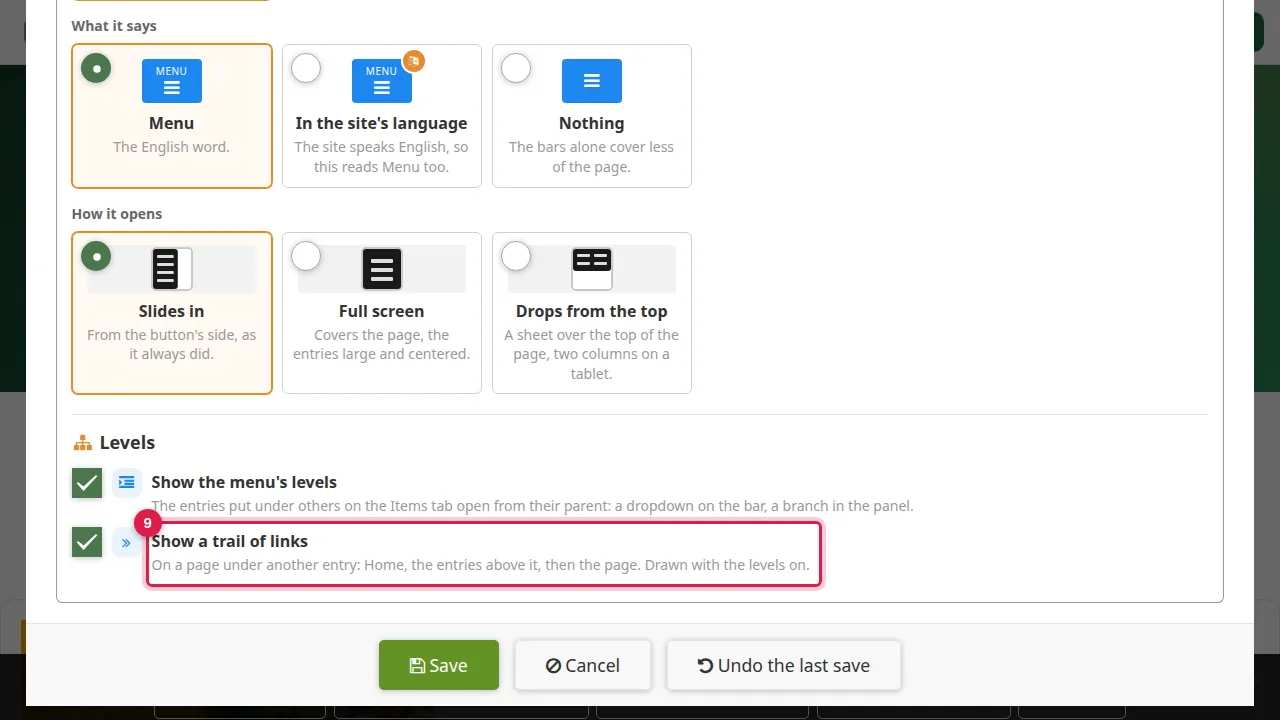
Step 6. What it says: the menu button reads Menu, the word in the site's language, or nothing at all (the bars alone cover less of the page).
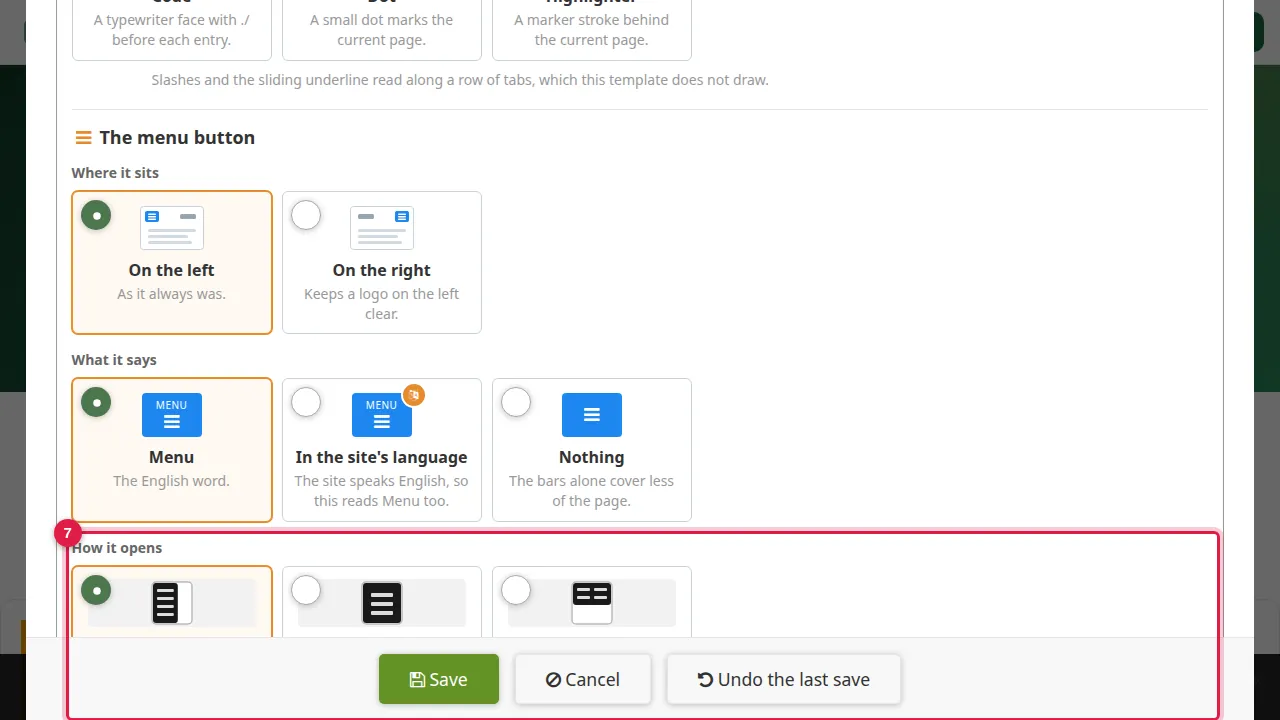
Step 7. How it opens: slides in from the button's side, full screen, or drops from the top as a sheet.
Levels and the trail of links
Step 8. Levels: the first indent switches Show the menu's levels on by itself. Sub-entries then open from their parent: a dropdown on the bar, a branch in the panel.
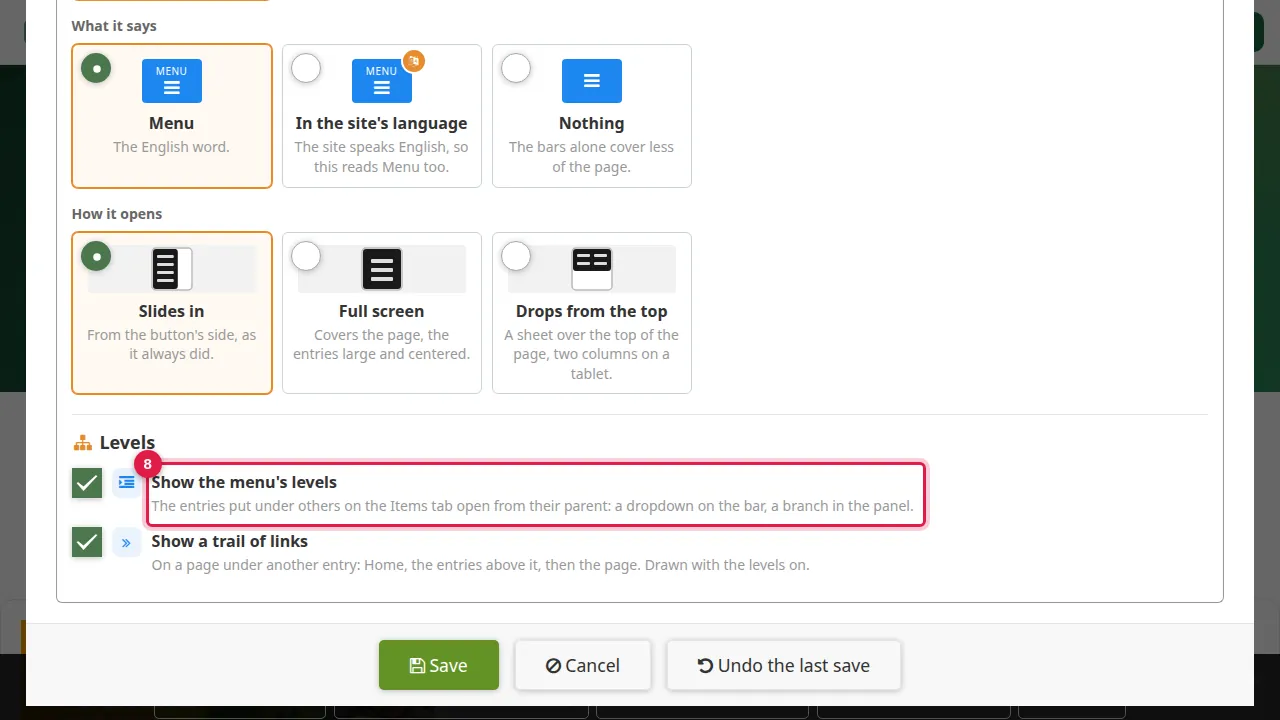
Step 9. Show a trail of links comes on too: on a page under another entry it shows Home, the entries above it, then the page.
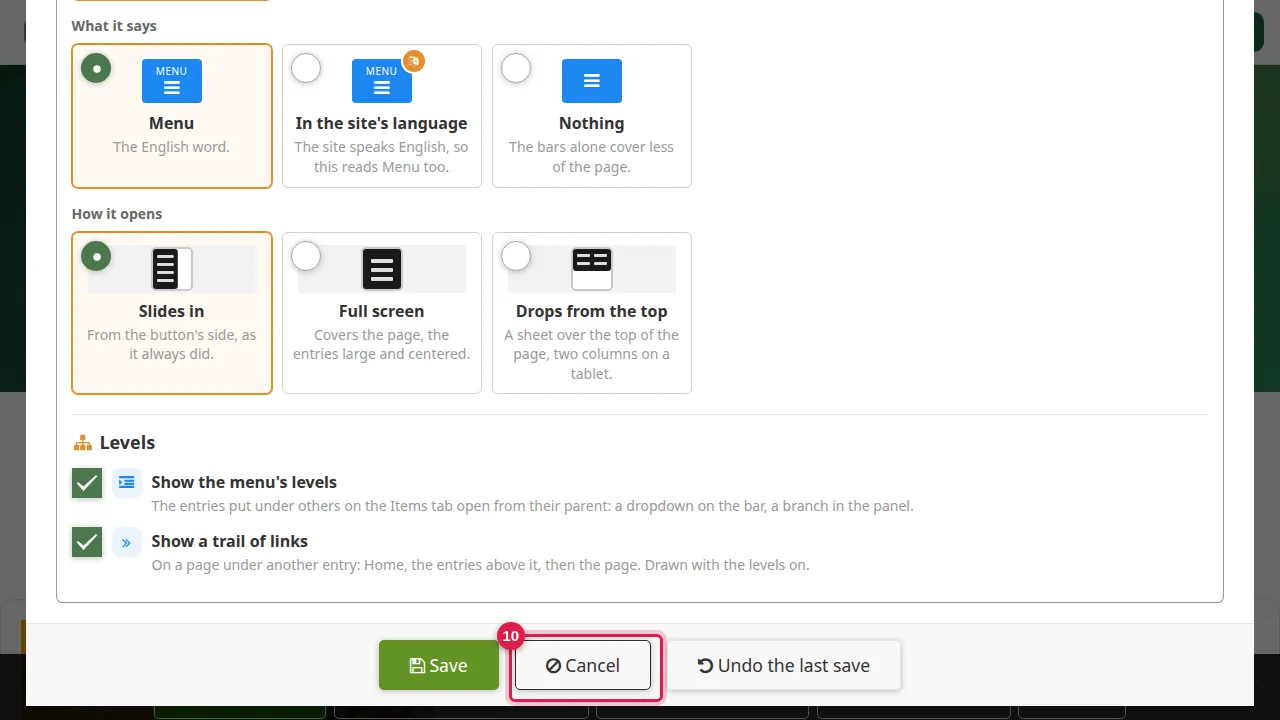
Step 10. Click Save to keep the changes. (In this demonstration Cancel was clicked, so the menu stayed as it was.) Undo the last save brings back the menu as it was before your last save.
Check it worked
Open your site in a private window: the sub-entry opens from its parent, and on its page the trail of links leads back to Home.
Good to know
- Keep sub-menus short: two levels are easier to use than three.
Related help
Shown on the 2026 version of the SoNET Web Engine. Last checked 10 November 2026. Something different on your screen? Tell us through the Contact page.