Help Center Store
Sales tax
Add the sales tax your store must charge: for a US state, for a list of zip codes, or for another country, as a percentage, with or without tax on shipping.
Watch it done: a short silent video with captions · 1:57. The steps below show the same thing picture by picture.
Before you start
- Log in as the site owner.
- Open ADMIN › eCommerce.
- Know the tax rates that apply to you (ask your accountant or tax office).
Open sales tax
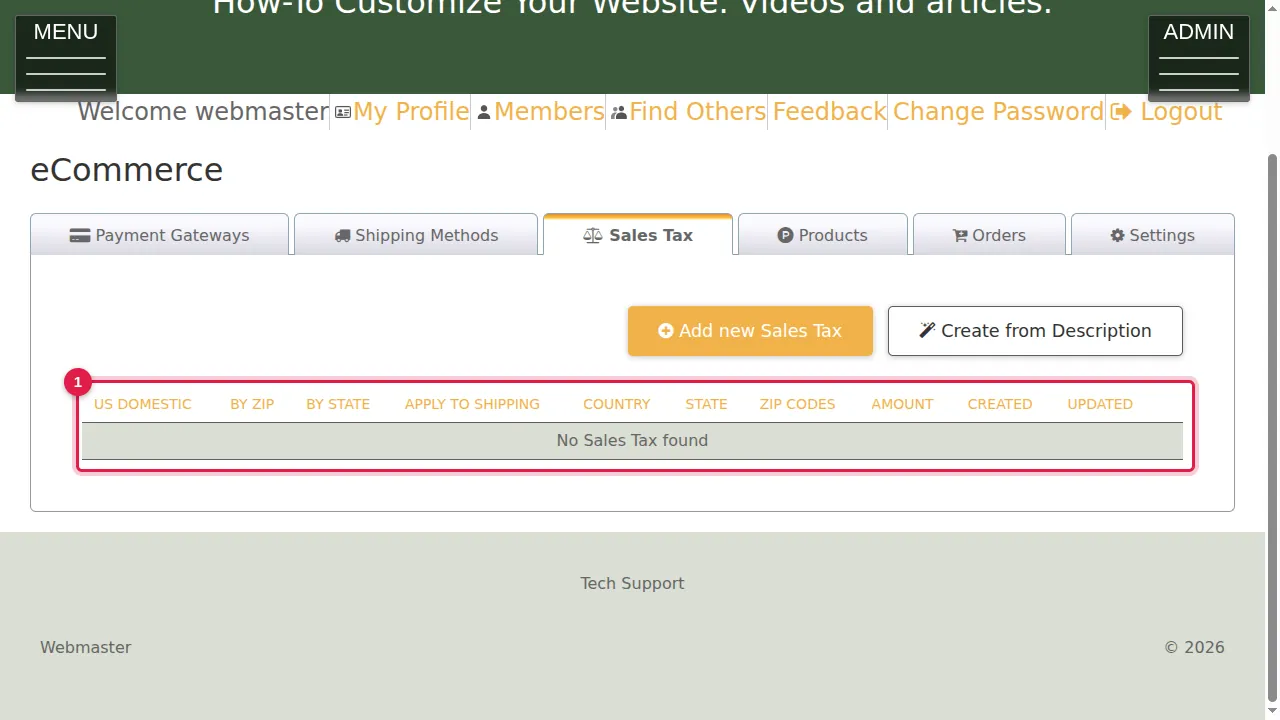
Step 1. Click the Sales Tax tab. It lists your tax rules (here none yet).
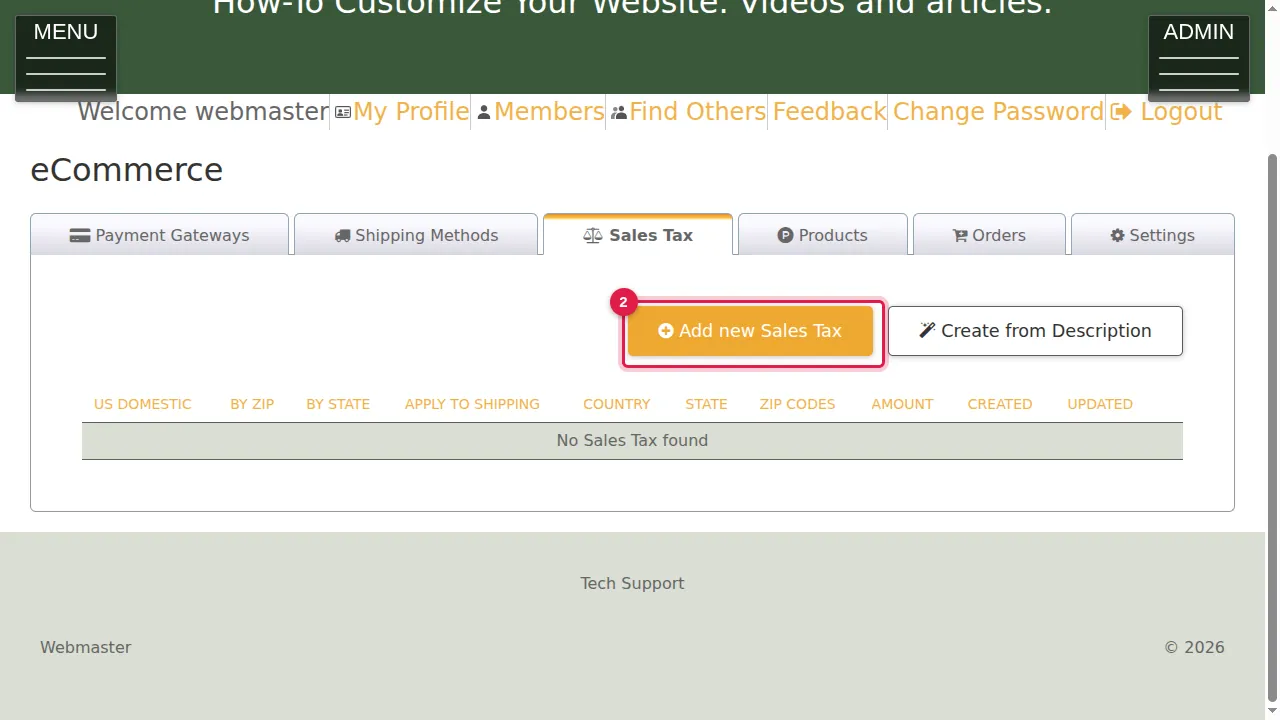
Step 2. Click Add new Sales Tax.
Where the tax applies
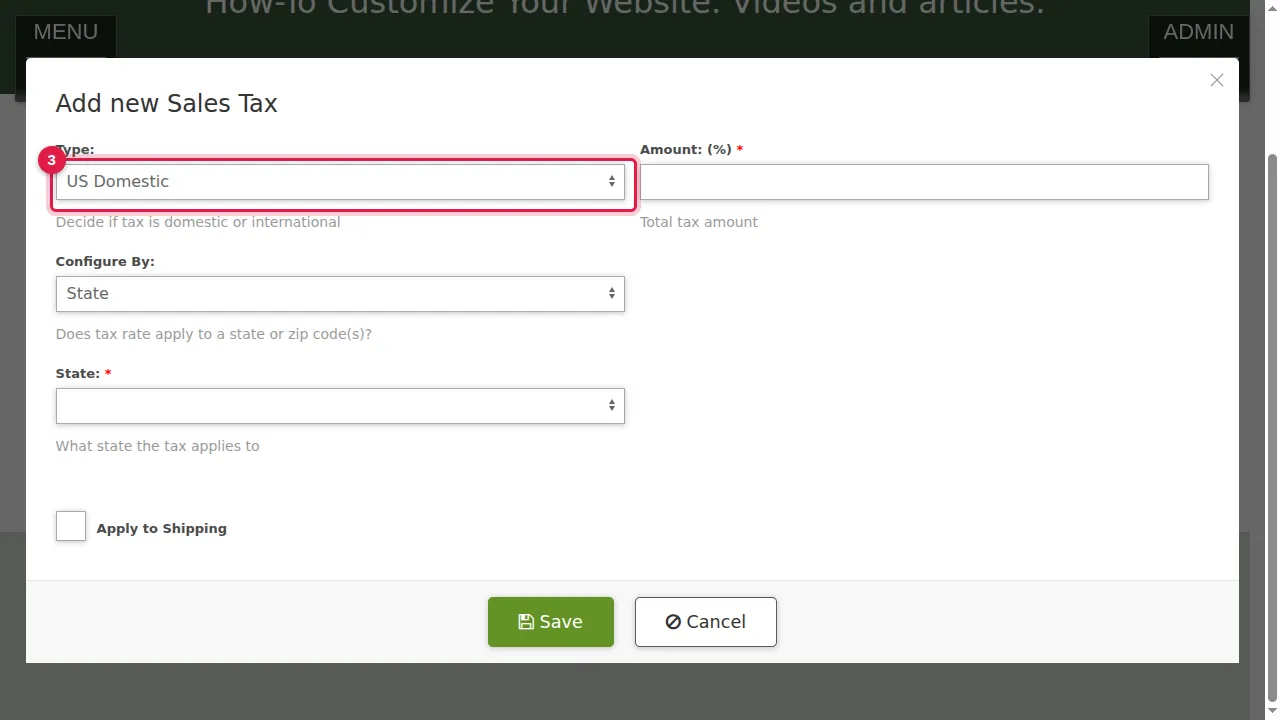
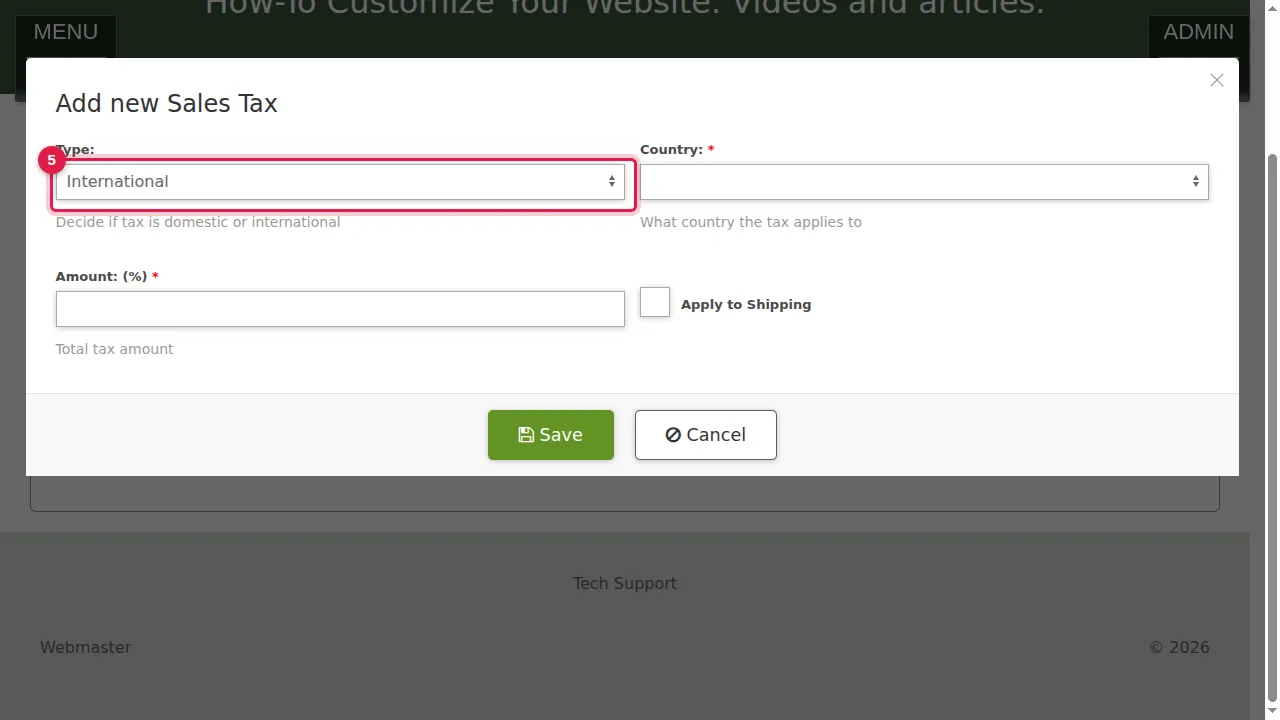
Step 3. Type: US Domestic or International.
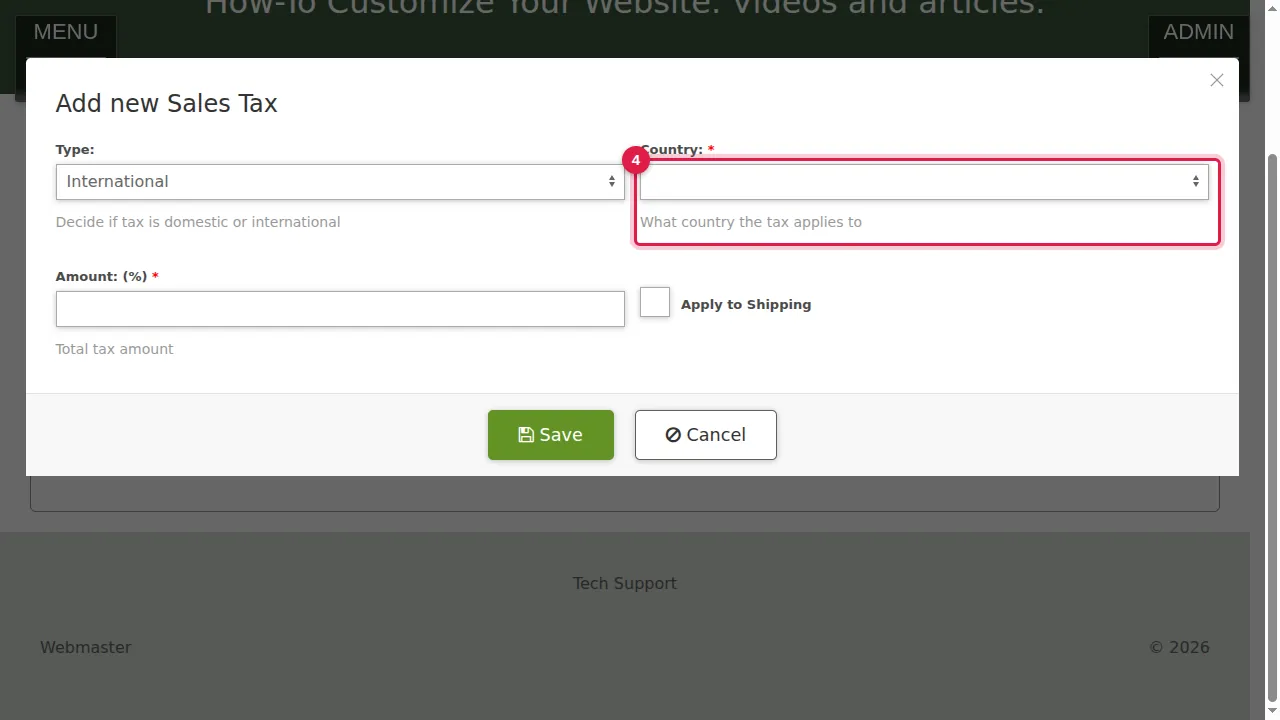
Step 4. International asks for the Country the tax applies to.
Step 5. For the USA keep US Domestic.
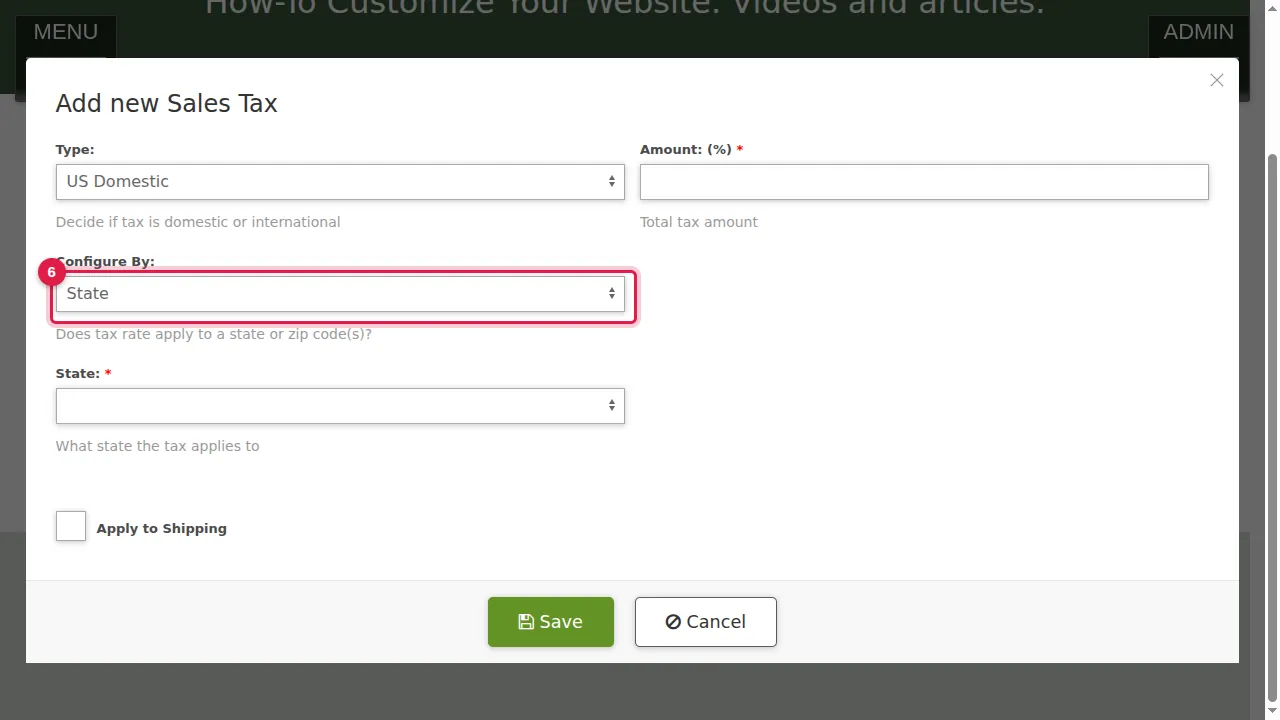
Step 6. Configure By: State, or Zip.
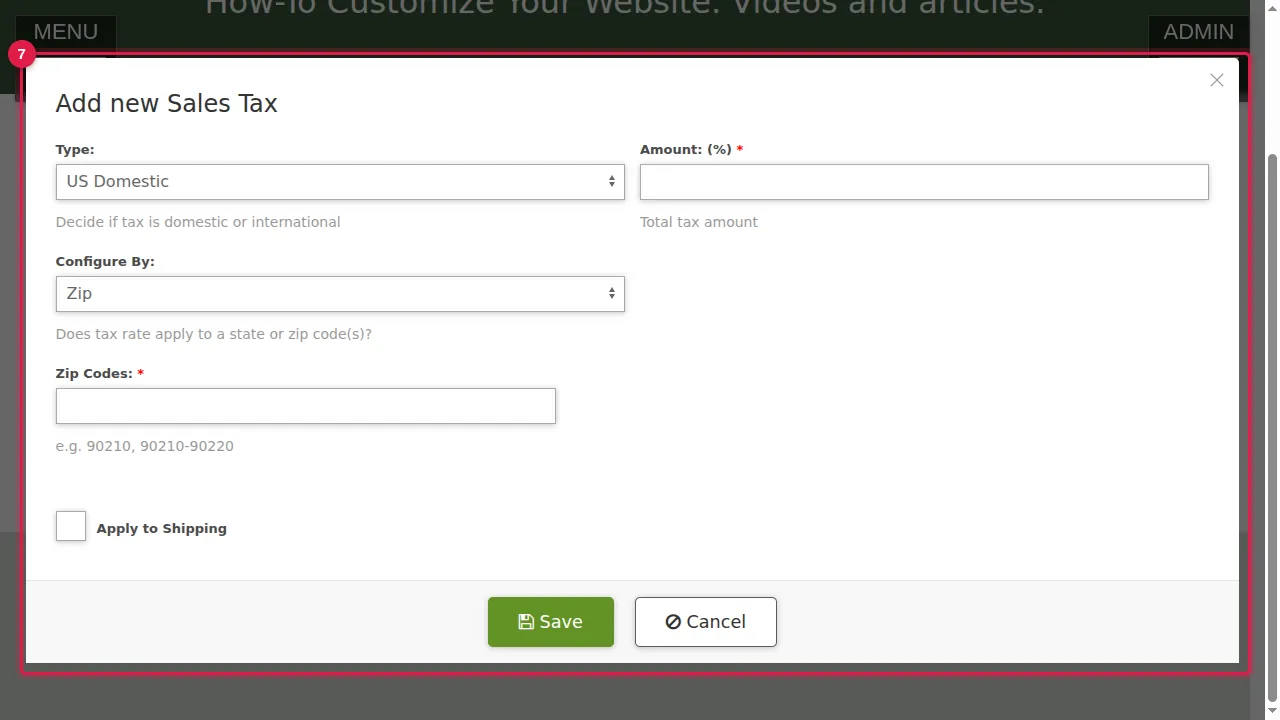
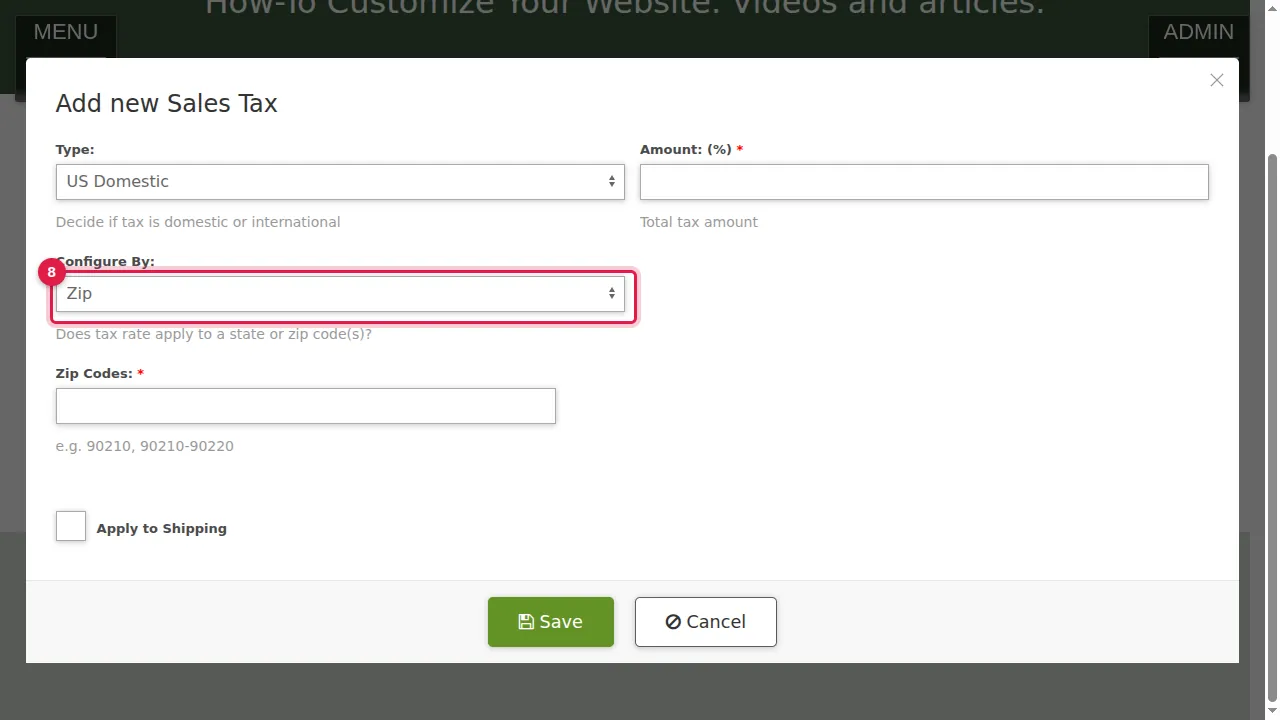
Step 7. Zip asks for Zip Codes: single codes and ranges, separated by commas, for example 90210, 90210-90220.
Step 8. Here: by State.
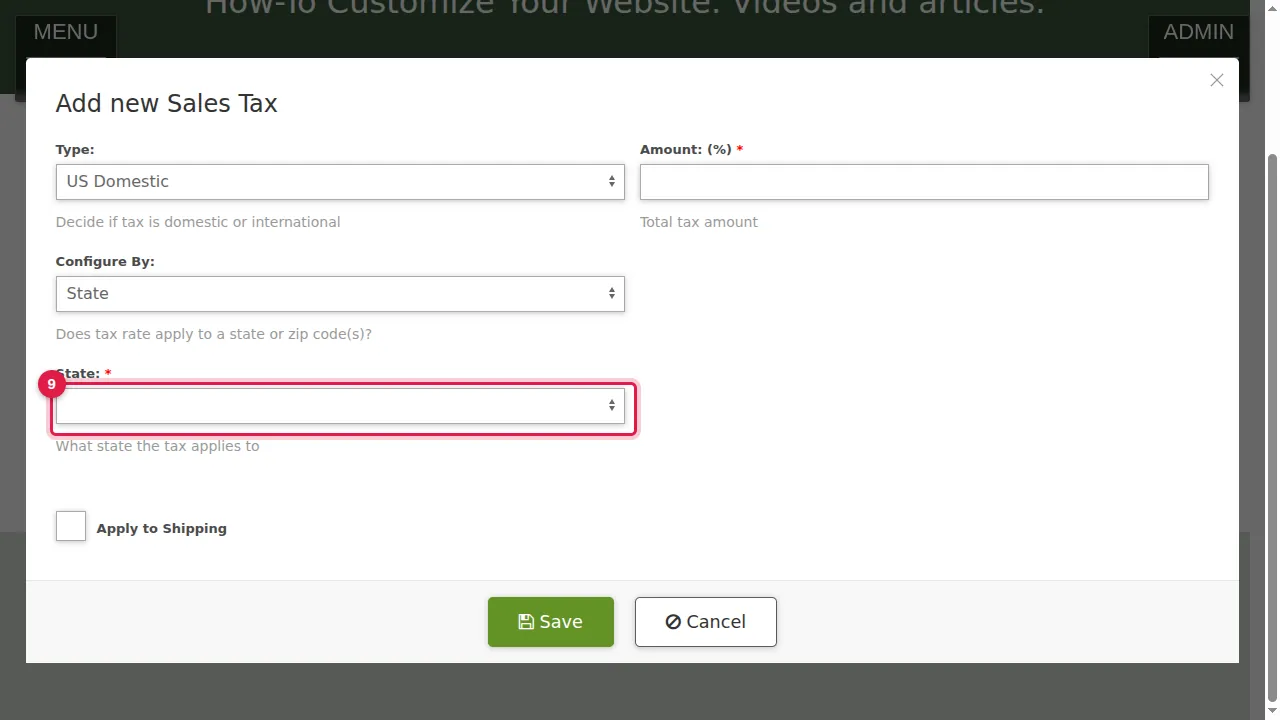
Step 9. Choose the State, or All States and Territories.
Rate and save
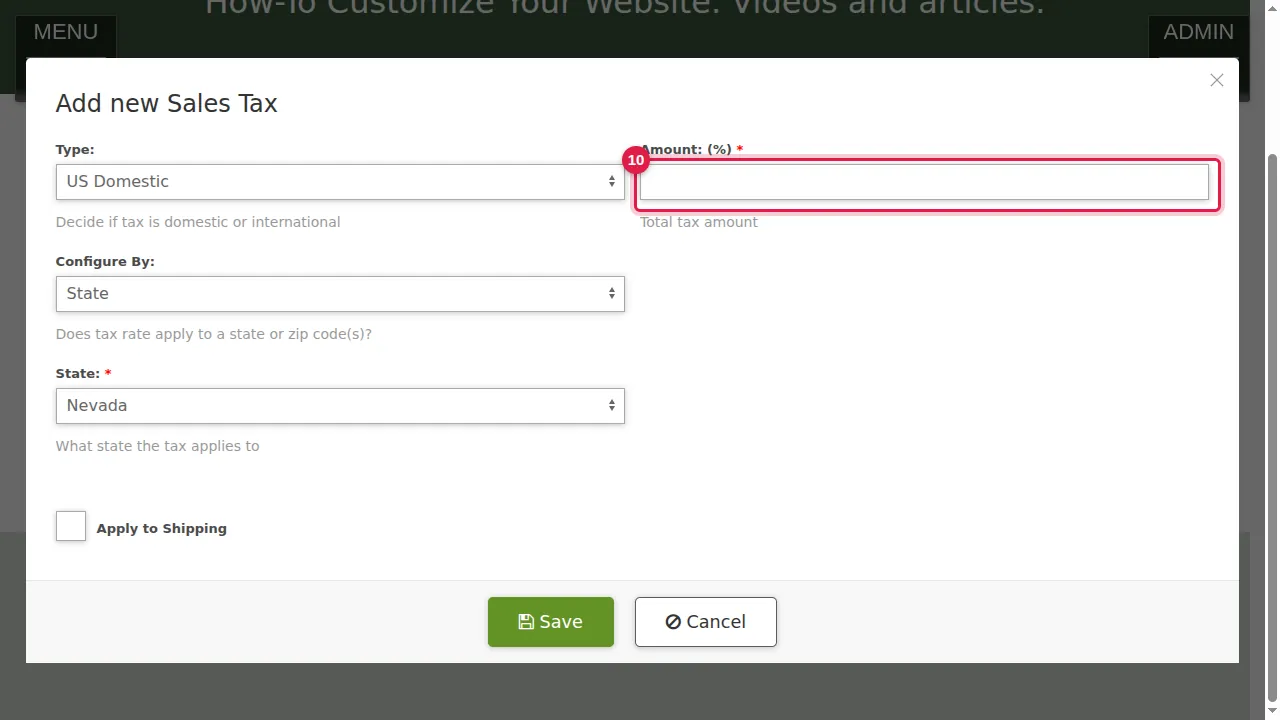
Step 10. Amount: the tax rate in percent (here 6.85).
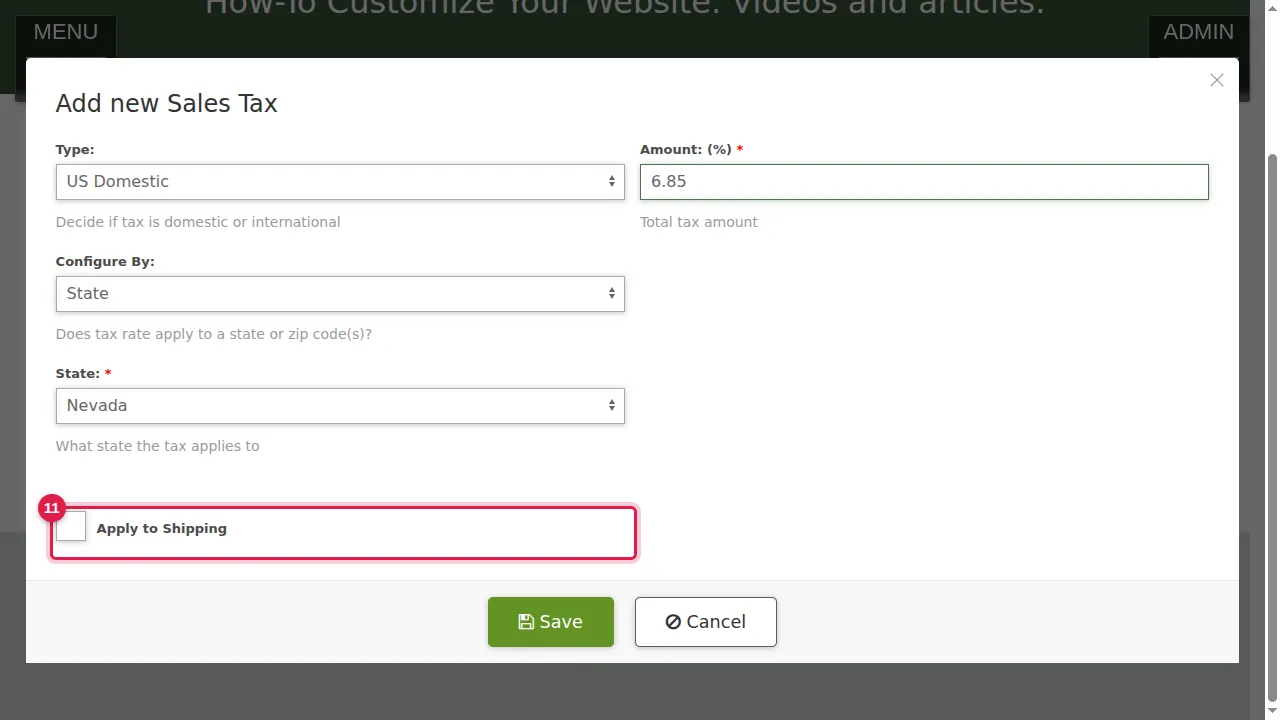
Step 11. Apply to Shipping: tick it if shipping is taxed too.
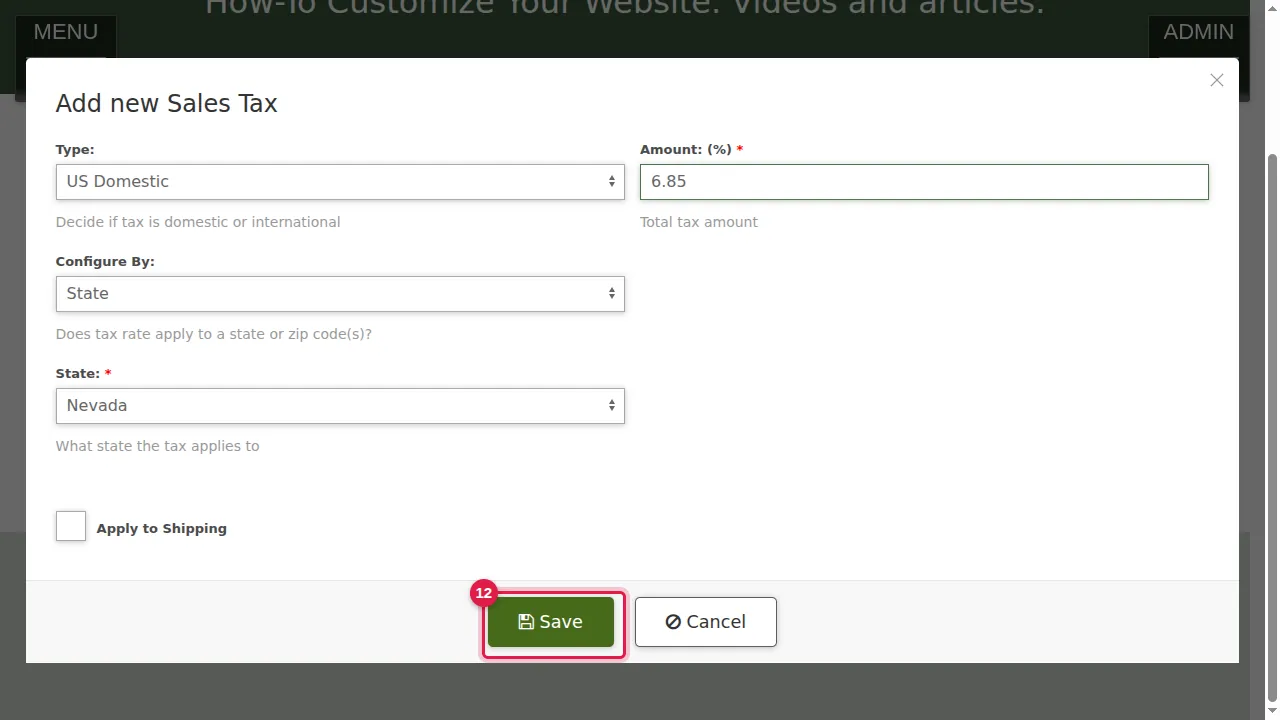
Step 12. Click Save.
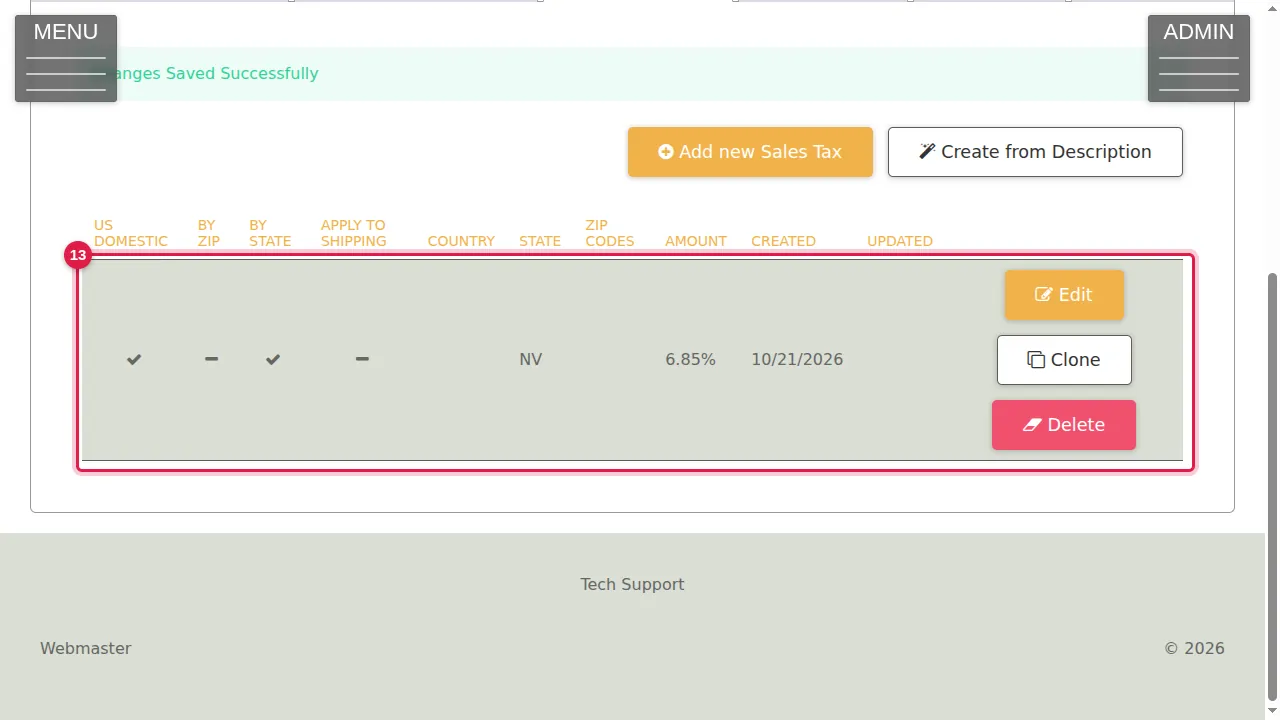
Step 13. The rule is in the list (here NV, 6.85%) with Edit, Clone and Delete. Clone is quick for the next state with another rate.
Check it worked
Put a product in the cart with an address in that state and check the tax at checkout.
Related help
Shown on the 2026 version of the SoNET Web Engine. Last checked 21 October 2026. Something different on your screen? Tell us through the Contact page.