Help Center Store
Shipping methods
Set up how you ship orders and what it costs: a name and note customers see, the country, and a price based on the order total, the number of items, the weight, a flat rate or a phone call, with as many price ranges as you need.
Watch it done: a short silent video with captions · 2:08. The steps below show the same thing picture by picture.
Before you start
- Log in as the site owner.
- Open ADMIN › eCommerce.
Open shipping methods
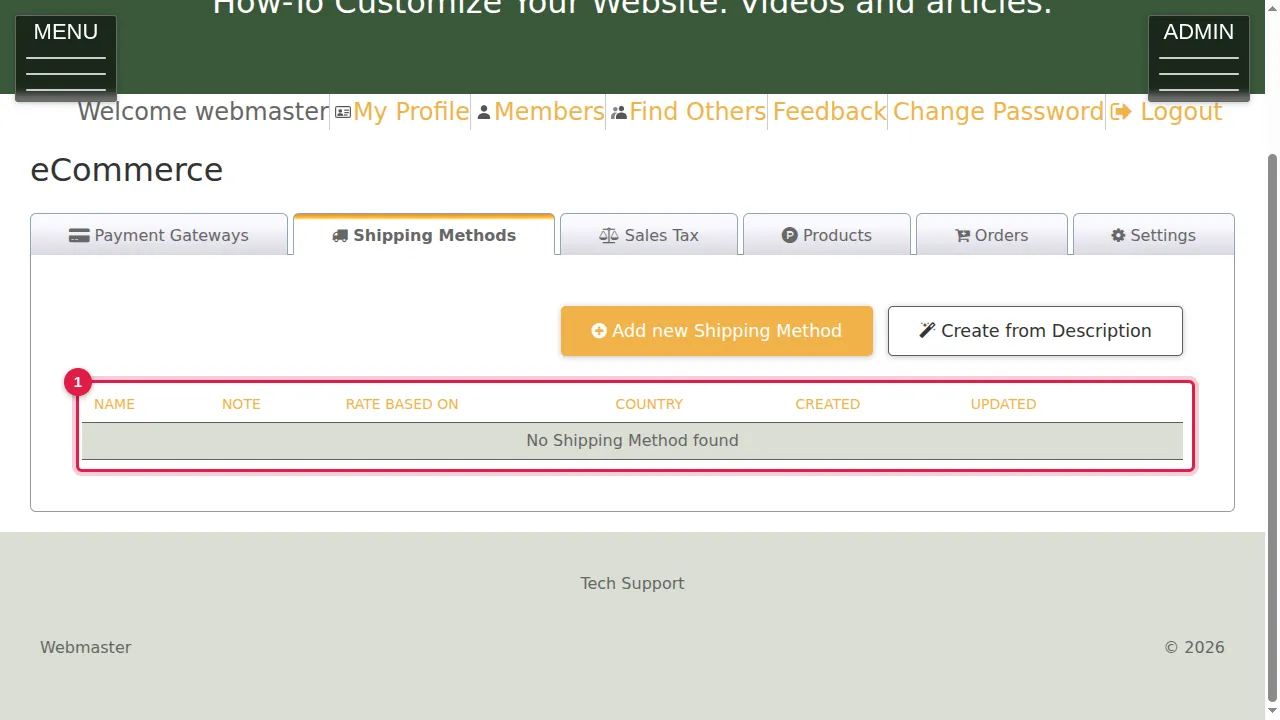
Step 1. Click the Shipping Methods tab. It lists the ways you ship orders (here none yet).
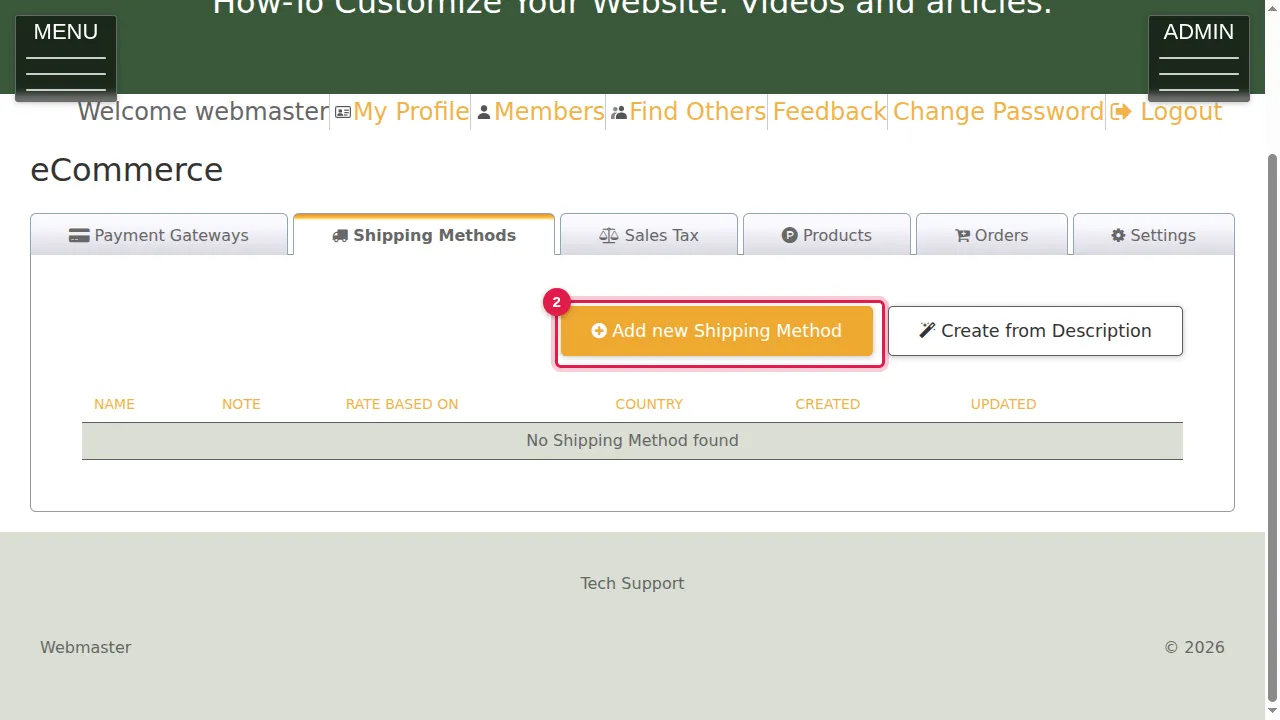
Step 2. Click Add new Shipping Method.
Name, note and country
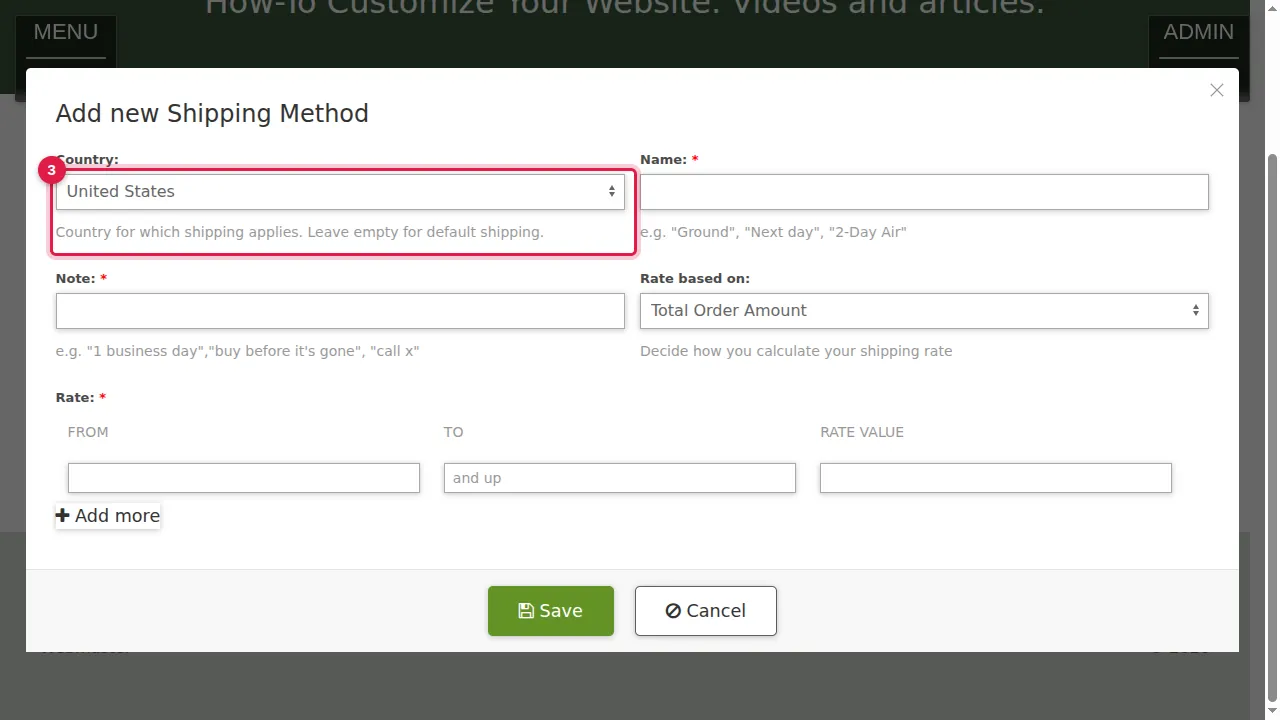
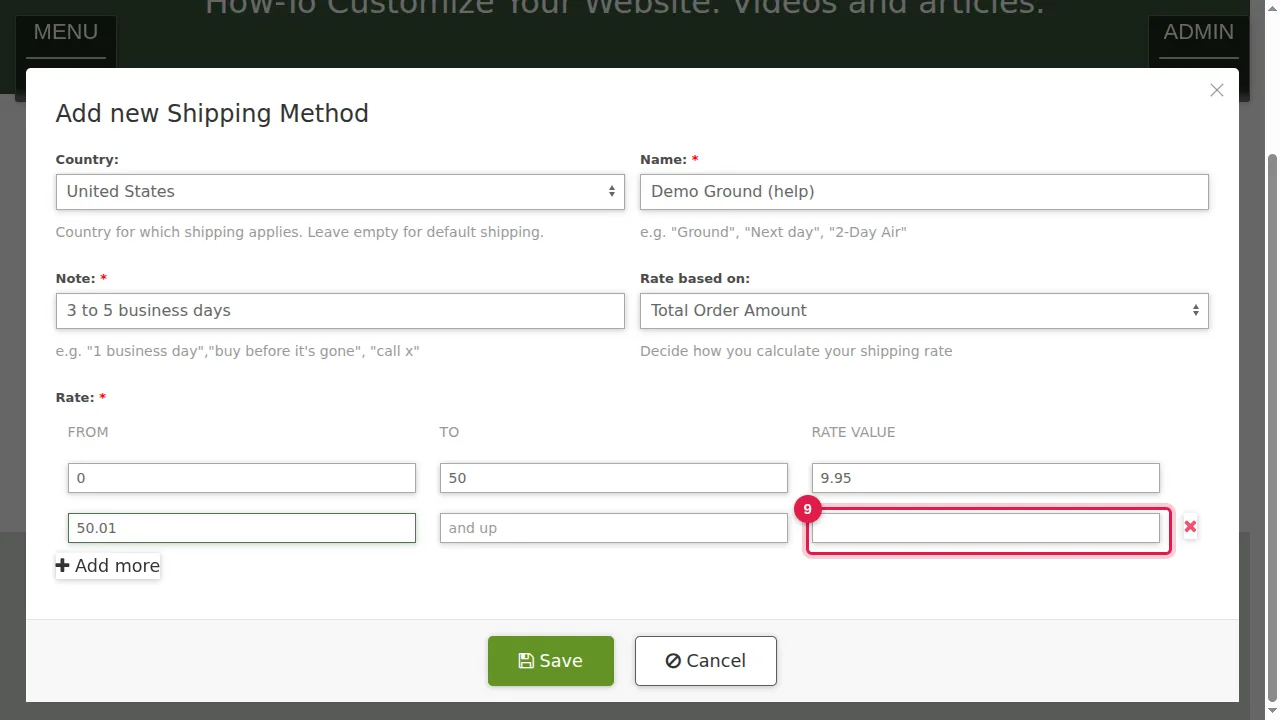
Step 3. Country: the country this method ships to. Leave it empty for your default shipping.
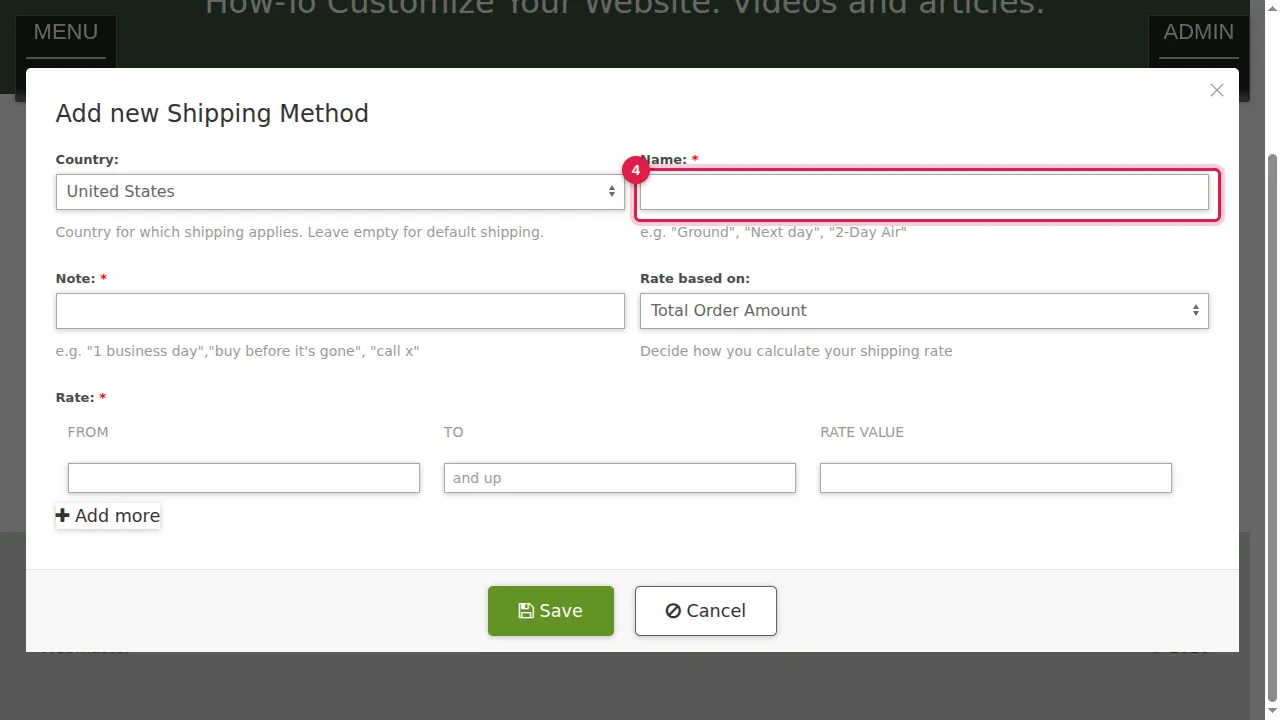
Step 4. Name: what customers choose at checkout, for example Ground, Next day or 2-Day Air.
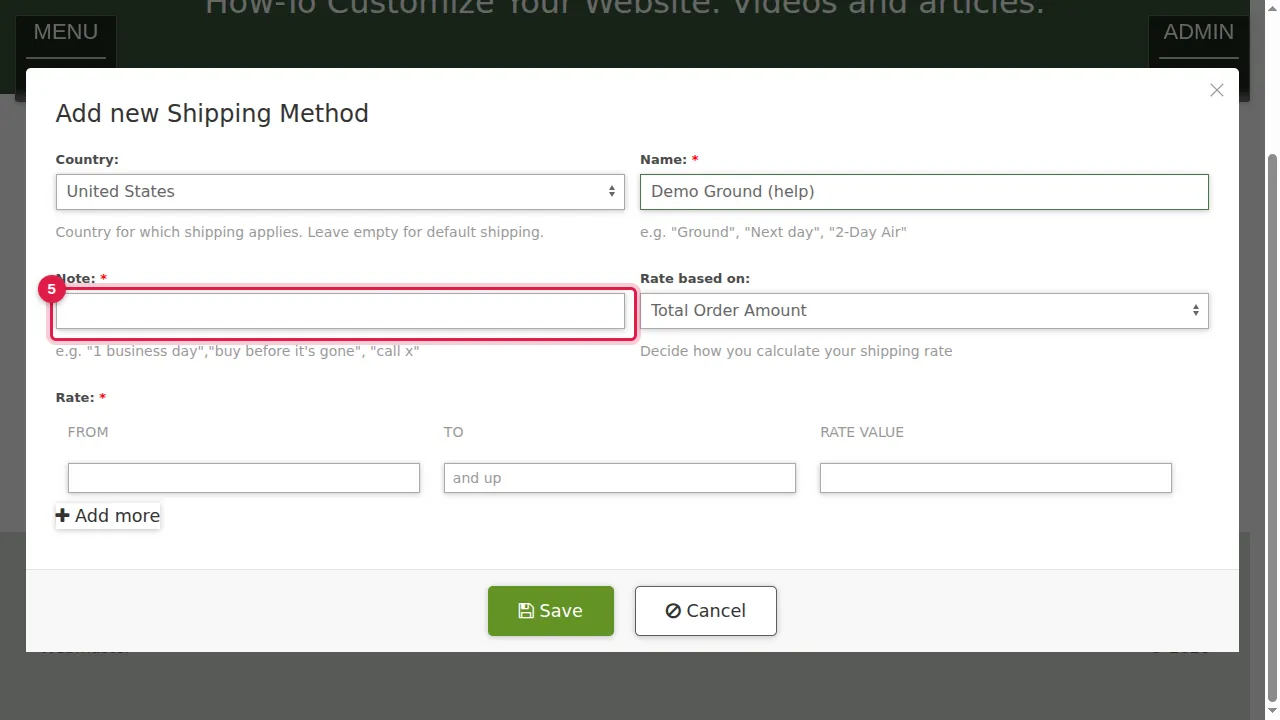
Step 5. Note: a short explanation, for example "3 to 5 business days".
Prices
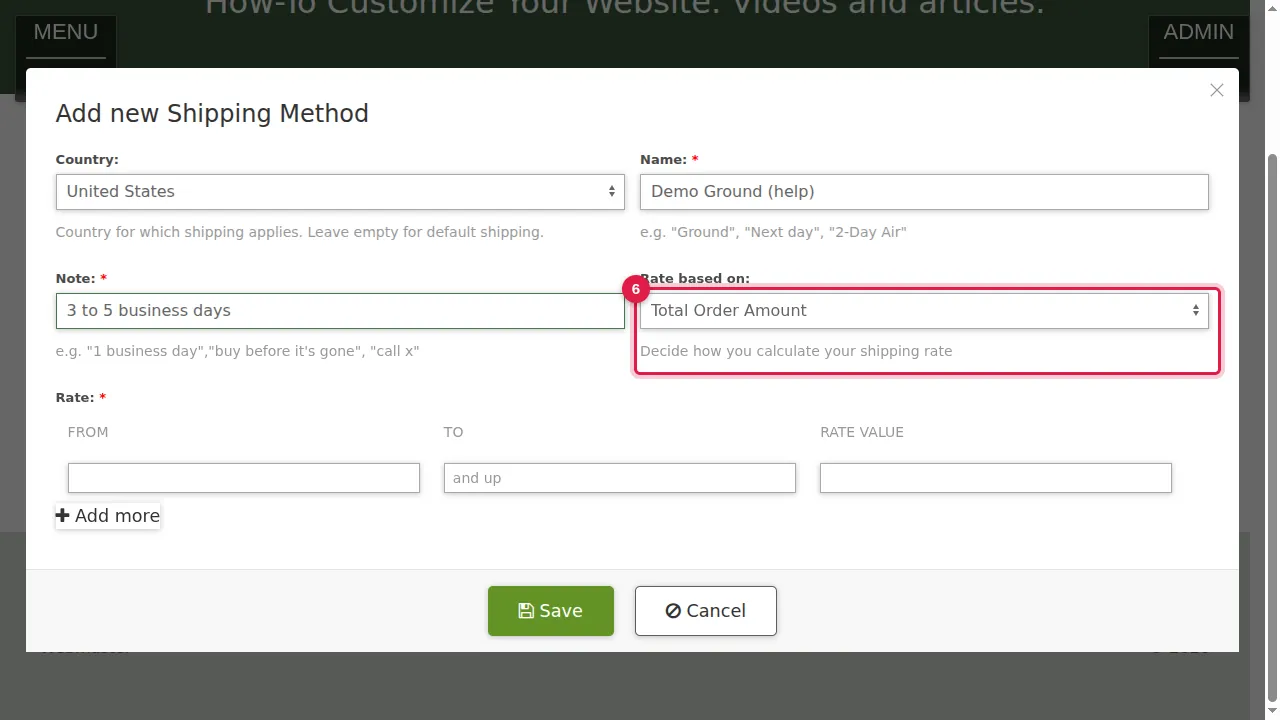
Step 6. Rate based on: Total Order Amount, Total Item Quantity, Flat Rate, Phonecall or Total Weight.
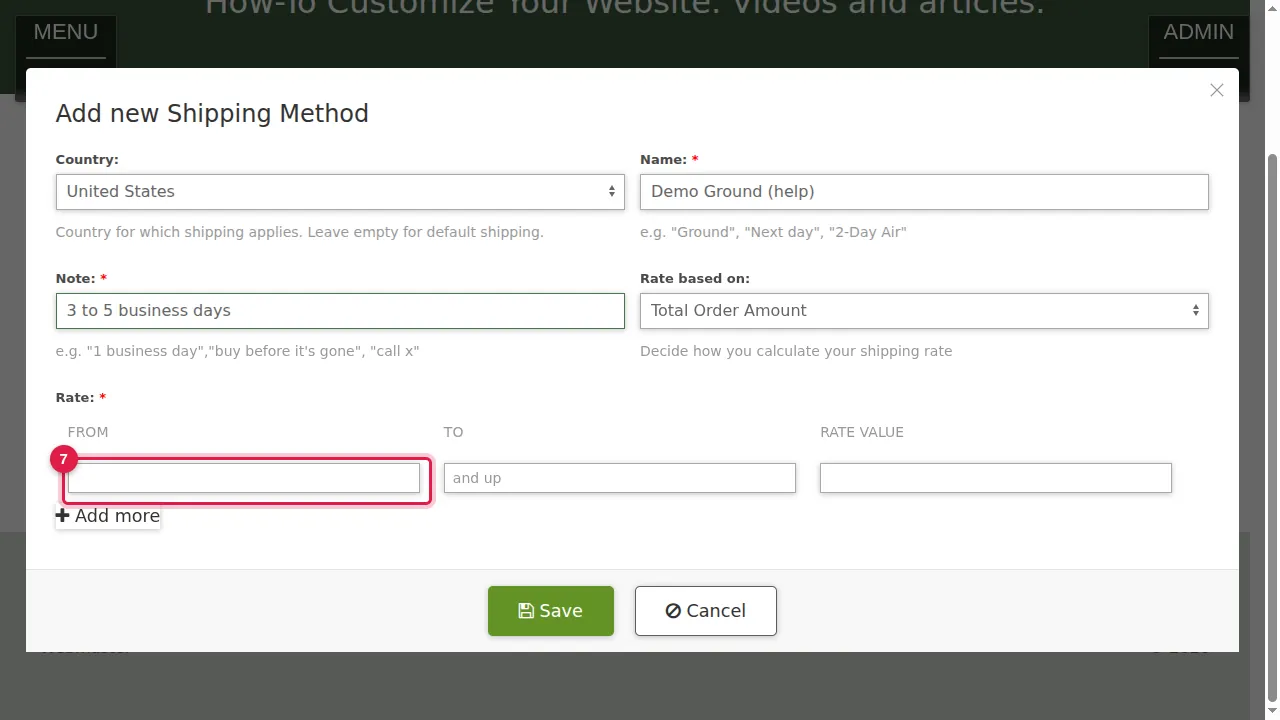
Step 7. Rate: a range From and To, and the shipping price (Rate Value) for that range. Here: orders from 0 to 50 pay 9.95.
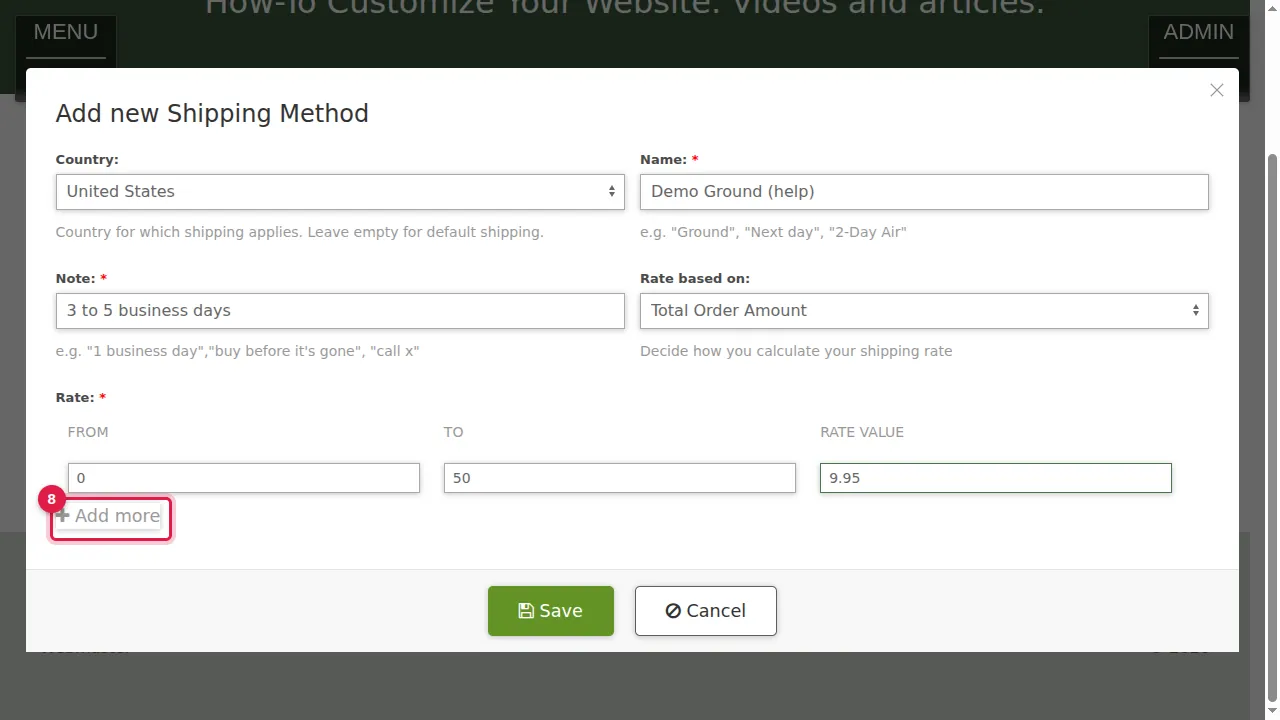
Step 8. Add more adds another range.
Step 9. Here: from 50.01 with To left empty ("and up") ships for 0, free. The red × removes a range.
Save
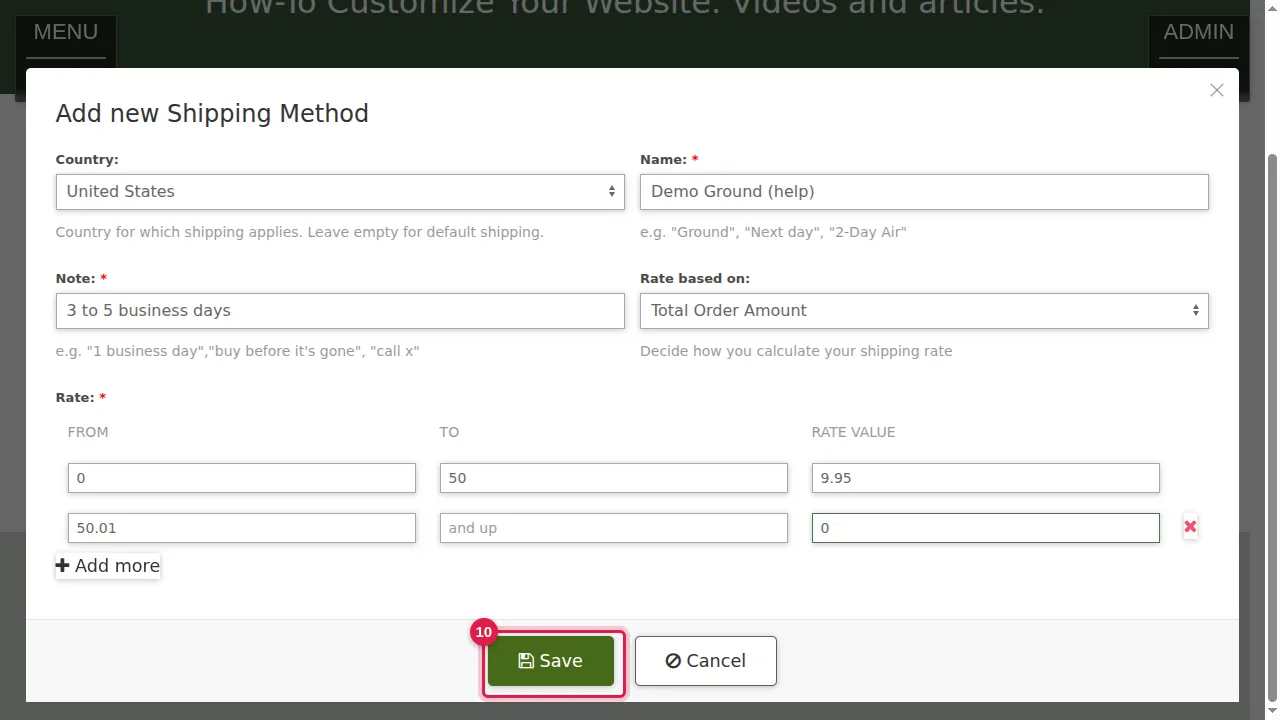
Step 10. Click Save.
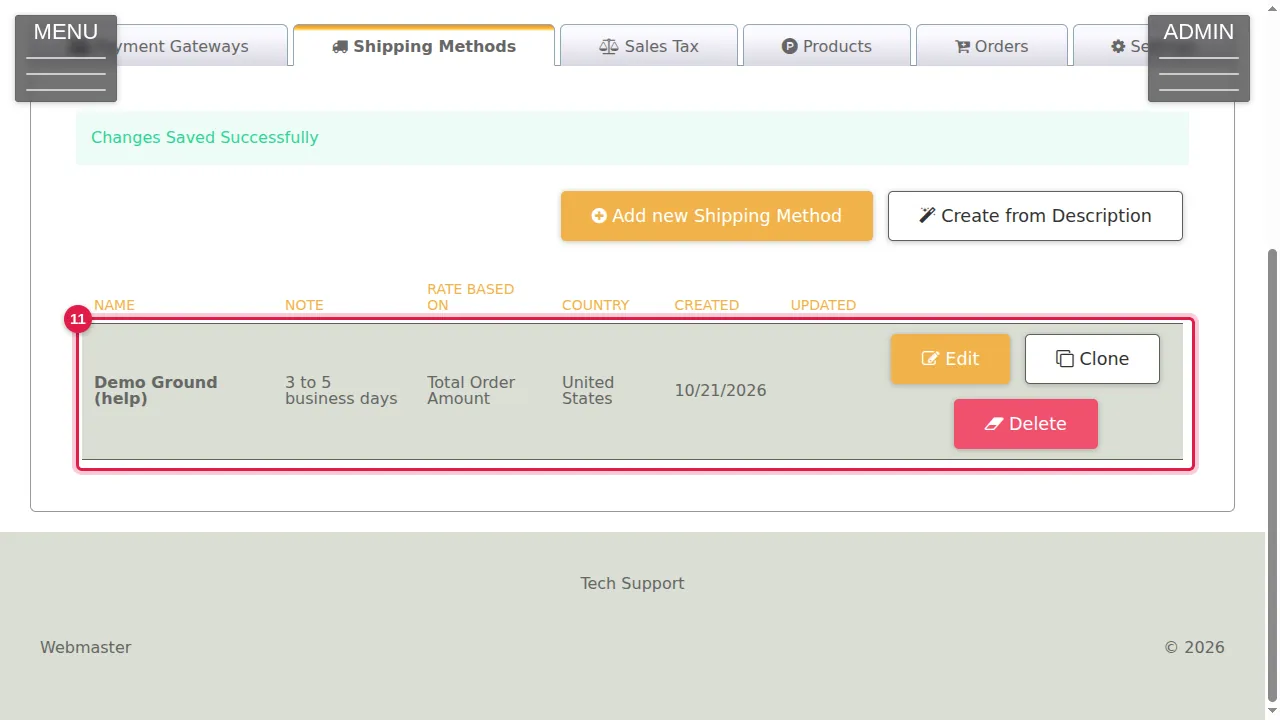
Step 11. The method is in the list with Edit, Clone and Delete. Clone is handy for a similar method, for example for another country.
Check it worked
Put a product in the cart on your store page and check the shipping price at checkout.
Related help
Shown on the 2026 version of the SoNET Web Engine. Last checked 21 October 2026. Something different on your screen? Tell us through the Contact page.