Help Center SEO & Search
Make your pages load faster
See which fixes would make your pages load faster, choose how each fix is applied, and measure a page the way a visitor's phone or desktop loads it.
Watch it done: a short silent video with captions · 1:10. The steps below show the same thing picture by picture.
Before you start
- Log in as the site owner.
- Open ADMIN › SEO.
Fixes for your site
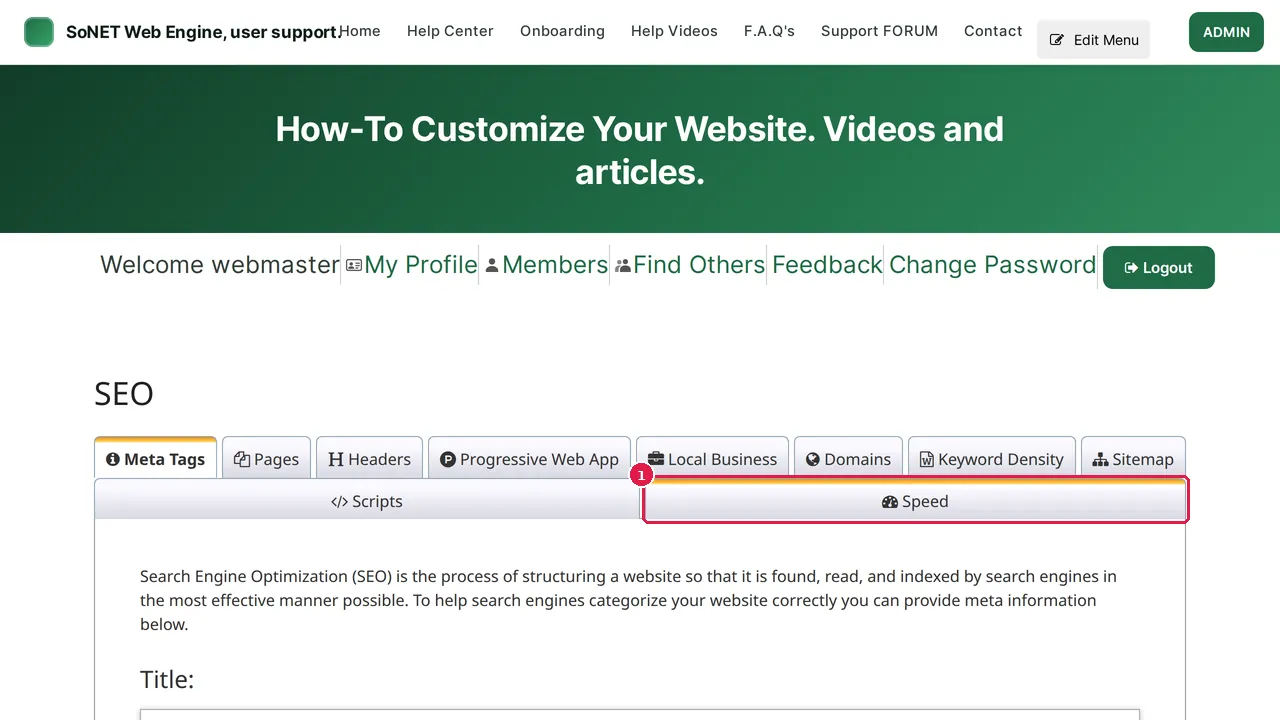
Step 1. In ADMIN › SEO, click the Speed tab.
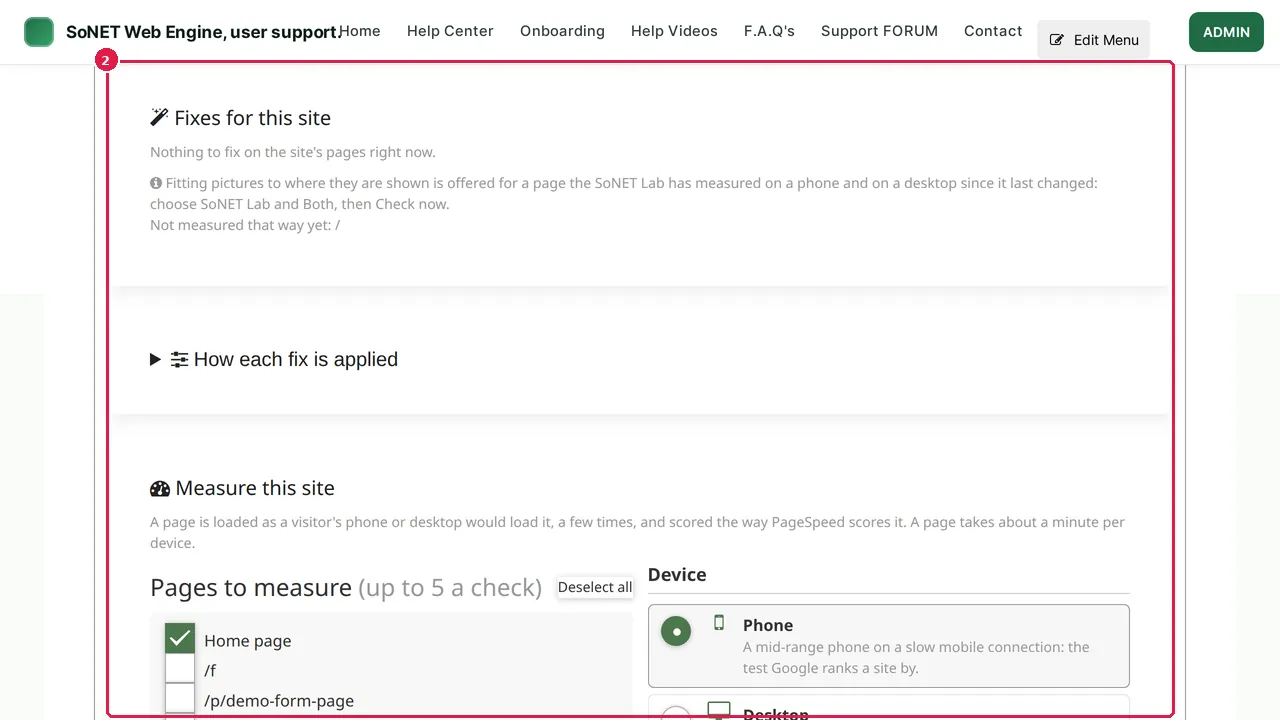
Step 2. Fixes for this site lists what would make your pages load faster, ready for you to apply. When there is nothing to fix, it says so.
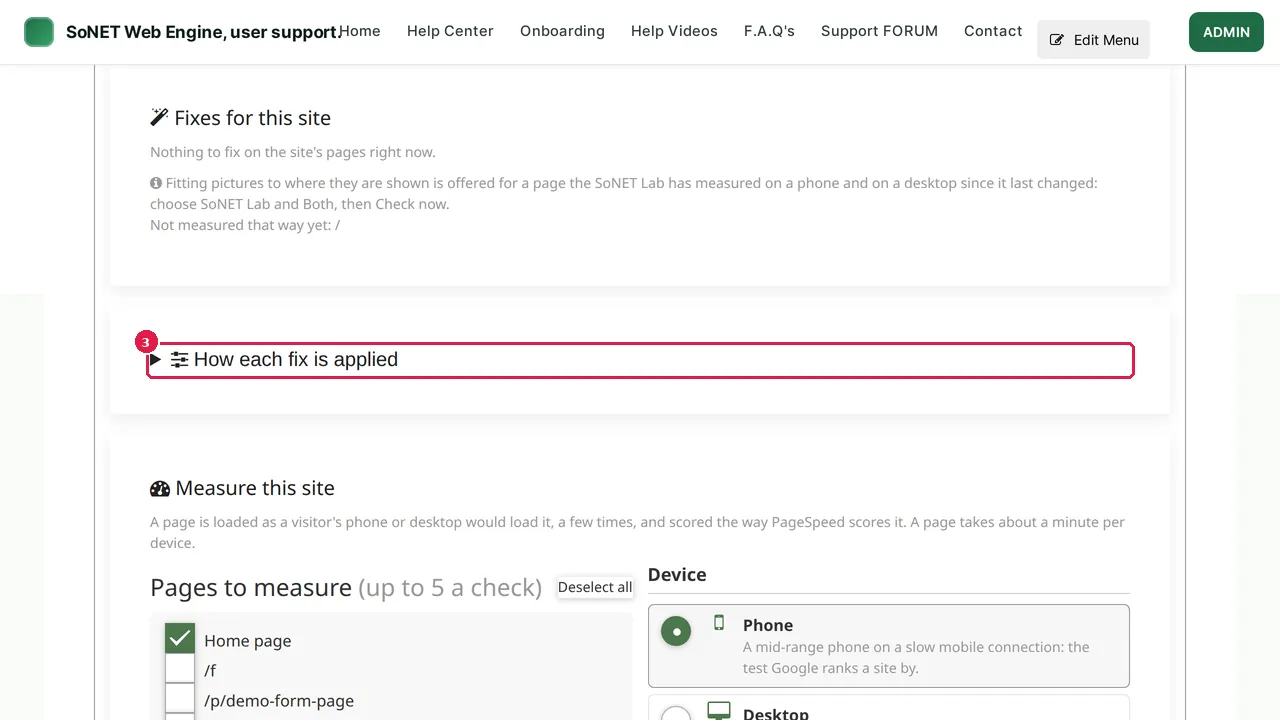
Step 3. Click How each fix is applied to see every fix, with a short explanation of what it does.
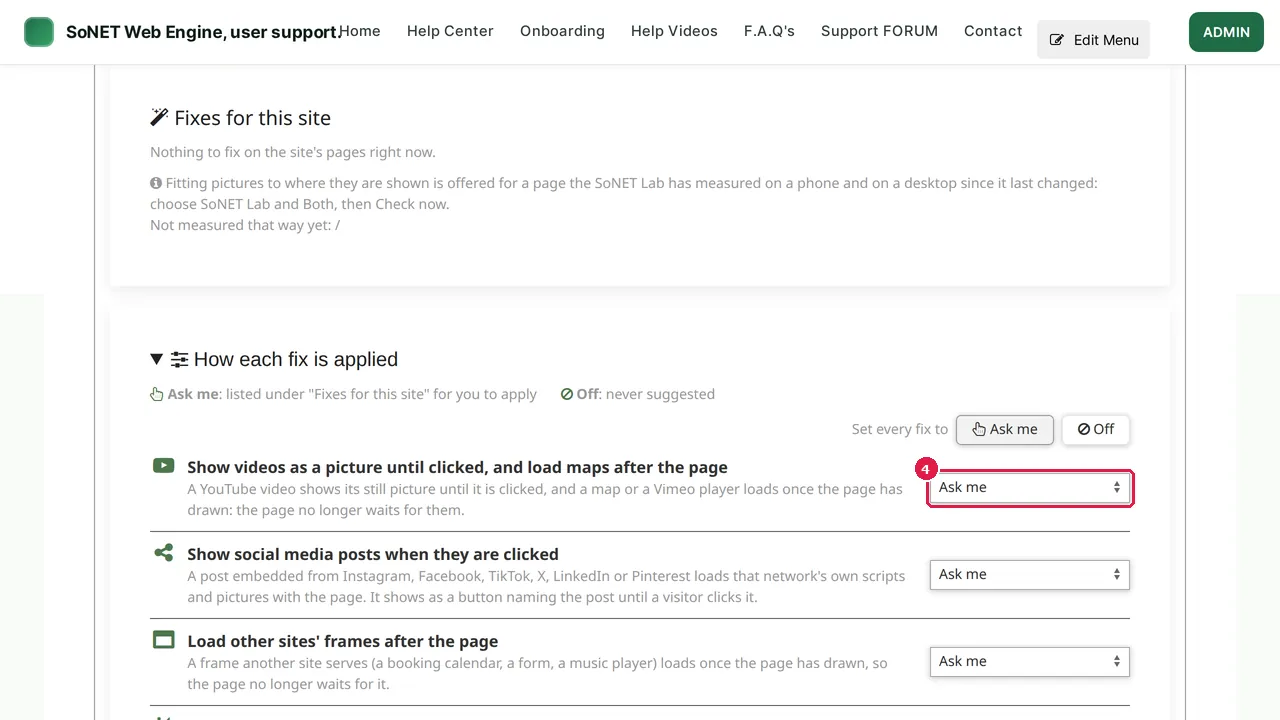
Step 4. Each fix is set to Ask me (it is listed under Fixes for this site for you to apply) or Off (never suggested). Set every fix to Ask me or Off at once with the buttons above the list.
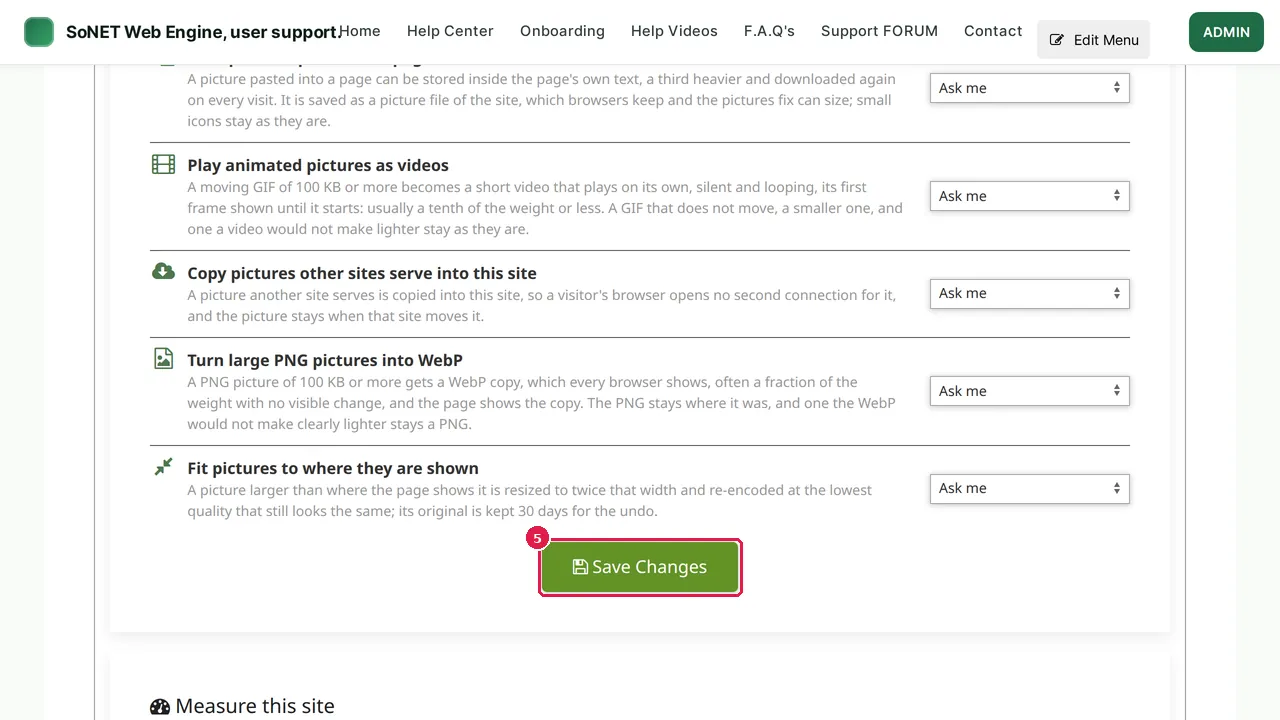
Step 5. After changing a setting, click Save Changes. (In this demonstration nothing was changed.)
Measure a page
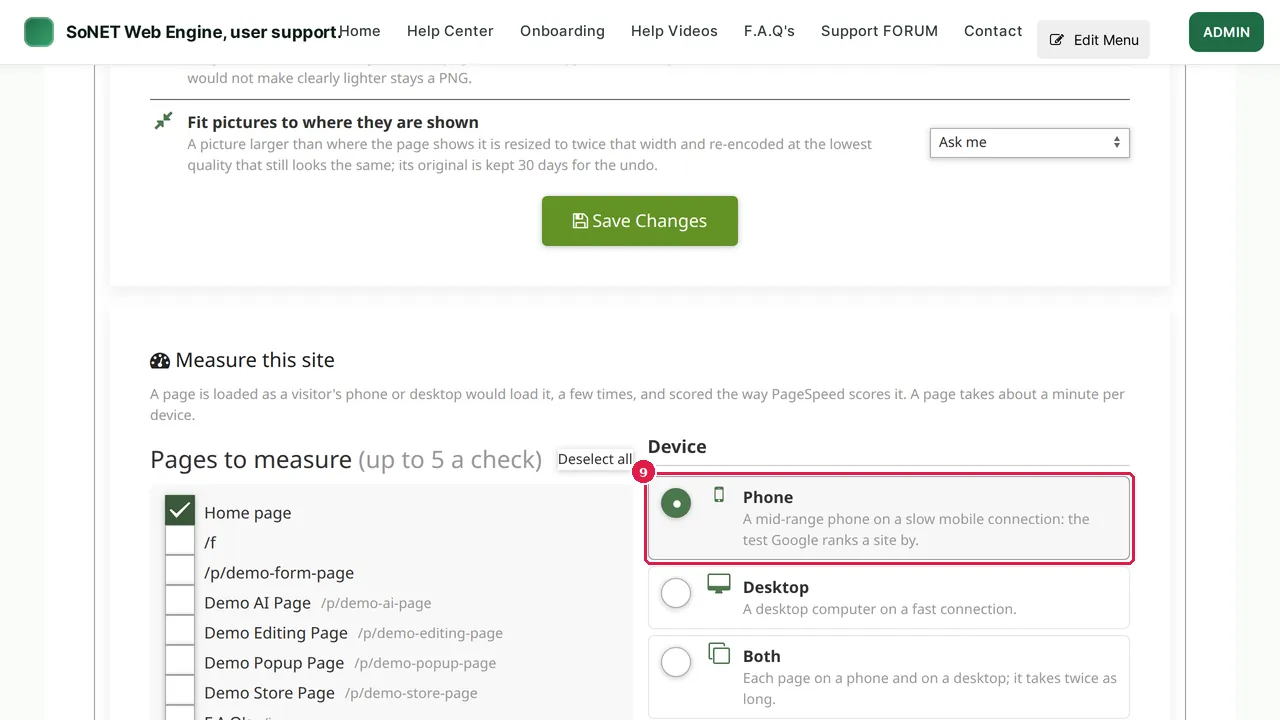
Step 6. Measure this site loads a page the way a visitor's phone or desktop would, a few times, and scores it.
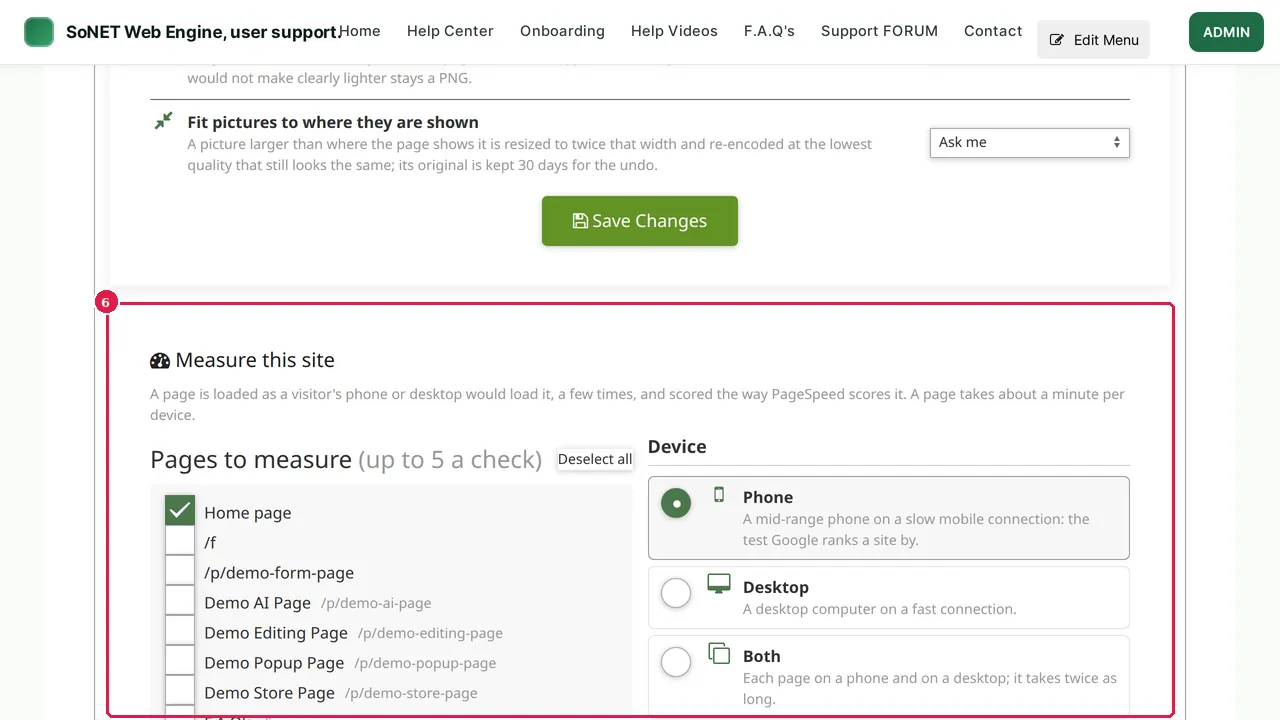
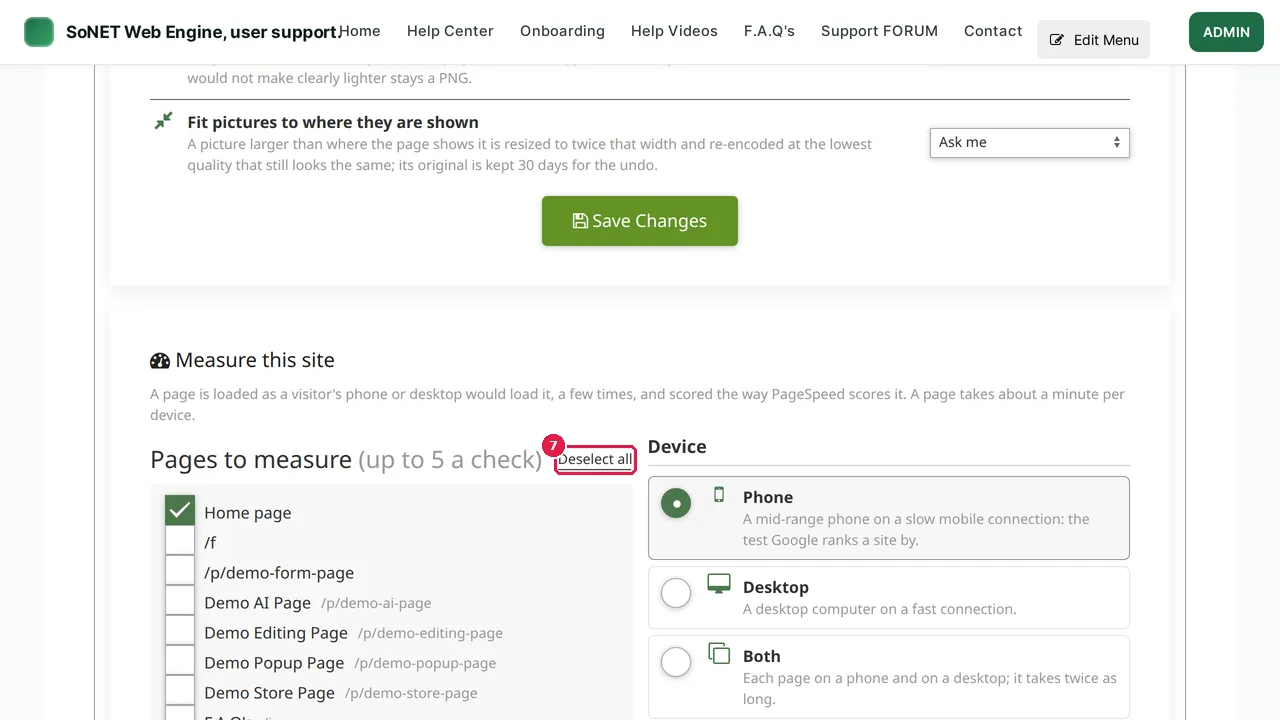
Step 7. Pages to measure: up to 5 pages a check. Click Deselect all to start again…
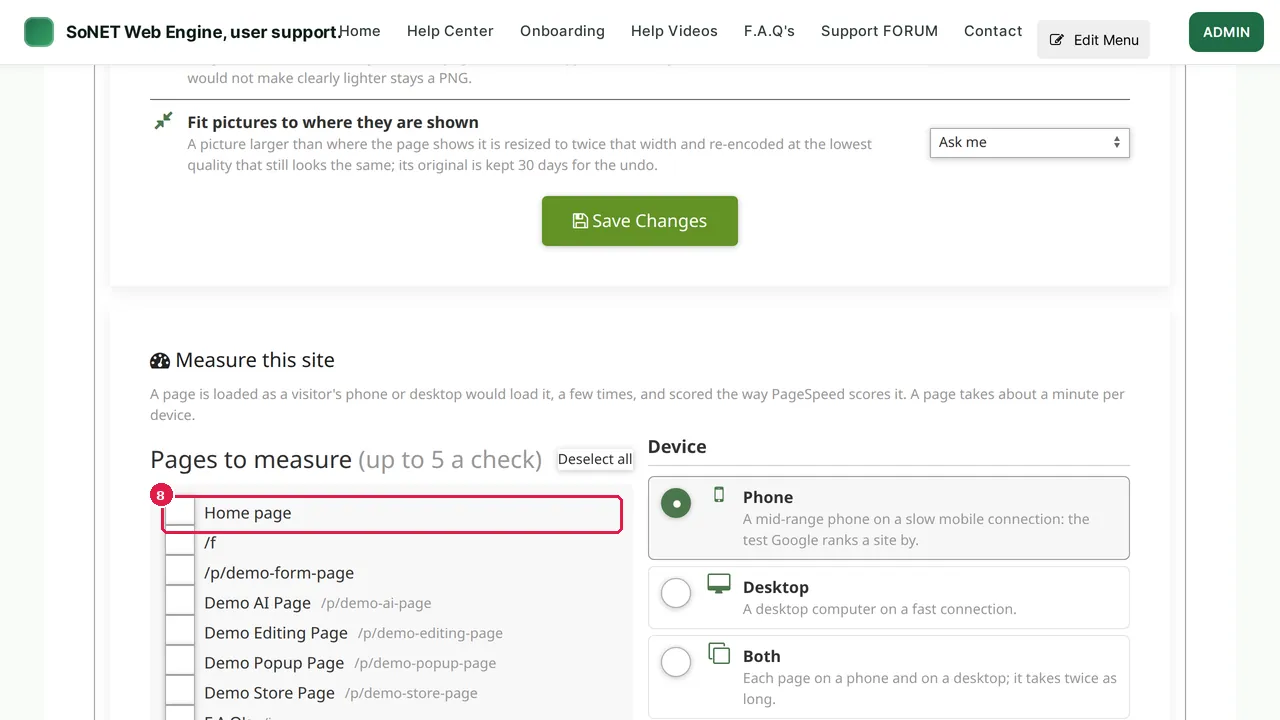
Step 8. …and tick the page you want to measure, here the home page.
Step 9. Choose the device (Phone is the test Google ranks a site by; Desktop; or Both, which takes twice as long) and what measures it: SoNET Lab (this server's own browser, steady from one run to the next), PageSpeed Insights (Google's own test, public pages only) or Both.
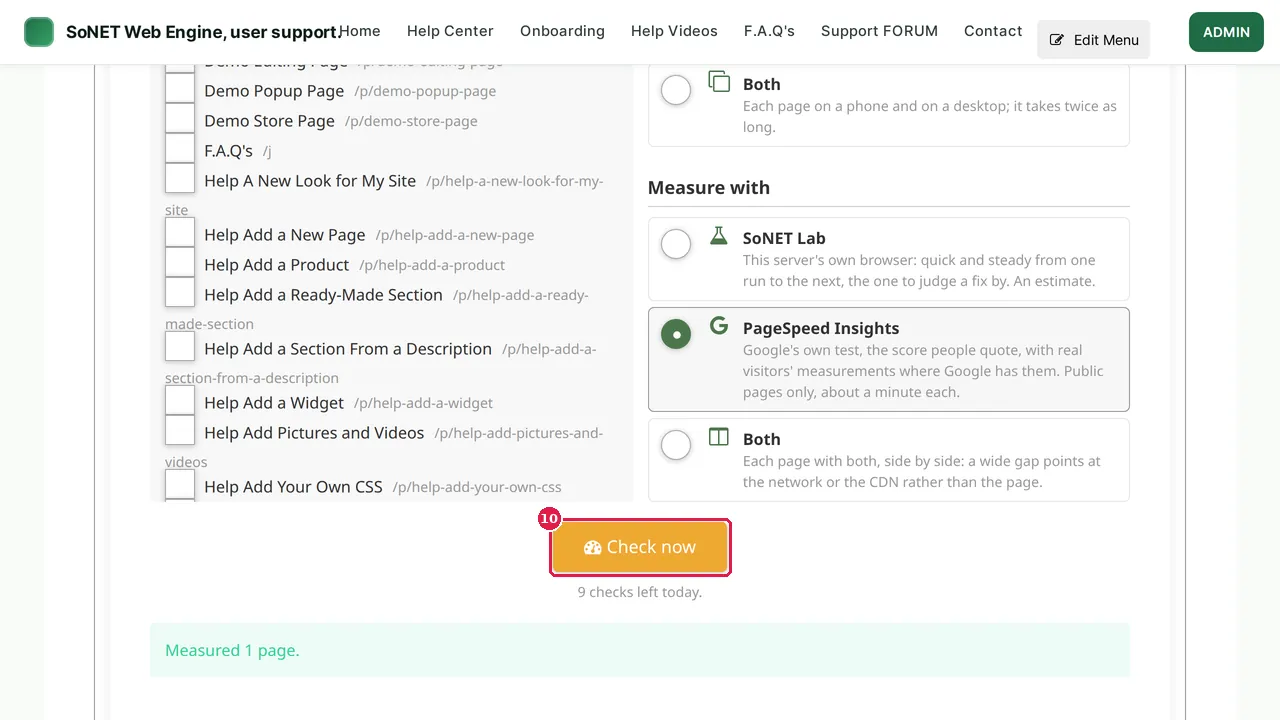
Step 10. Click Check now. A page takes about a minute per device; the line below the button says how many checks are left today.
Read the result
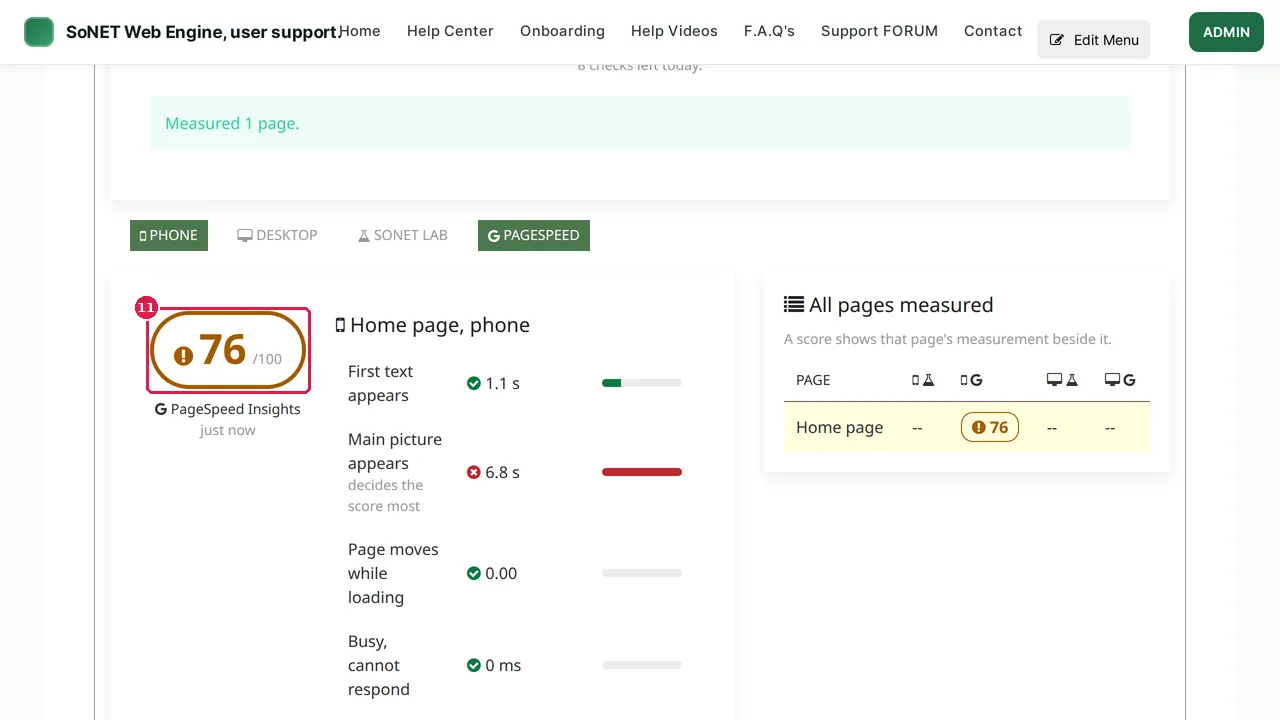
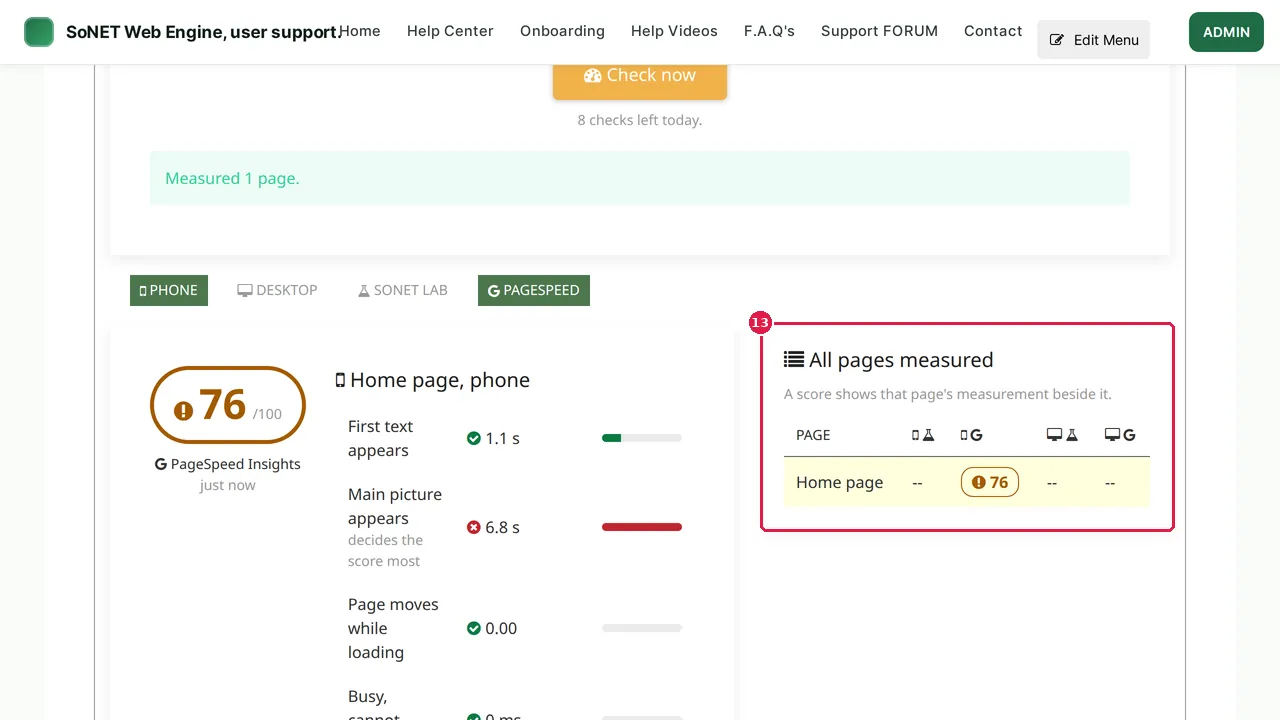
Step 11. The result: a score out of 100 and the times behind it: when the first text appears, when the main picture appears (it decides the score most), how much the page moves while loading, and when it looks complete.
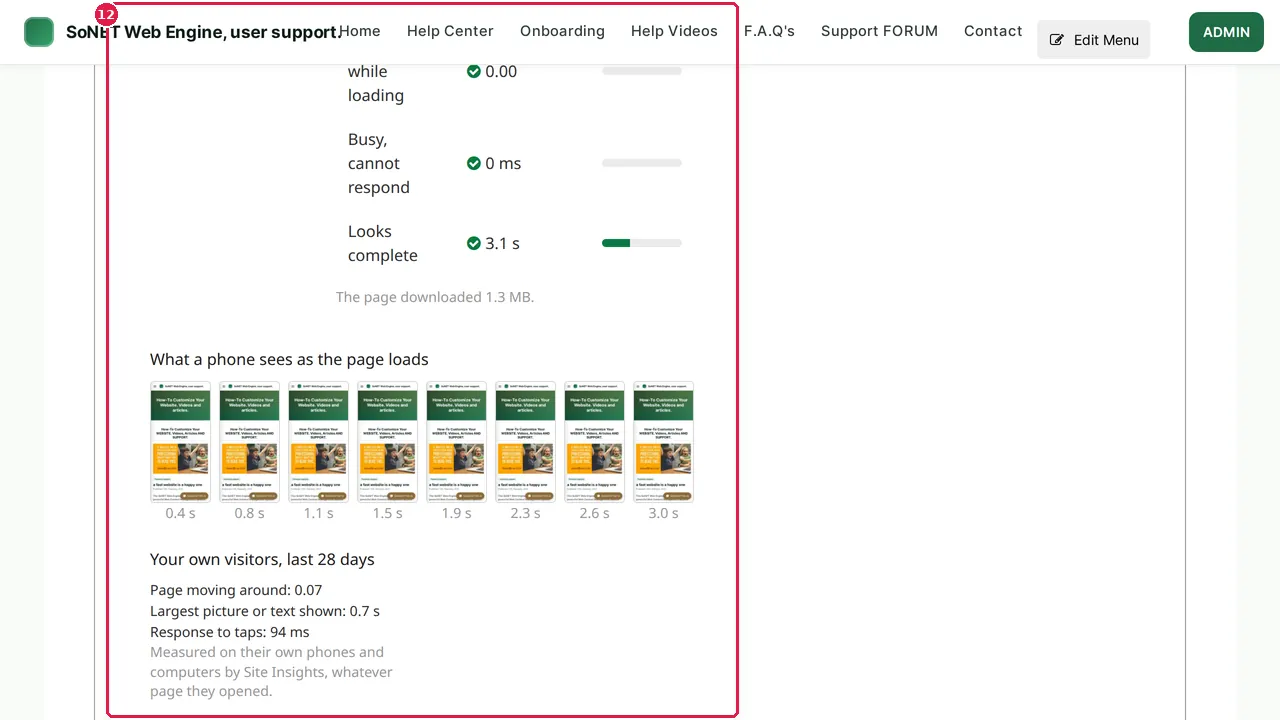
Step 12. What a phone sees as the page loads shows the page step by step. Below it, Your own visitors shows what real visitors measured, where Google has those figures.
Step 13. All pages measured keeps each page's latest score, for phone and desktop and for each way of measuring.
Check it worked
Measure your home page on a phone, apply a suggested fix, and measure it again: the score and the times should improve.
Good to know
- A slow main picture is the most common reason for a low score: use pictures no bigger than where they are shown.
- Scores move a little from one run to the next; compare several runs, not one.
Related help
Shown on the 2026 version of the SoNET Web Engine. Last checked 10 November 2026. Something different on your screen? Tell us through the Contact page.