Help Center Pages & Editing
Make a moving picture (a clip)
In the section editor, describe a short moving picture in a sentence; the site makes the clip in about a minute, and you insert it into the section.
Watch it done: a short silent video with captions · 0:58. The steps below show the same thing picture by picture.
Before you start
- Log in as the site owner.
- Open the page you want to change.
Open the clip maker
Step 1. Click Customize This Page.
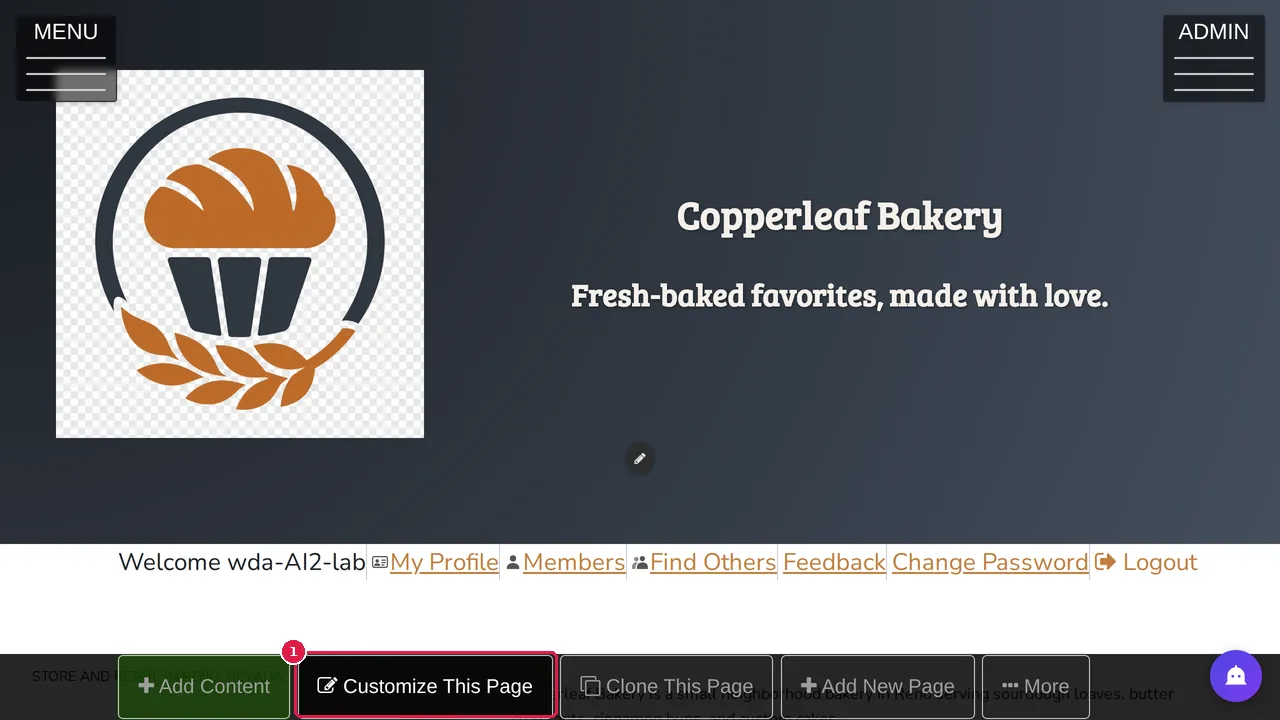
Step 2. Click the pencil of the section where the clip should go. The section editor opens.
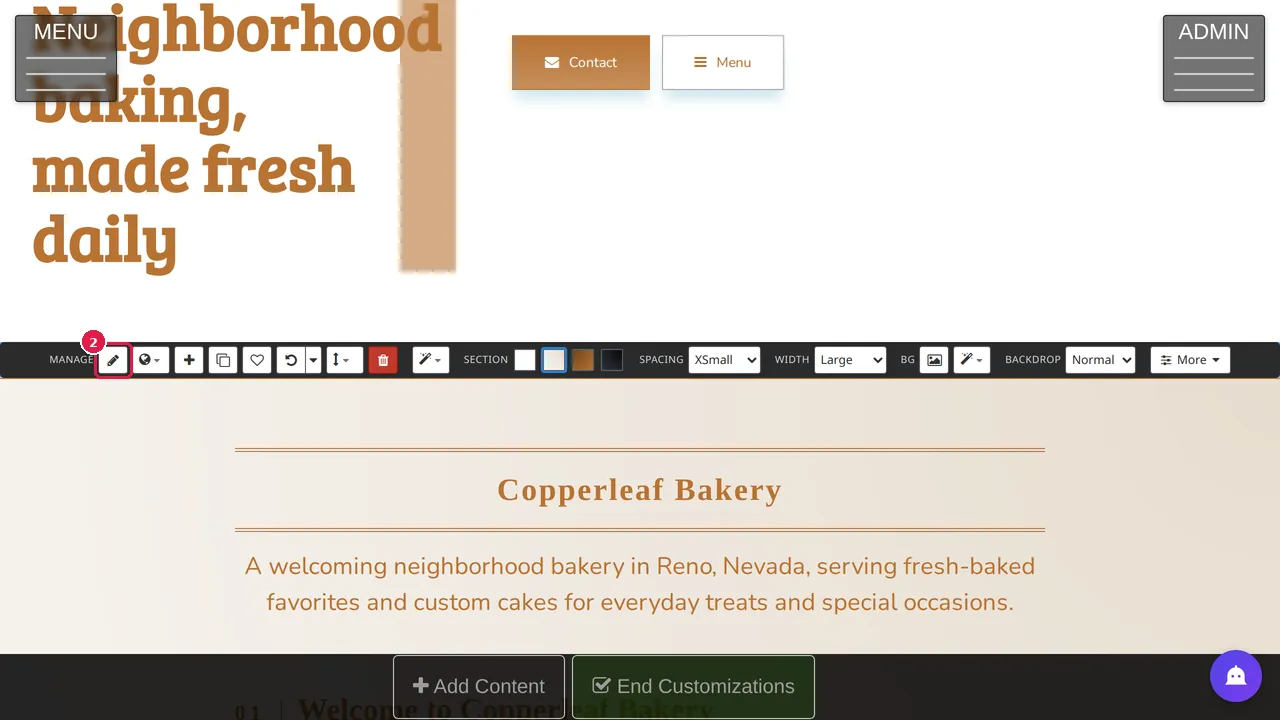
Step 3. At the left, open Generate Image or Clip.
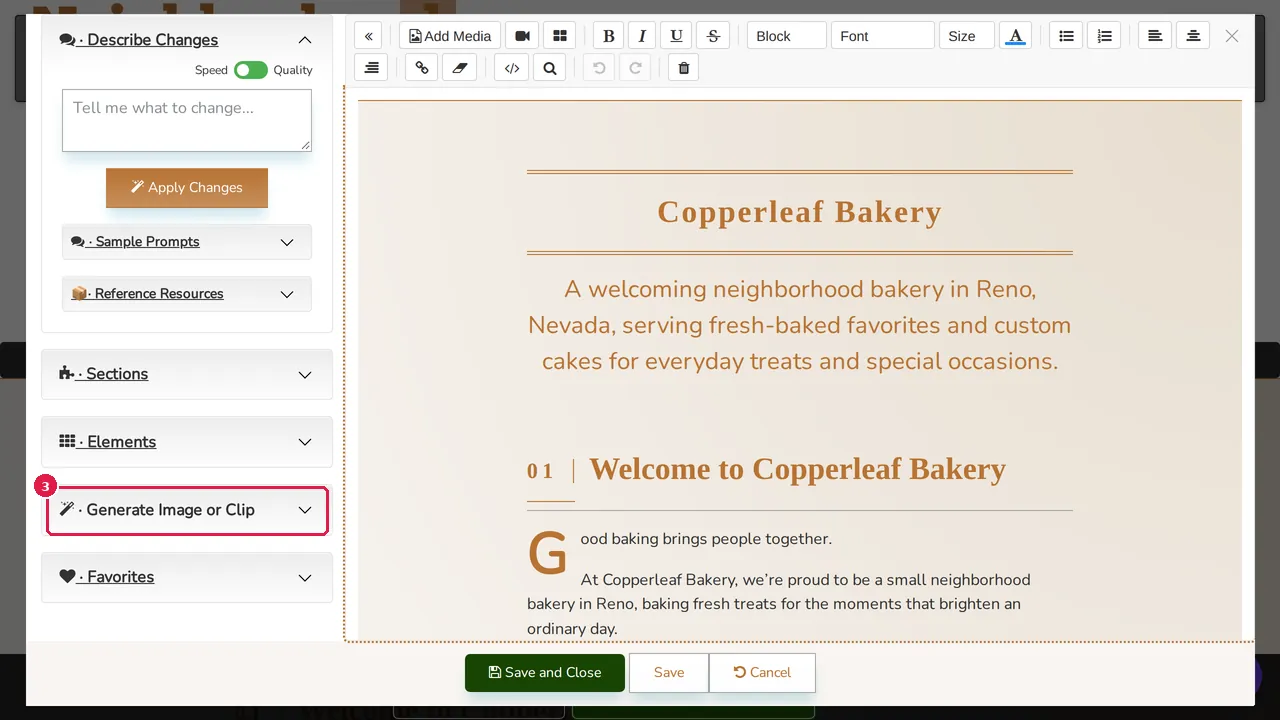
Step 4. Click Clip. The Make a clip window opens.
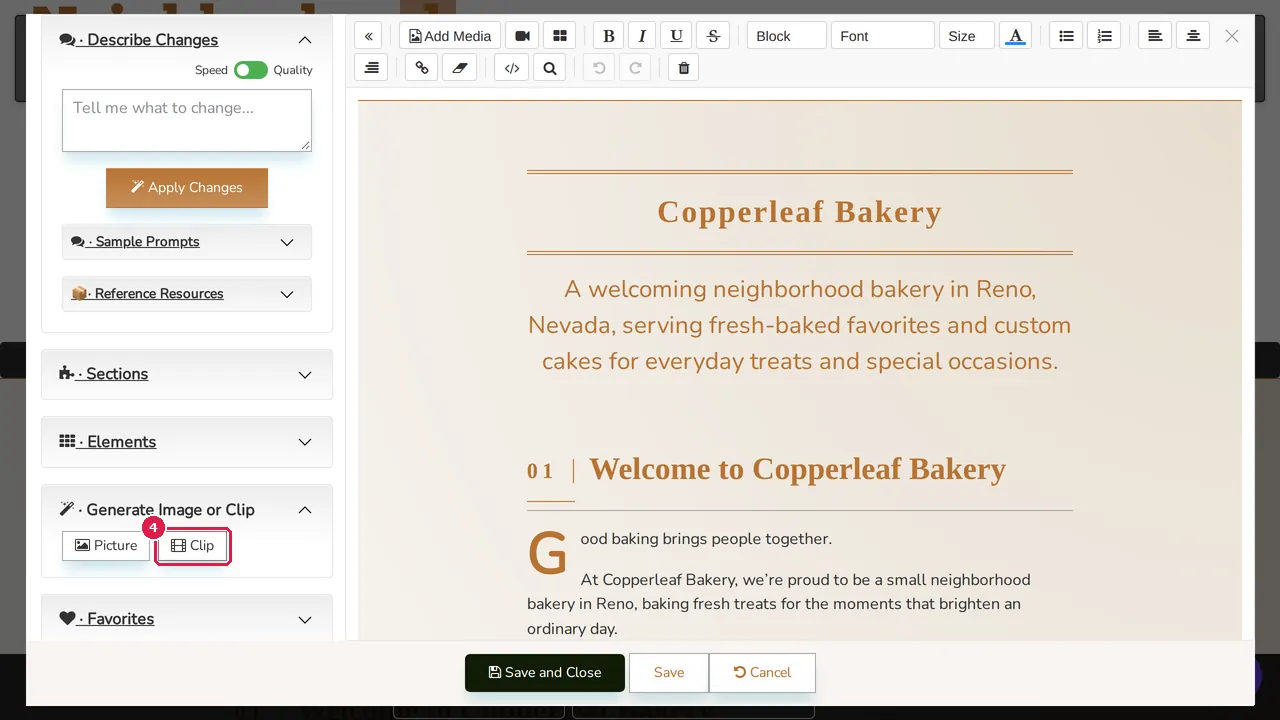
Describe and make it
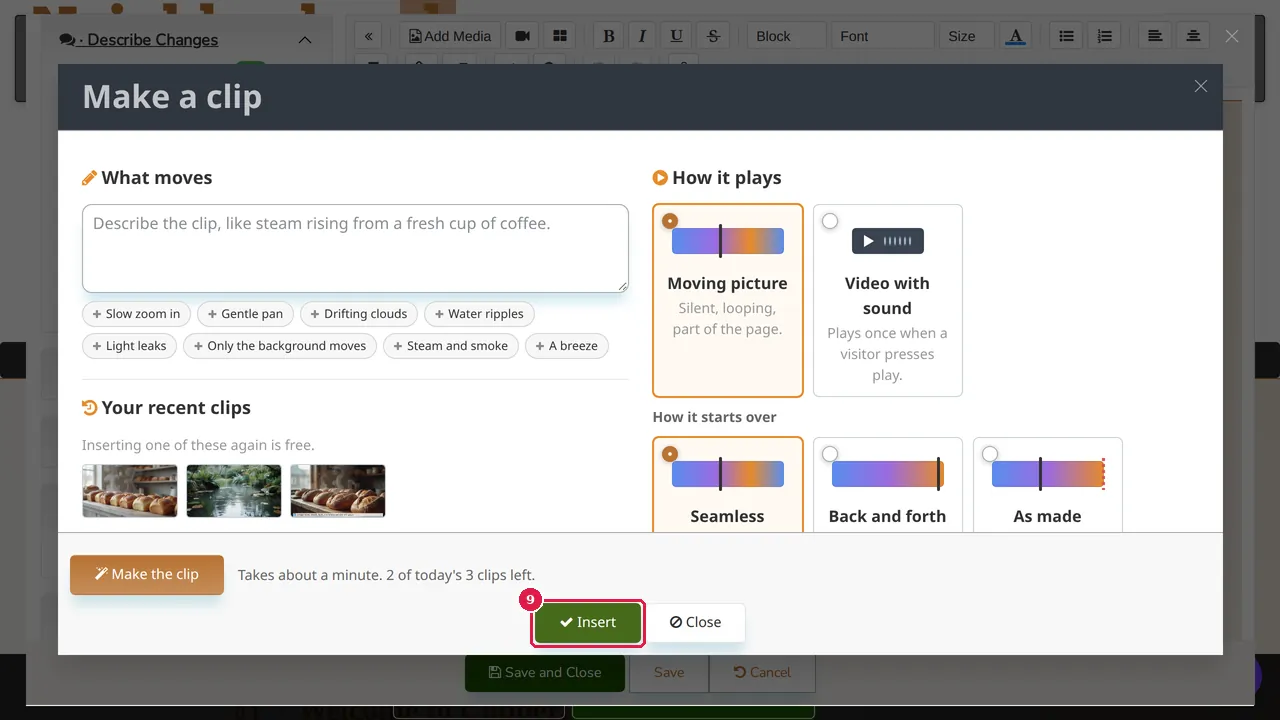
Step 5. What moves: describe the clip in a sentence, or add ready-made ideas with the buttons below it (slow zoom in, gentle pan, drifting clouds, water ripples, light leaks, only the background moves, steam and smoke, a breeze).
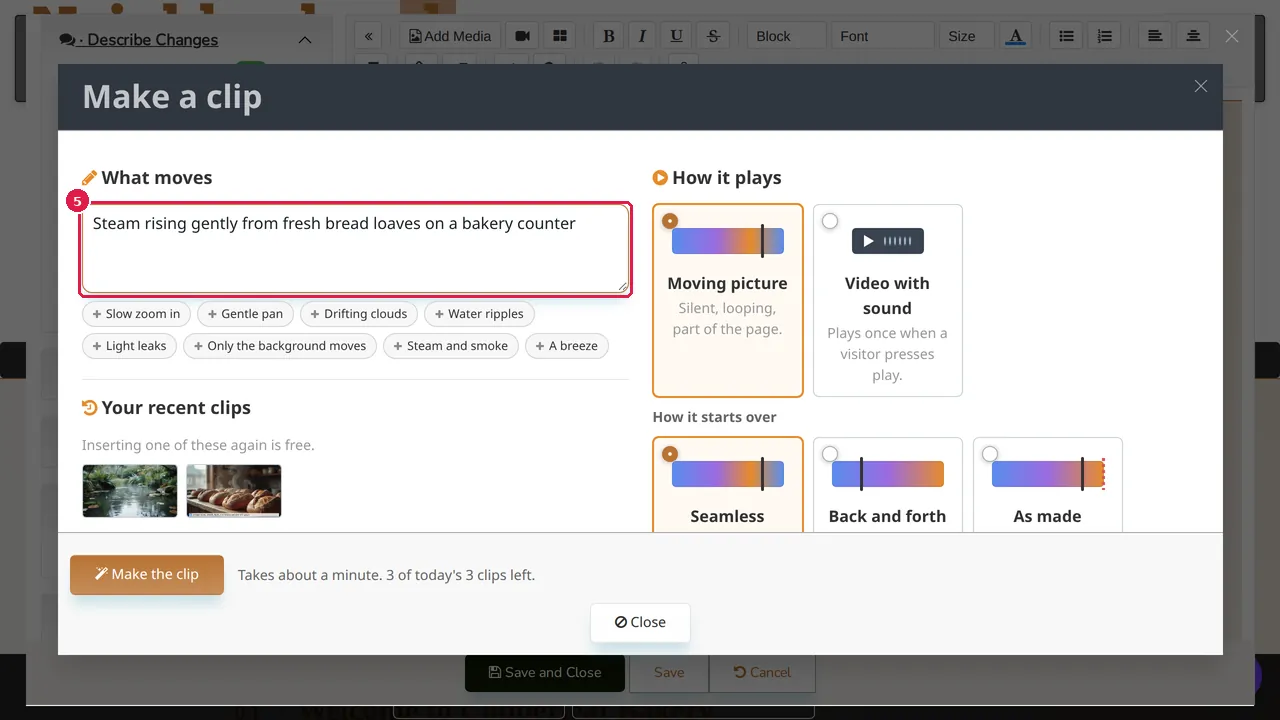
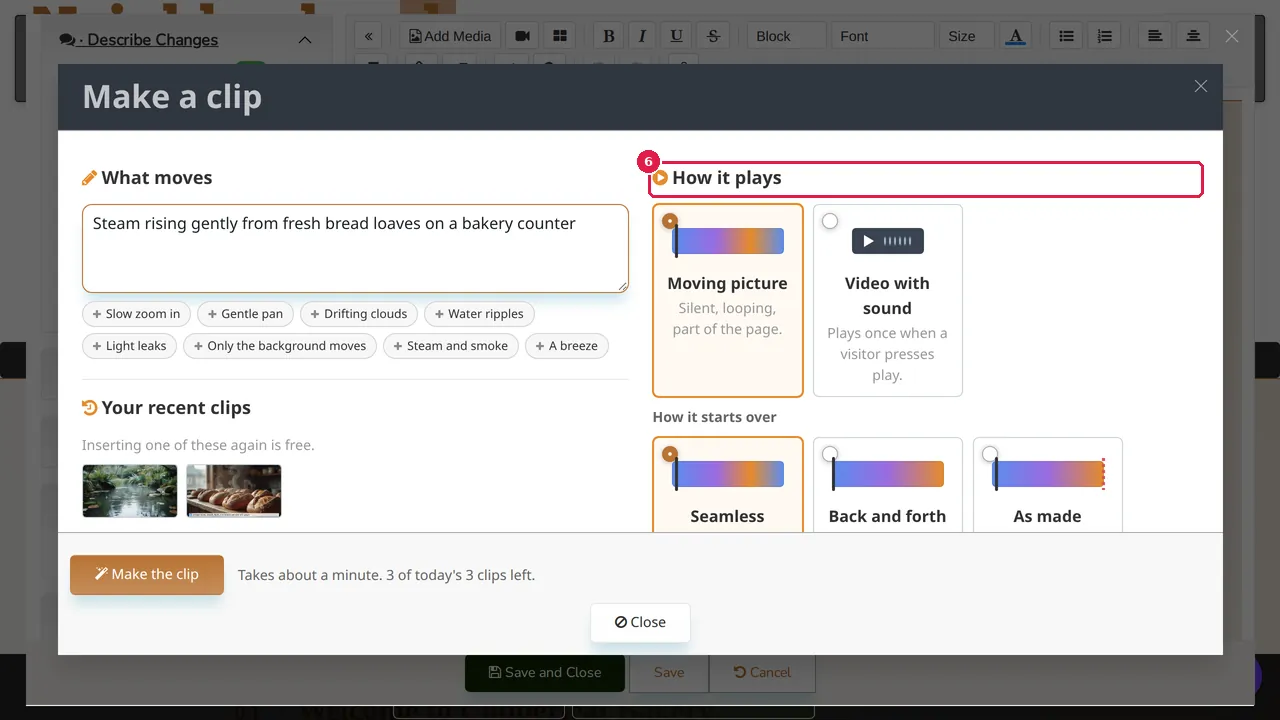
Step 6. How it plays: Moving picture (silent, looping, part of the page) or Video with sound (plays once when a visitor presses play). Further down: how it starts over, how long it lasts (4 to 10 seconds), its shape (wide, tall or square) and its sharpness. The defaults come from Site Settings › Creative.
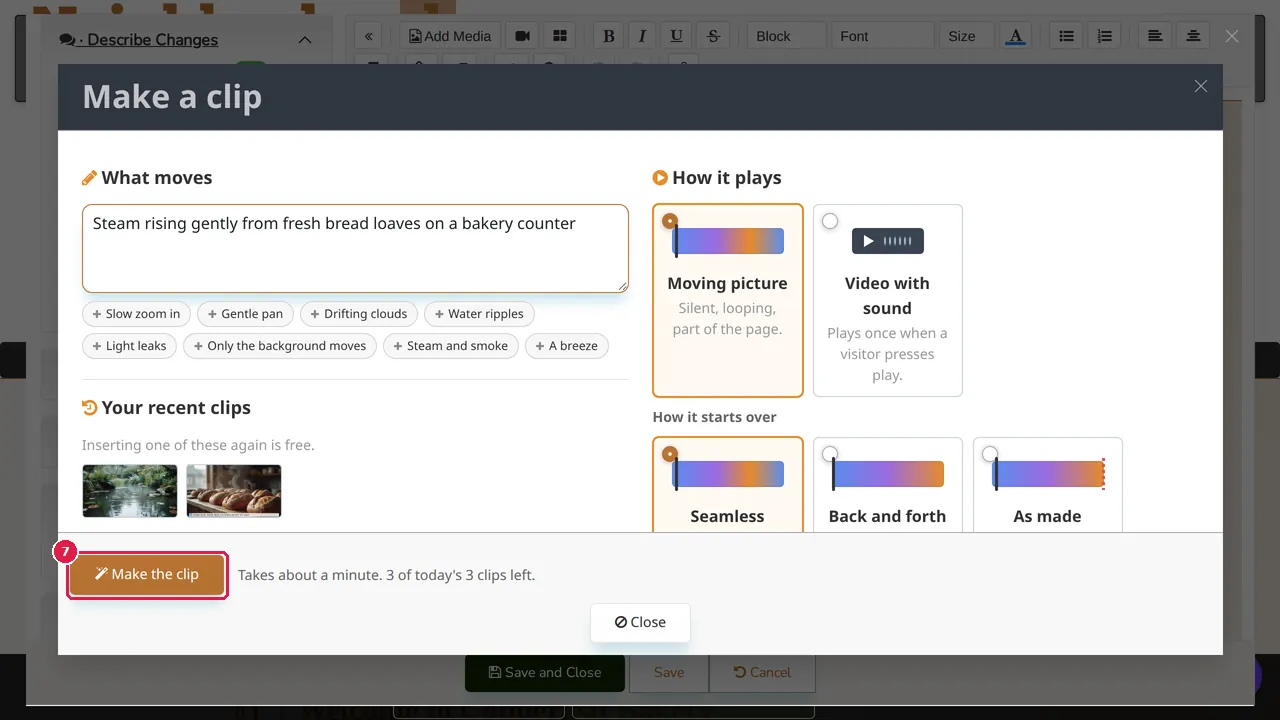
Step 7. Click Make the clip. It takes about a minute and uses one of the day's clips; the line next to the button says how many are left.
Put it on the page
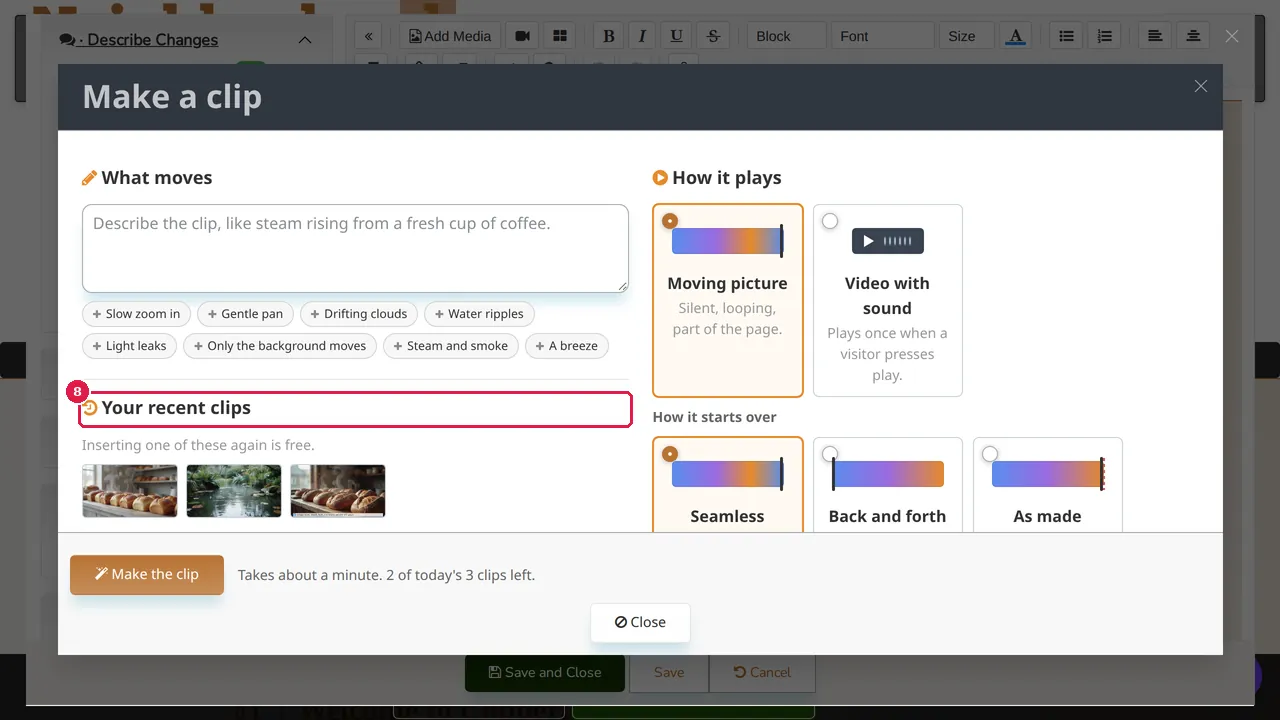
Step 8. The new clip is first in Your recent clips. Inserting one of these again is free.
Step 9. Pick the clip and click Insert.
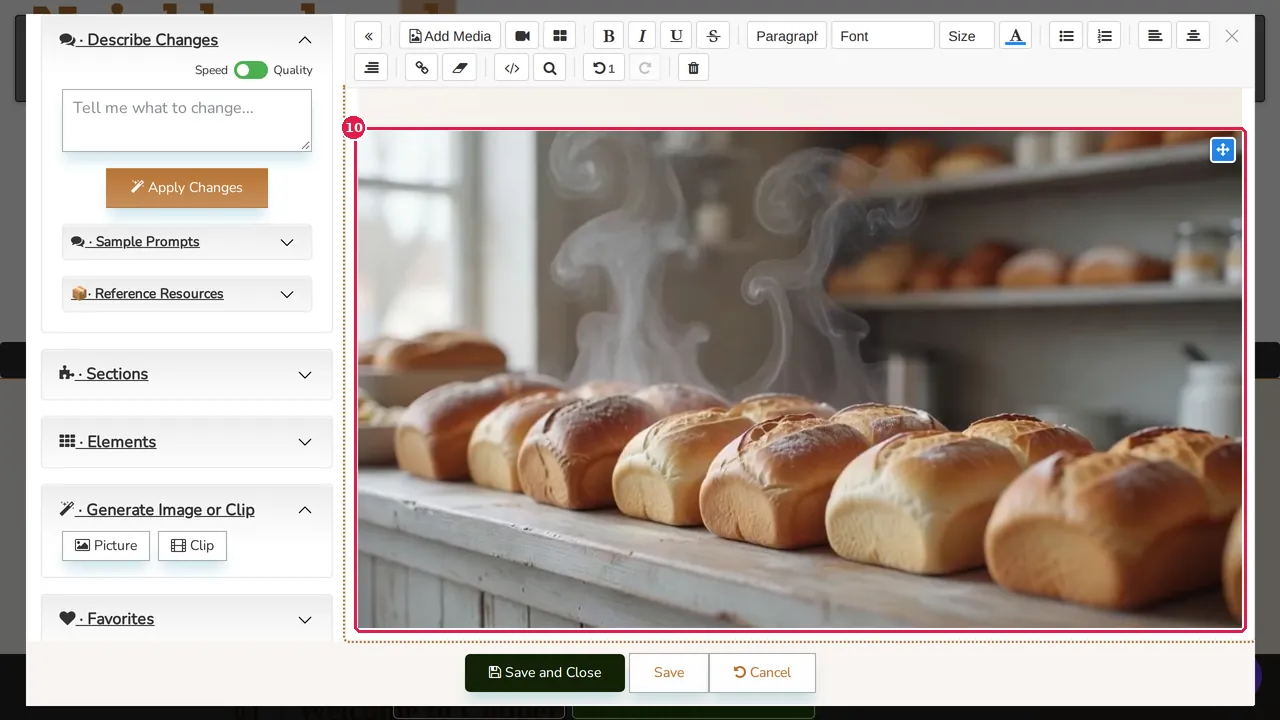
Step 10. The clip is in the section, where the cursor was. Save and Close keeps it on the page.
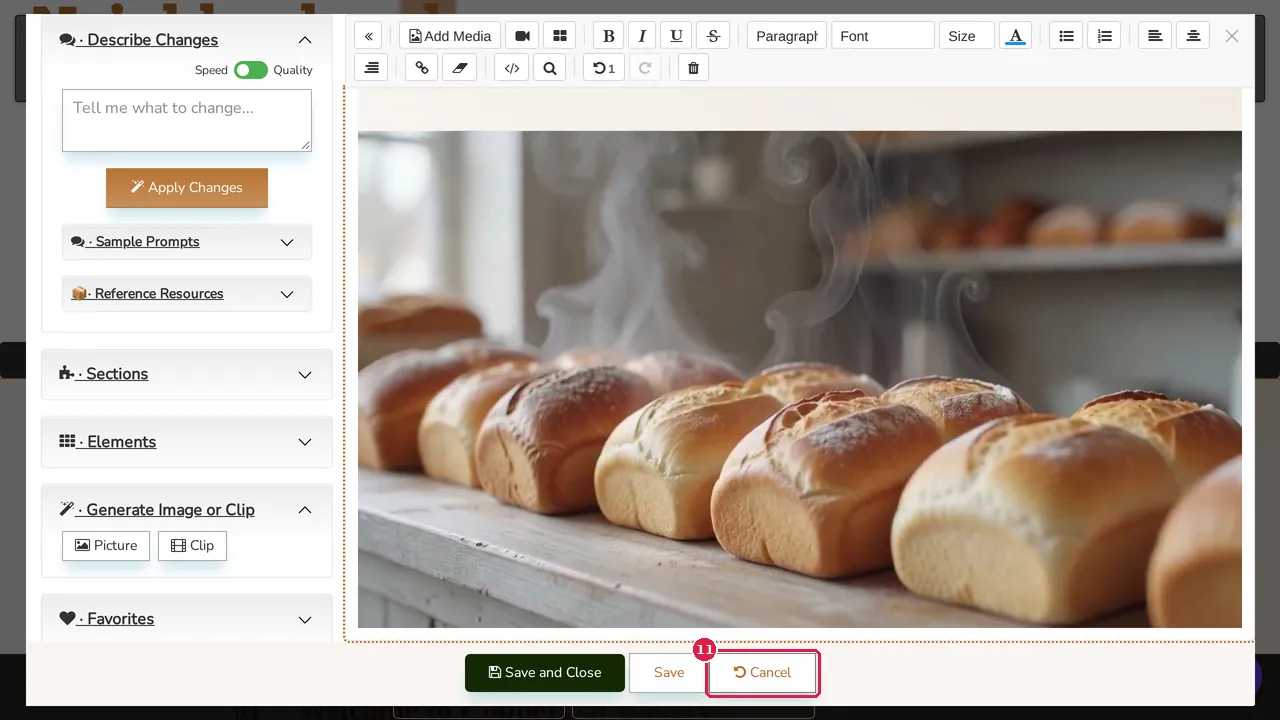
Step 11. In this demonstration Cancel was clicked, so the page stayed as it was.
Check it worked
After saving, open the page in a private window: the clip plays on its own (a moving picture) or when you press play (a video with sound).
Good to know
- Describe one simple movement; short, calm movements look best on a page.
- Visitors can pause a looping clip when Site Settings › Creative has the pause button on.
Related help
Shown on the 2026 version of the SoNET Web Engine. Last checked 10 November 2026. Something different on your screen? Tell us through the Contact page.