Help Center Integrations & Insights
Insights: count your visitors without cookies
Insights counts your visitors on your own site: page views, visitors, the pages they read, where they come from, their devices, and taps on your contact buttons. It uses no cookies and no third party, so no consent banner is needed.
Watch it done: a short silent video with captions · 1:58. The steps below show the same thing picture by picture.
Before you start
- Log in as the site owner.
- Open ADMIN › Insights.
Turn it on
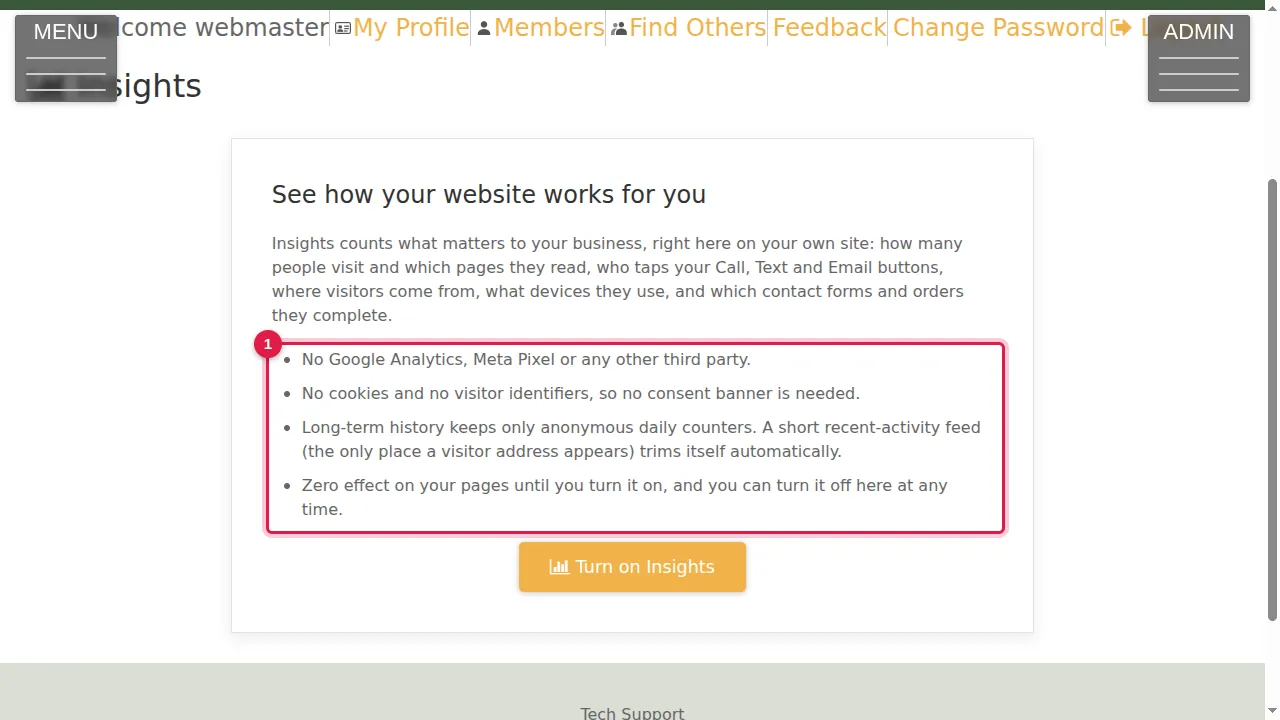
Step 1. Read what Insights counts: how many people visit and which pages they read, who taps your Call, Text and Email buttons, where visitors come from, what devices they use, and which contact forms and orders they complete. No Google Analytics, Meta Pixel or other third party; no cookies and no visitor identifiers.
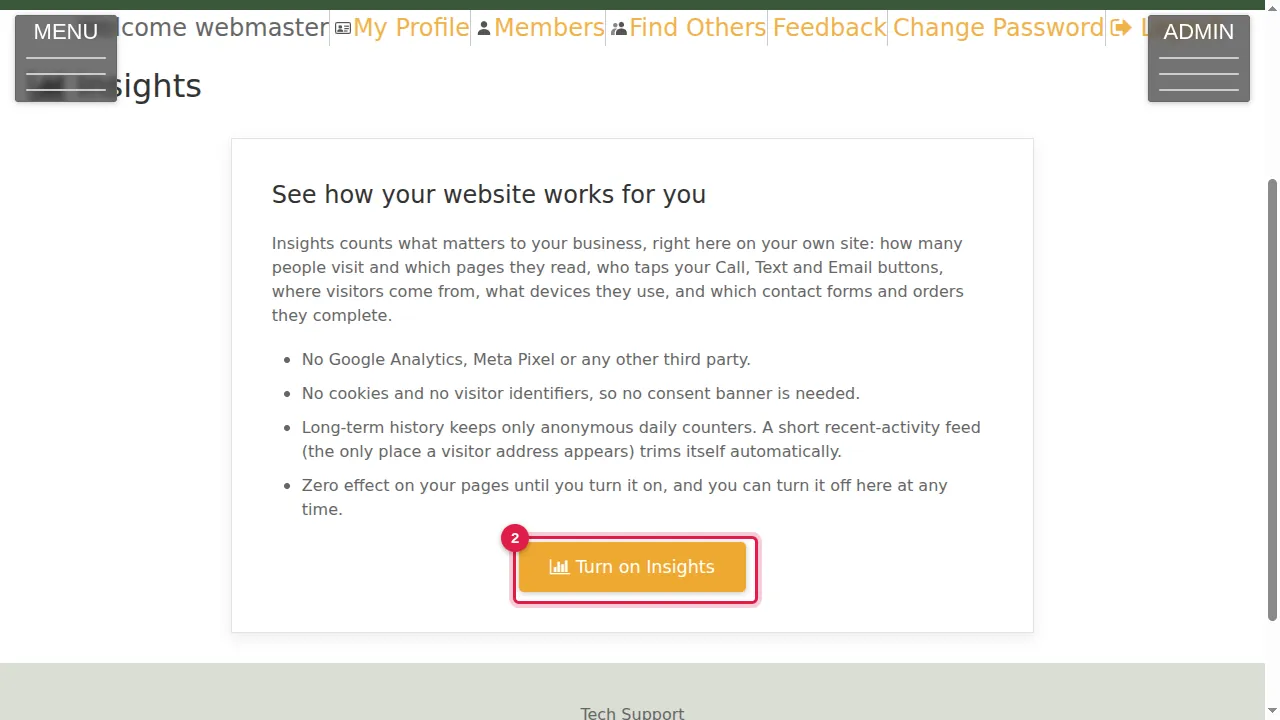
Step 2. Click Turn on Insights.
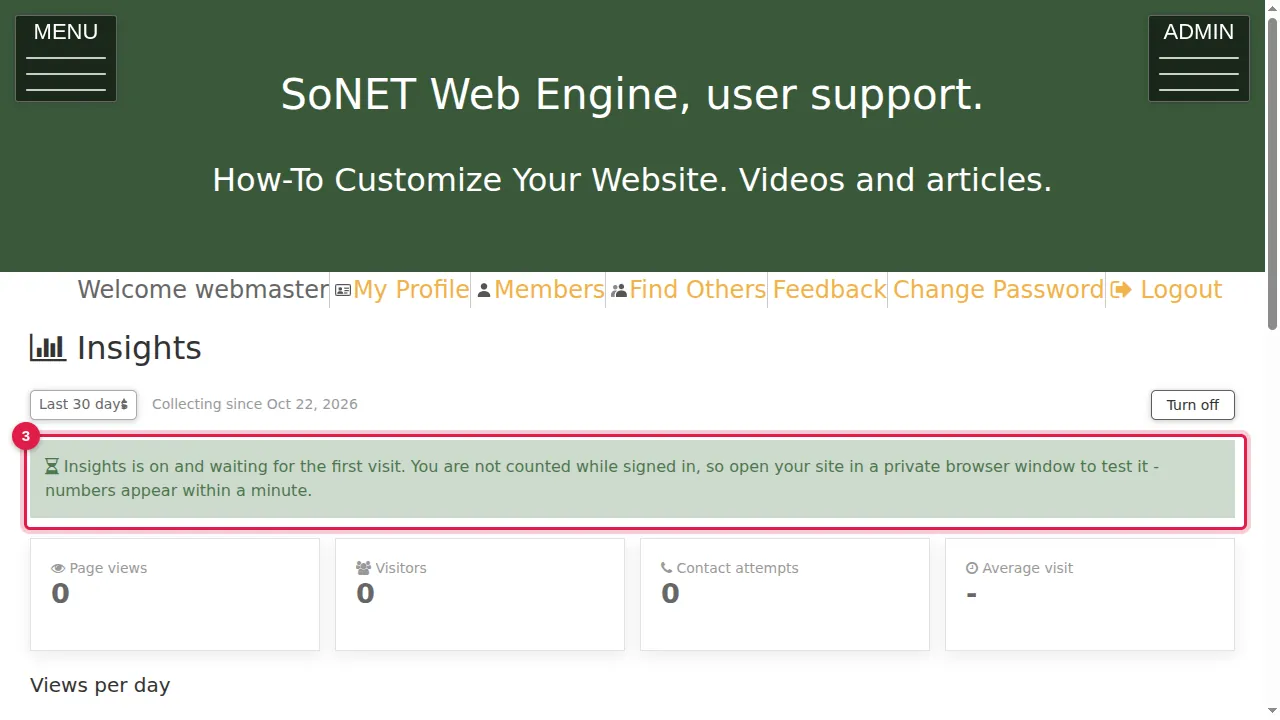
Step 3. Insights is on and waits for the first visit. You are not counted while you are signed in.
Test it
Step 4. To test it, open your site in a private browser window and read a page or two, as a visitor.
Read the numbers
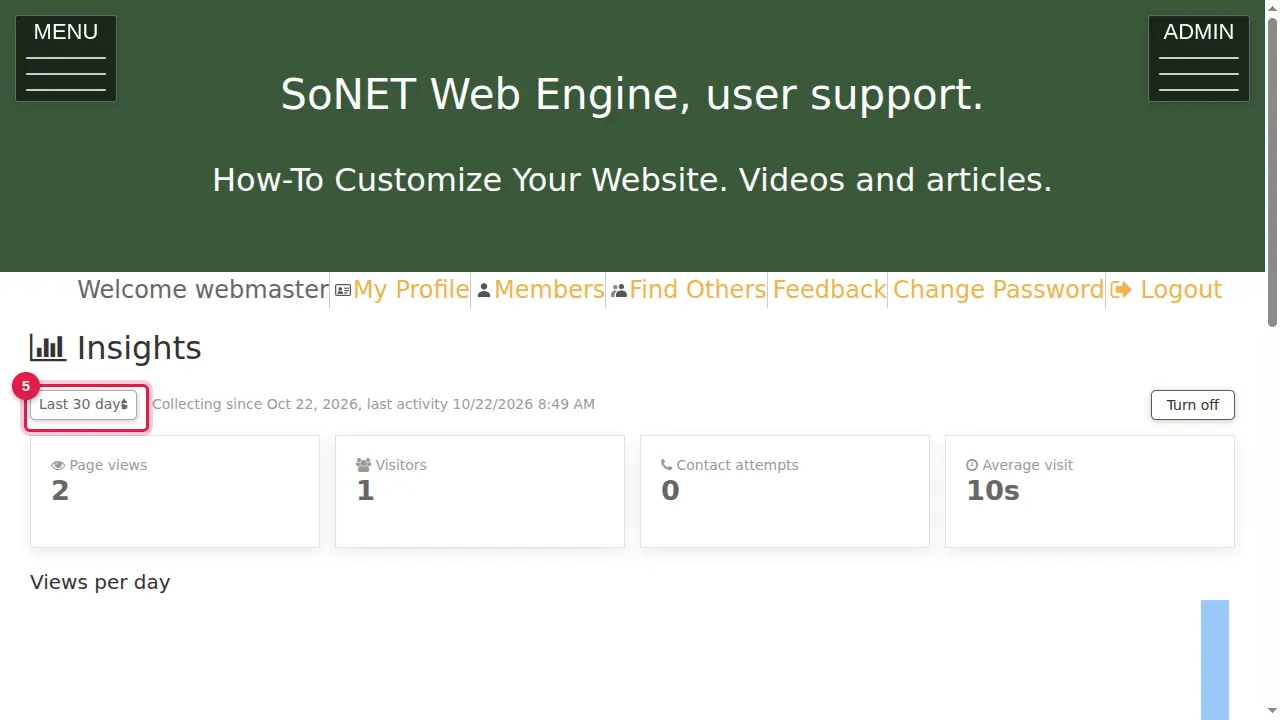
Step 5. Back in Insights, choose the period: Last 7 days, Last 30 days or Last 90 days. Next to it you see since when it has been counting and the time of the last activity.
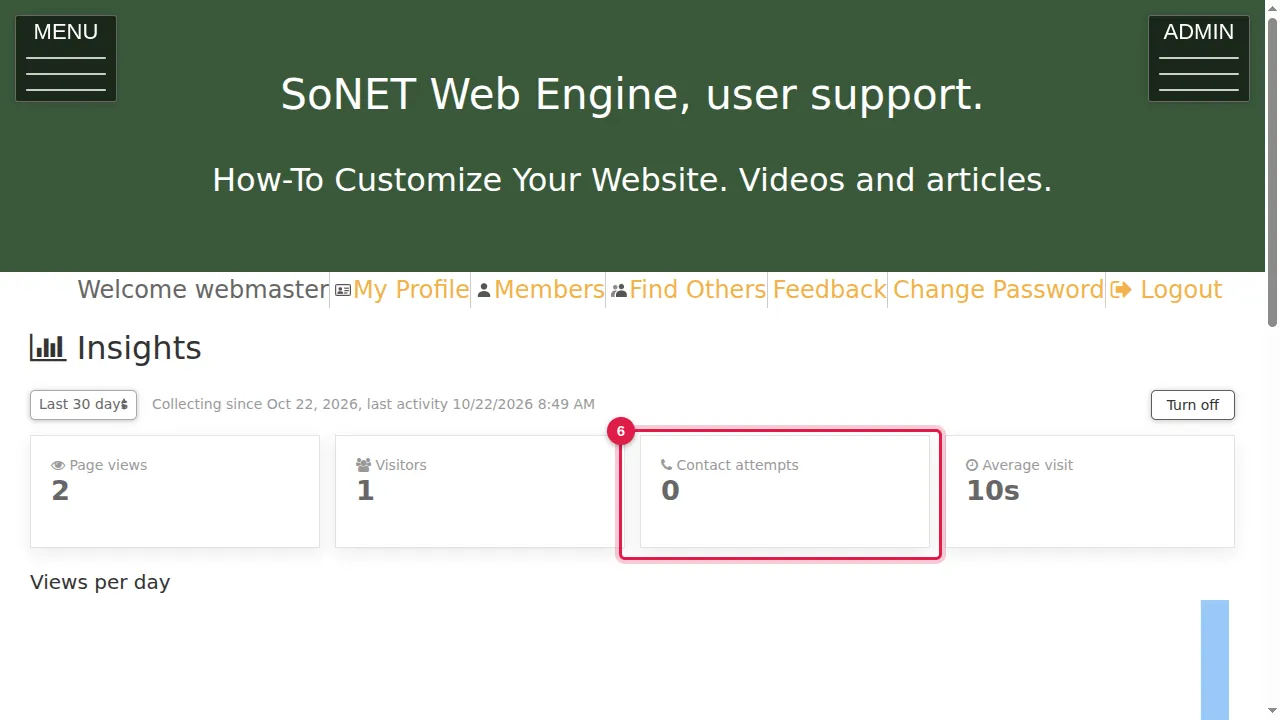
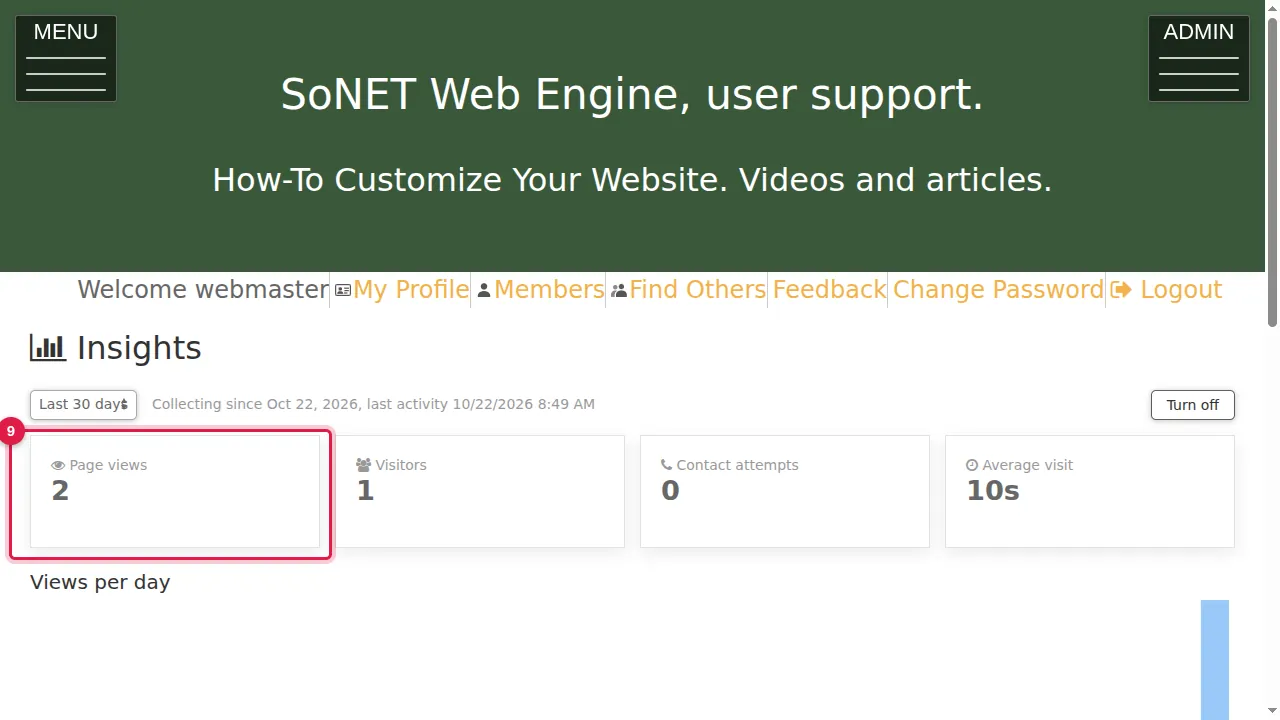
Step 6. The tiles show page views, visitors, contact attempts and the average length of a visit. Here the test visit is already counted.
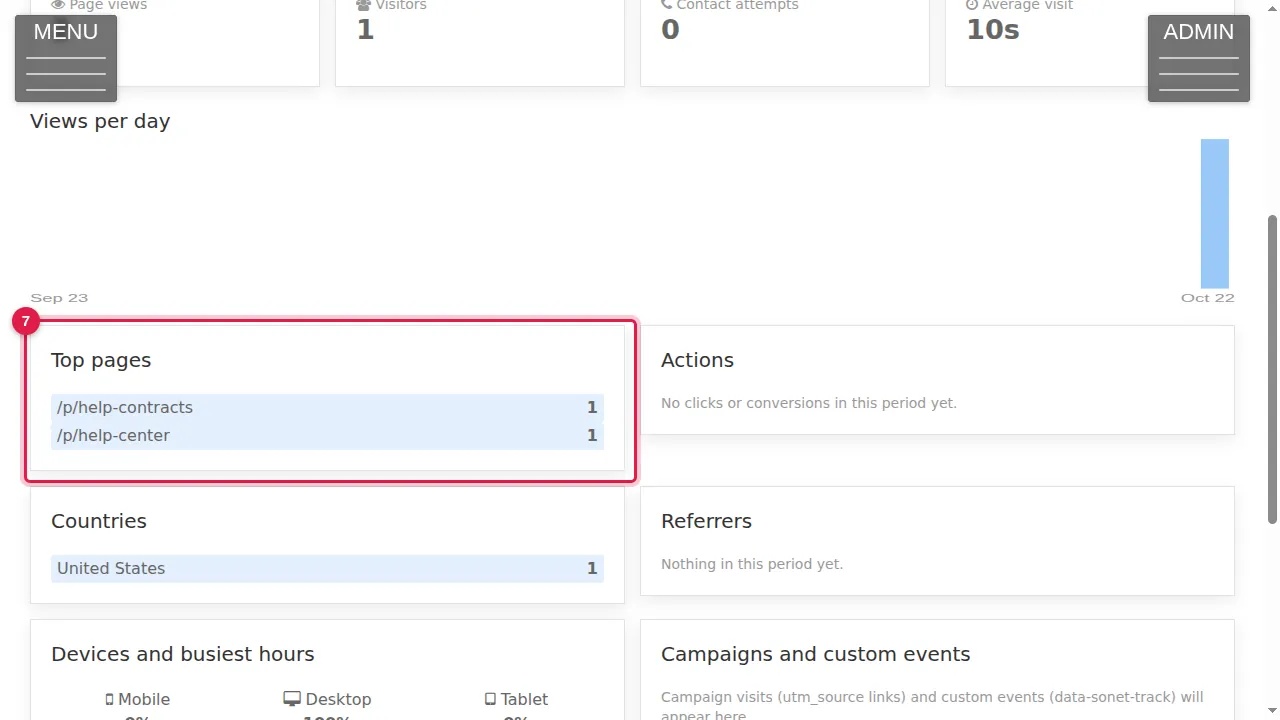
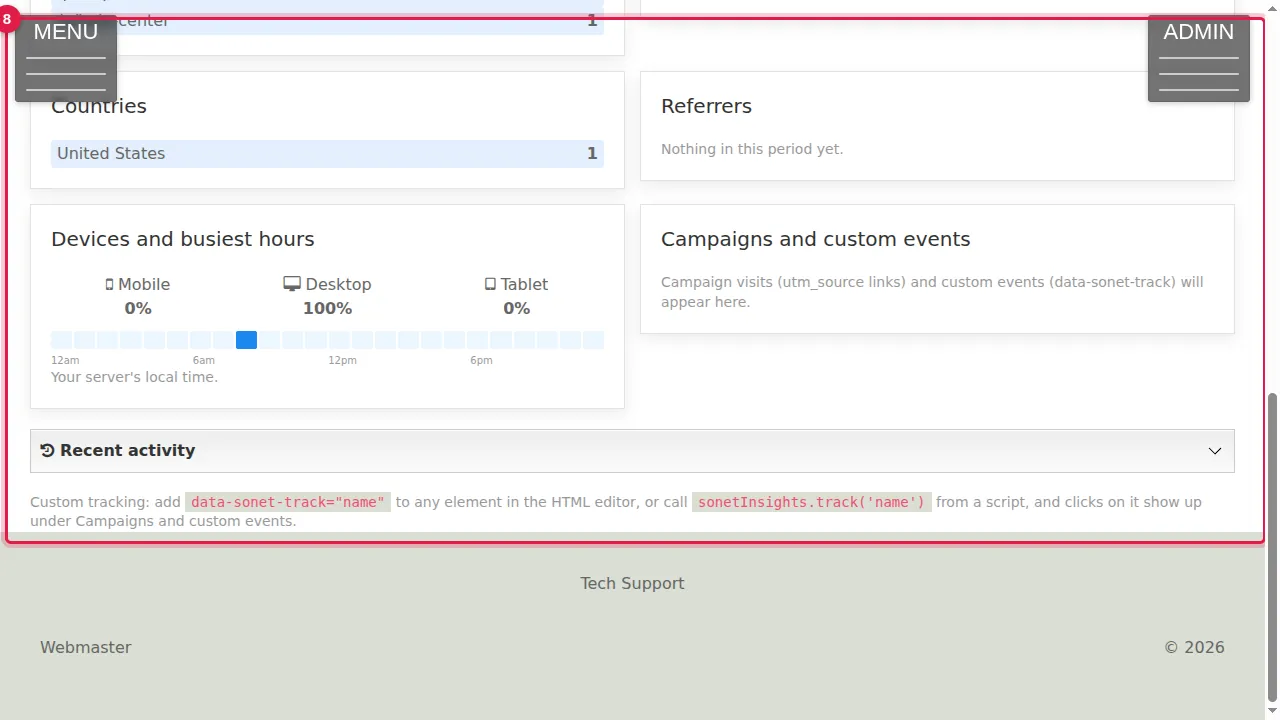
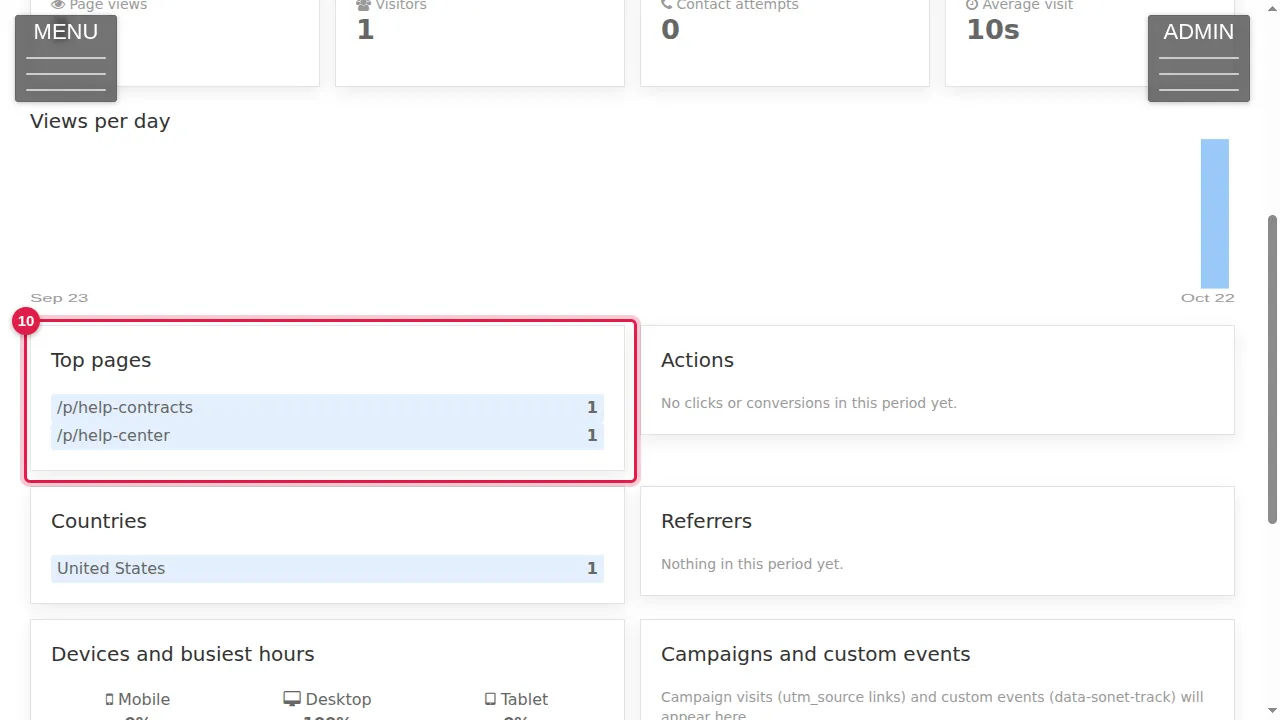
Step 7. Below: views per day, Top pages, Actions (clicks and conversions), Countries, Referrers (the sites visitors came from), and Devices and busiest hours.
Step 8. Campaigns and custom events: visits that arrive through links with utm_source, and clicks on anything you tag yourself (add data-sonet-track="name" to an element in the HTML editor). Recent activity, at the bottom, is a short feed that trims itself.
Step 9. Numbers appear within about a minute of a visit: here 2 page views from 1 visitor.
Step 10. Top pages lists the pages that were read, with how often.
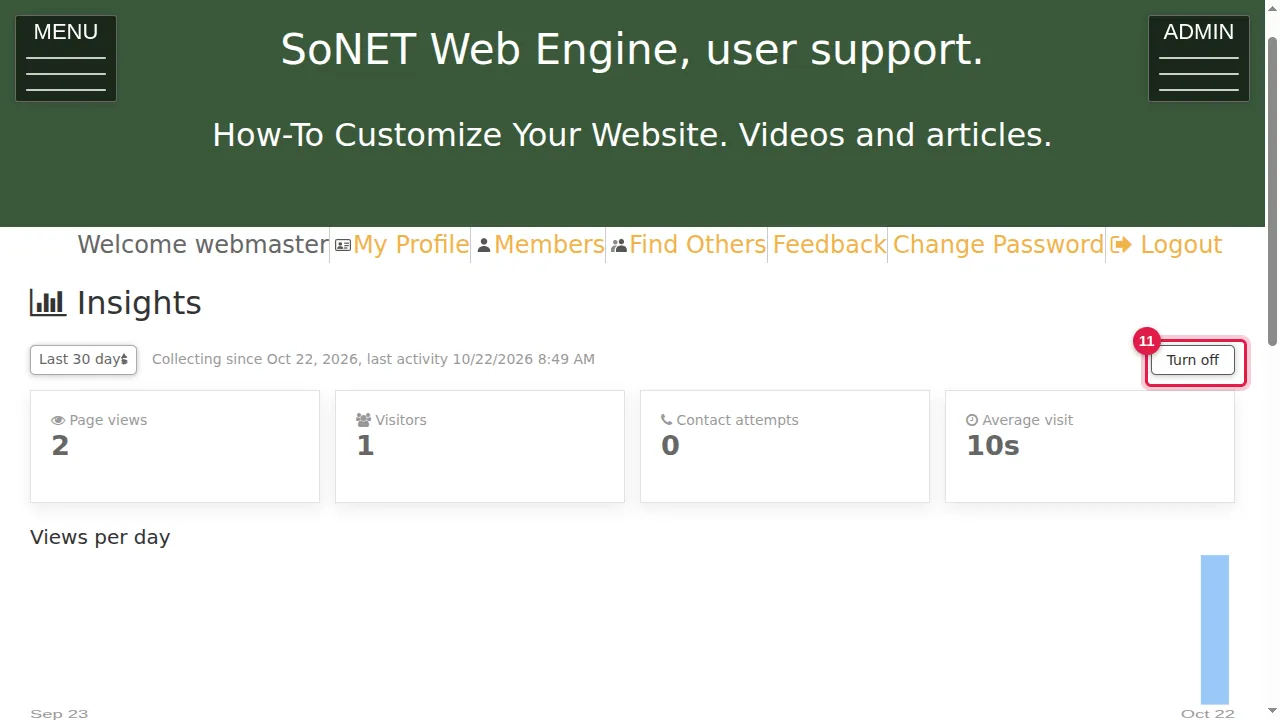
Step 11. Turn off stops counting at any time.
Check it worked
Open your site in a private window, read a page, and look at Insights a minute later: Page views has gone up.
Good to know
- Visits while you are signed in are not counted: always test in a private window.
- Long-term history keeps only anonymous daily counts; the short recent-activity feed trims itself.
Related help
Shown on the 2026 version of the SoNET Web Engine. Last checked 22 October 2026. Something different on your screen? Tell us through the Contact page.