Help Center Look & Design
Change how forms look
The Template Kit's Forms tab sets the look of every form box on your site: the height of the boxes, the size of tick boxes and round buttons, and the border and background colours.
Watch it done: a short silent video with captions · 1:18. The steps below show the same thing picture by picture.
Before you start
- Log in and open ADMIN › Template Kit.
Preview a form
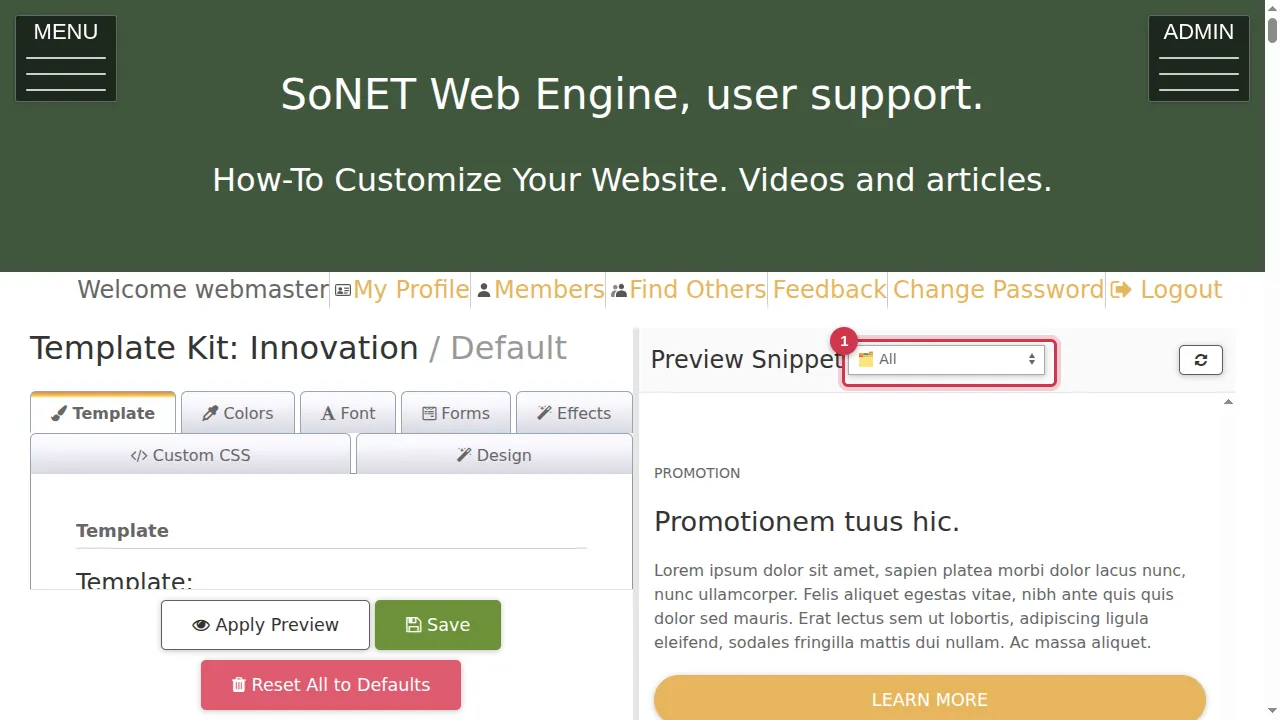
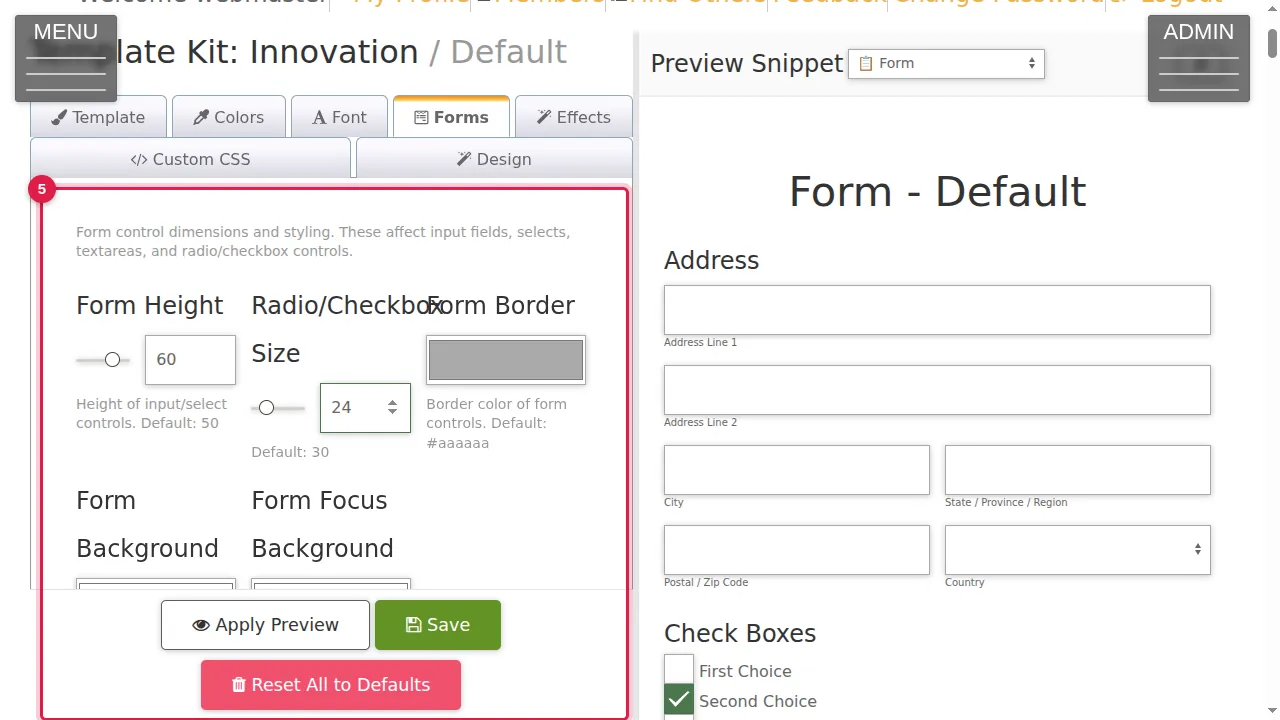
Step 1. In the Preview Snippet list above the preview, choose Form, so the preview on the right shows a sample form.
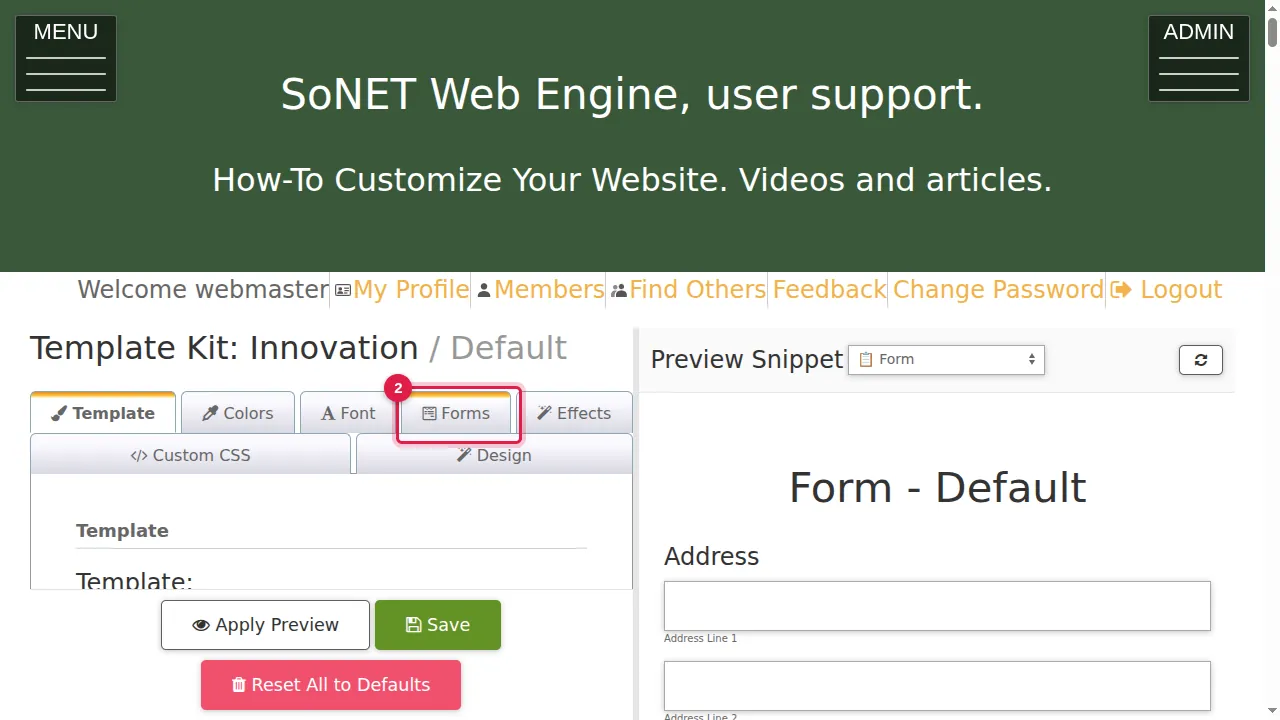
Step 2. Open the Forms tab.
Change the settings
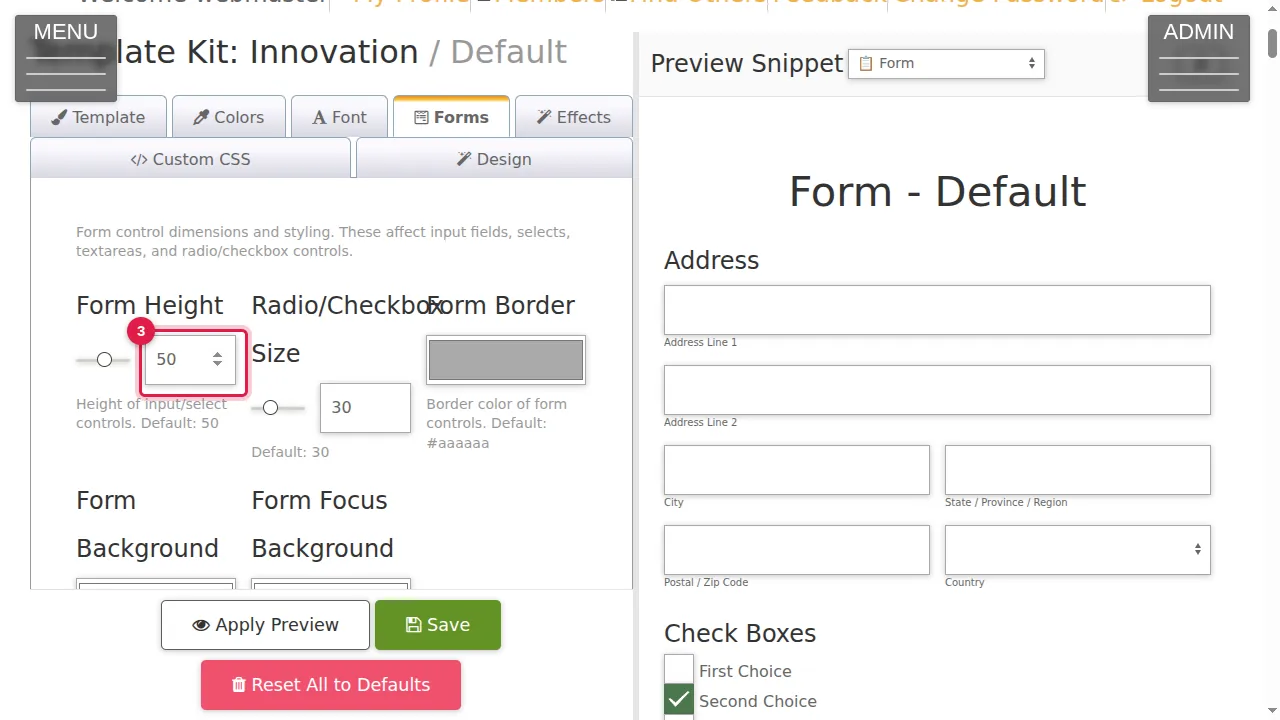
Step 3. Form Height sets how tall the boxes and lists are (default 50). Drag the slider or type a number.
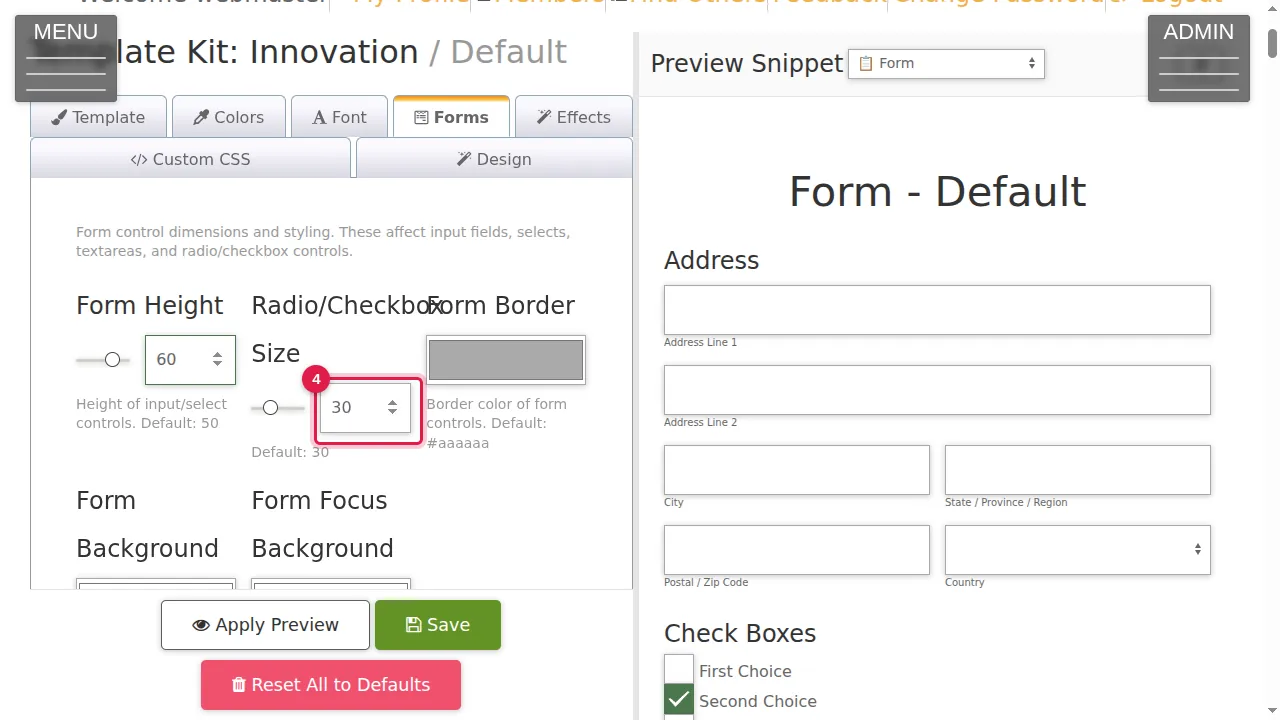
Step 4. Radio/Checkbox Size sets the size of the round and square tick boxes (default 30).
Step 5. The three colour boxes set the border of the boxes (default #aaaaaa), their background (default white) and the background while a visitor types in a box (default white).
Check and save
Step 6. Click Apply Preview.
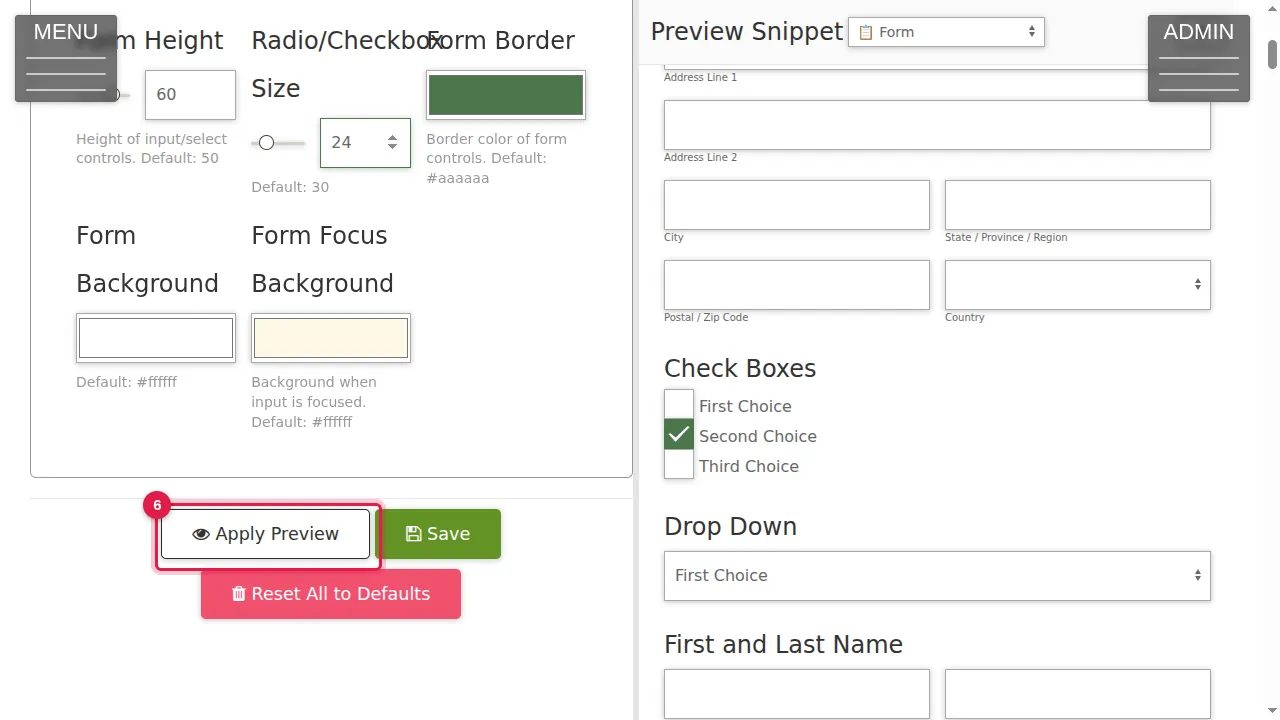
Step 7. The sample form shows the new look. Save makes it live (not clicked in this video).
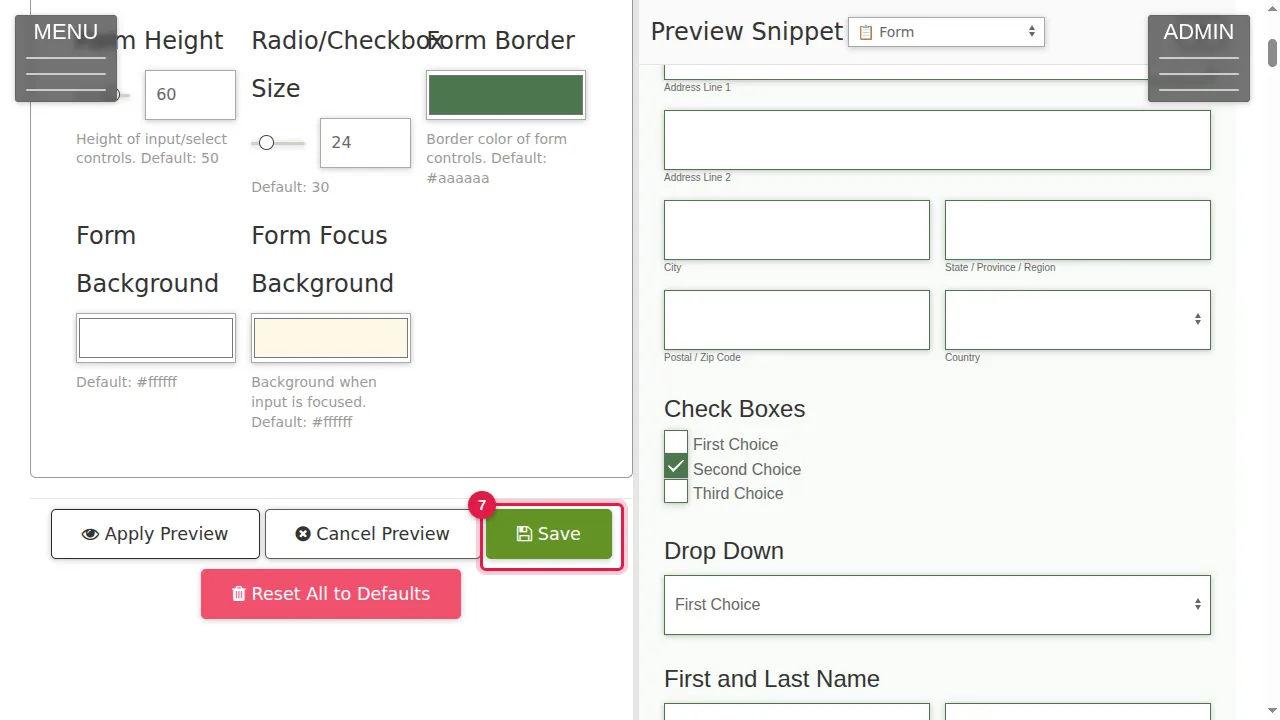
Step 8. Leave without saving and your forms keep their current look.
Check it worked
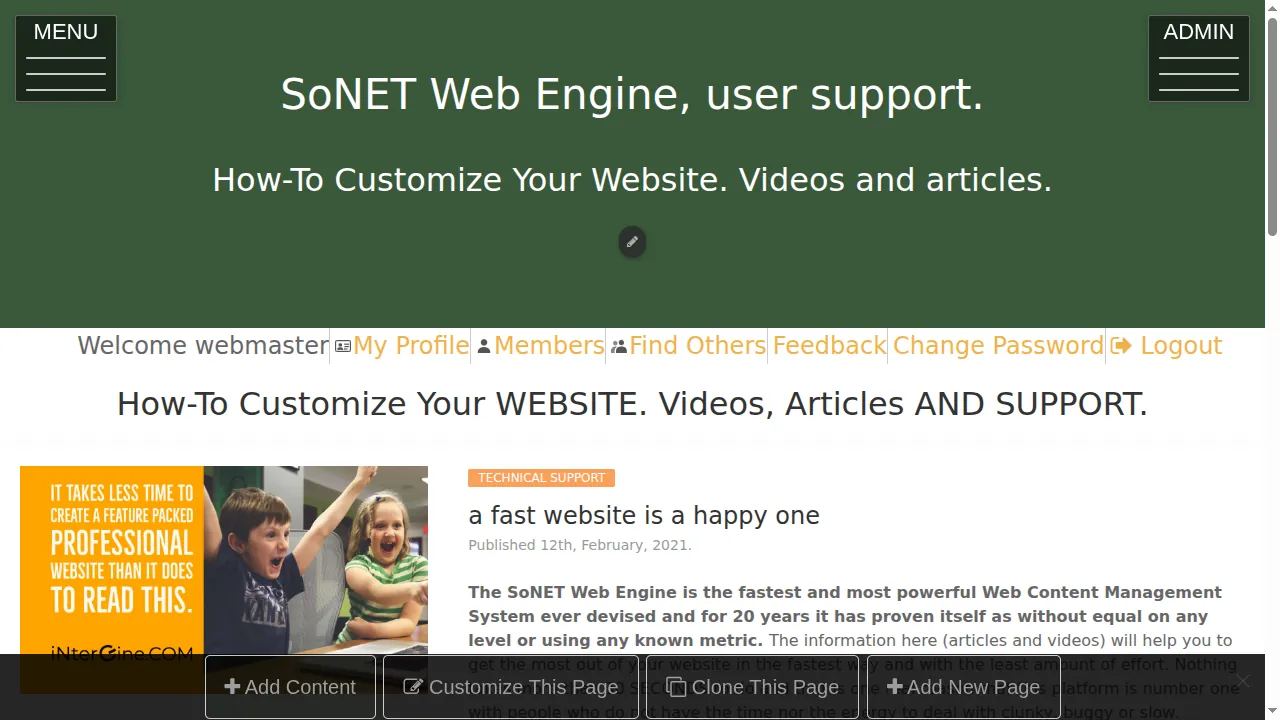
After saving, open your Contact page as a visitor and click into a box.
Good to know
- Larger boxes and tick boxes are easier to use on phones.
- The help text says these settings affect input fields, selects, text areas and tick boxes: every form on your site uses them.
Related help
Shown on the 2026 version of the SoNET Web Engine. Last checked 21 October 2026. Something different on your screen? Tell us through the Contact page.