Help Center Users & Privacy
Privacy levels: who can see and join your site
Choose whether your site is public, private (by invitation) or open to registrations (approved automatically or by you), and whether visitors who are not logged in may comment, rate, or log in with a social account.
Watch it done: a short silent video with captions · 0:59. The steps below show the same thing picture by picture.
Before you start
- Log in as the site owner.
- Open ADMIN › Site Settings. It opens on the Privacy Levels tab.
Who can see your site
Step 1. Site Settings has six tabs. Privacy Levels is the first.
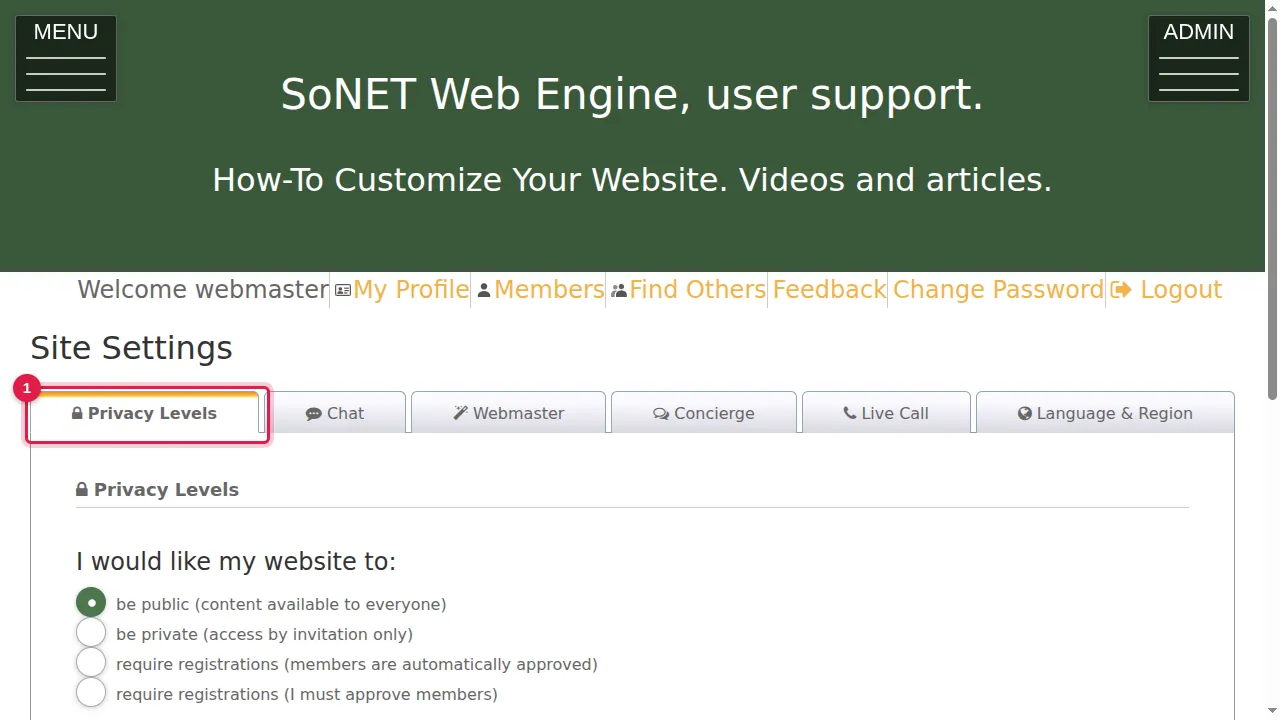
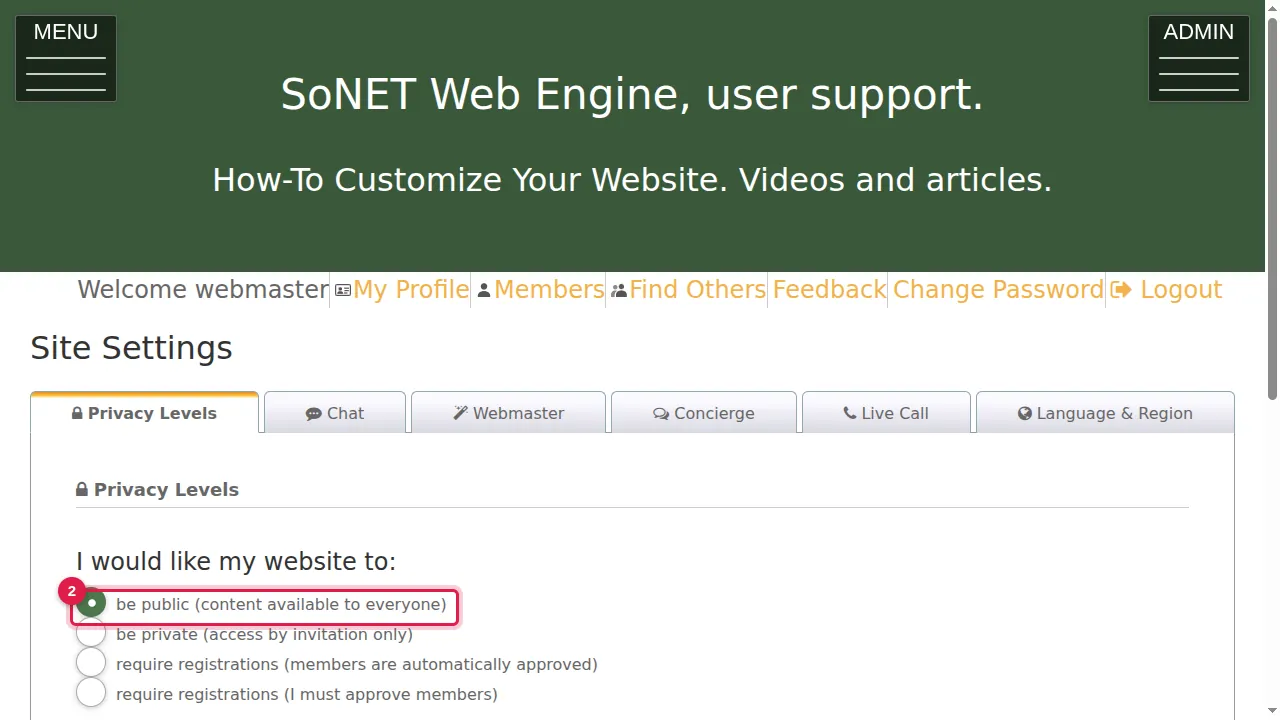
Step 2. "I would like my website to" be public: your content is available to everyone. (This site is public.)
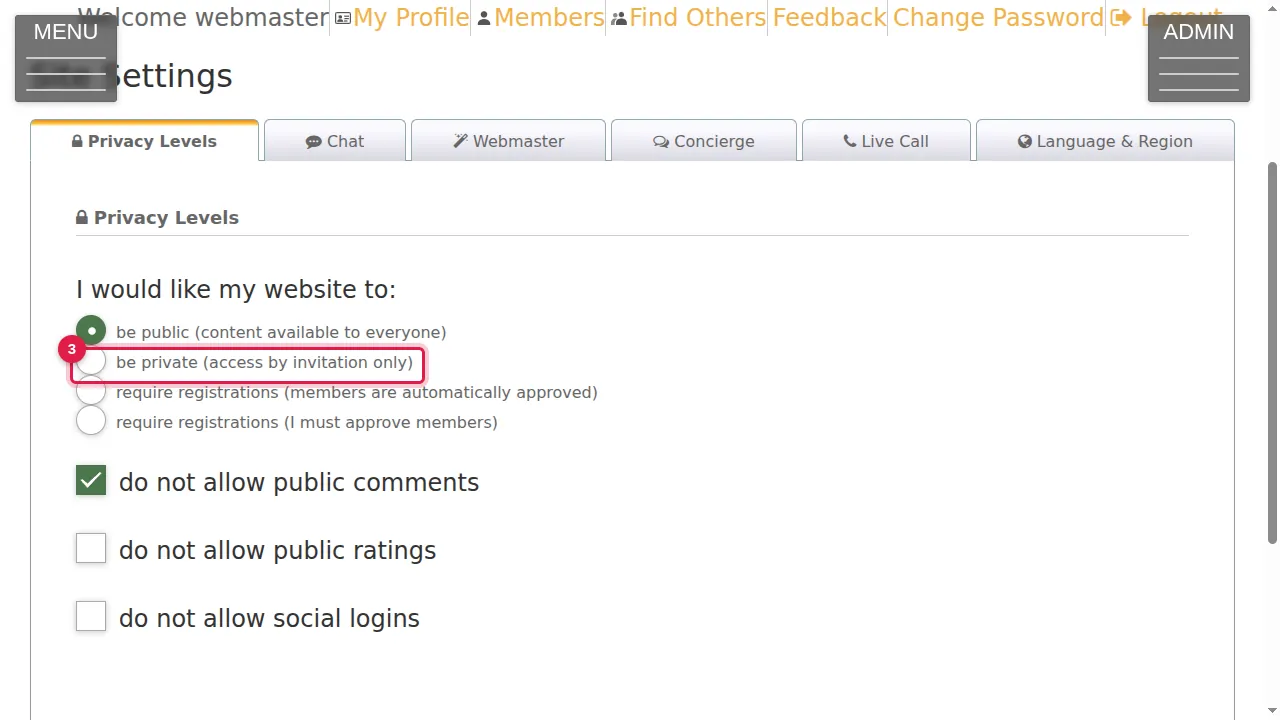
Step 3. Be private: access by invitation only.
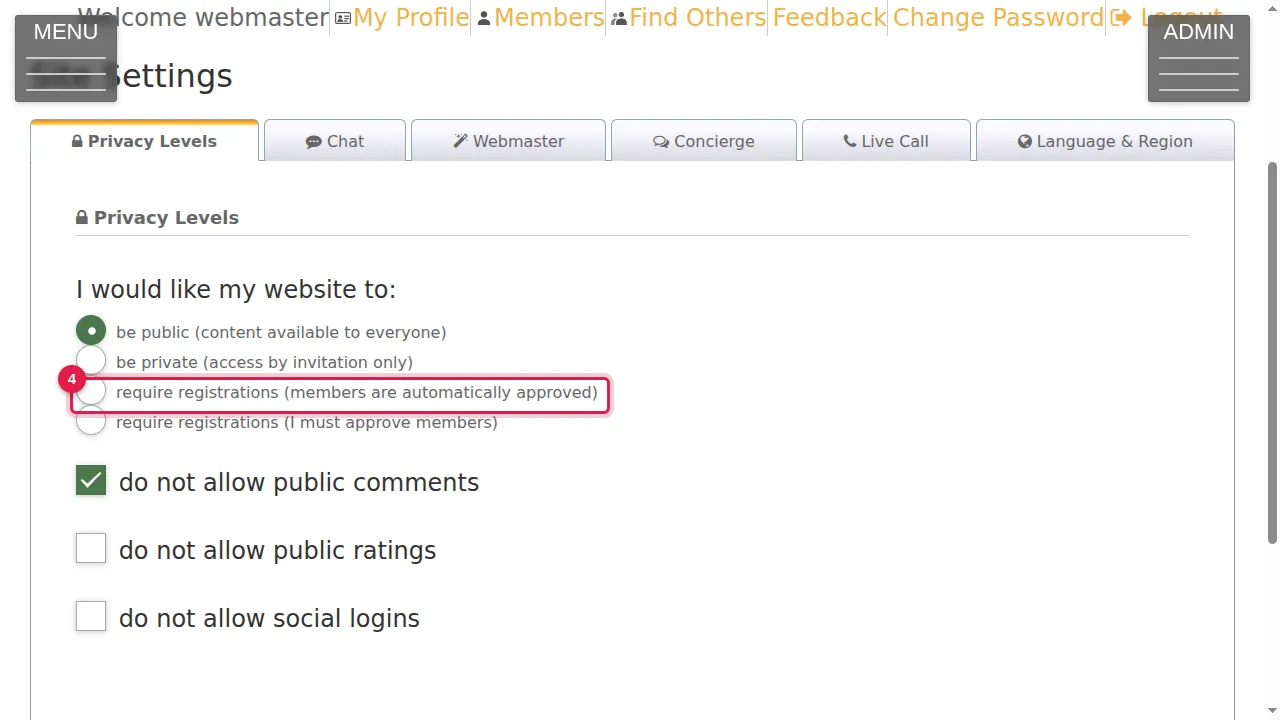
Step 4. Require registrations, with members automatically approved: visitors sign up to get in.
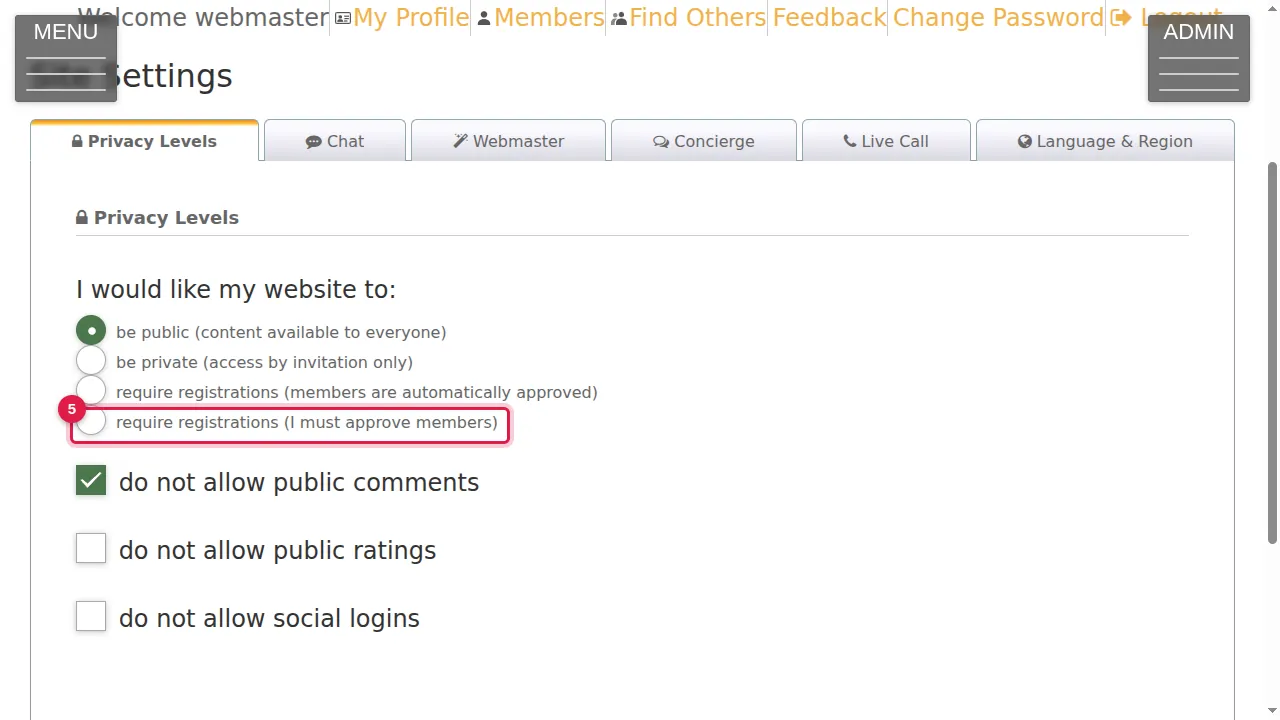
Step 5. Require registrations, where you must approve each member before they get in.
Comments, ratings and logins
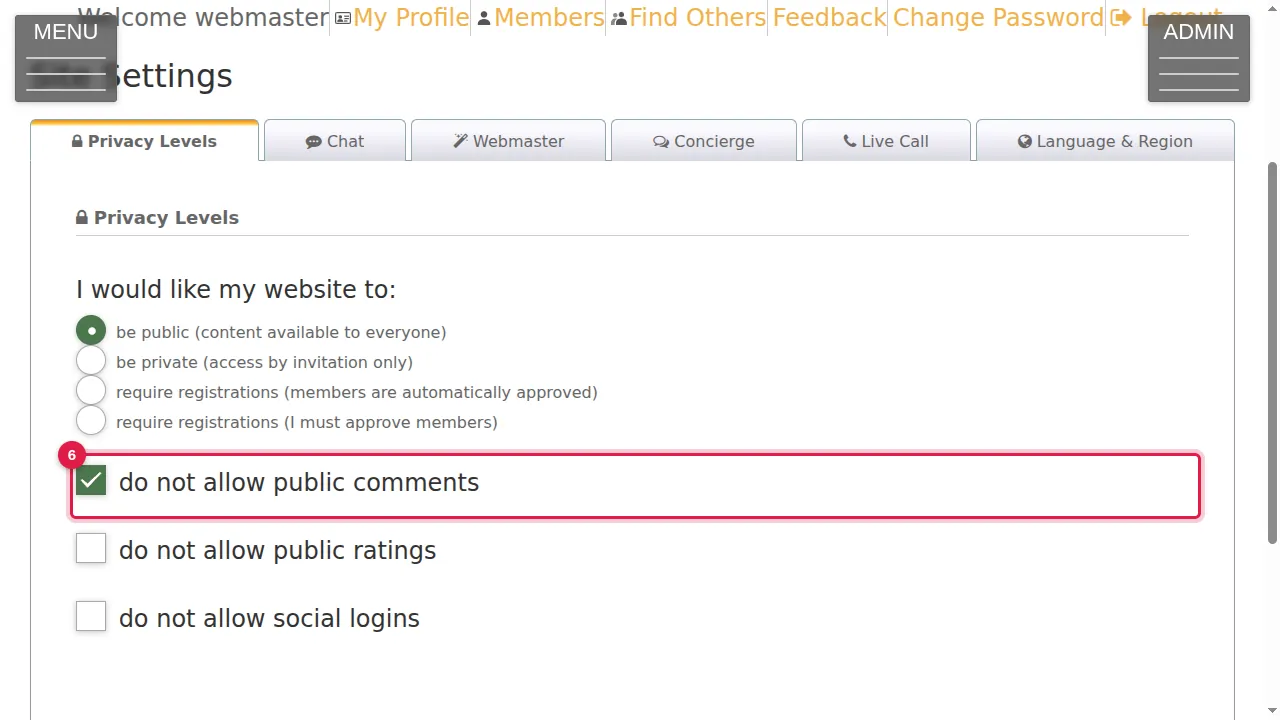
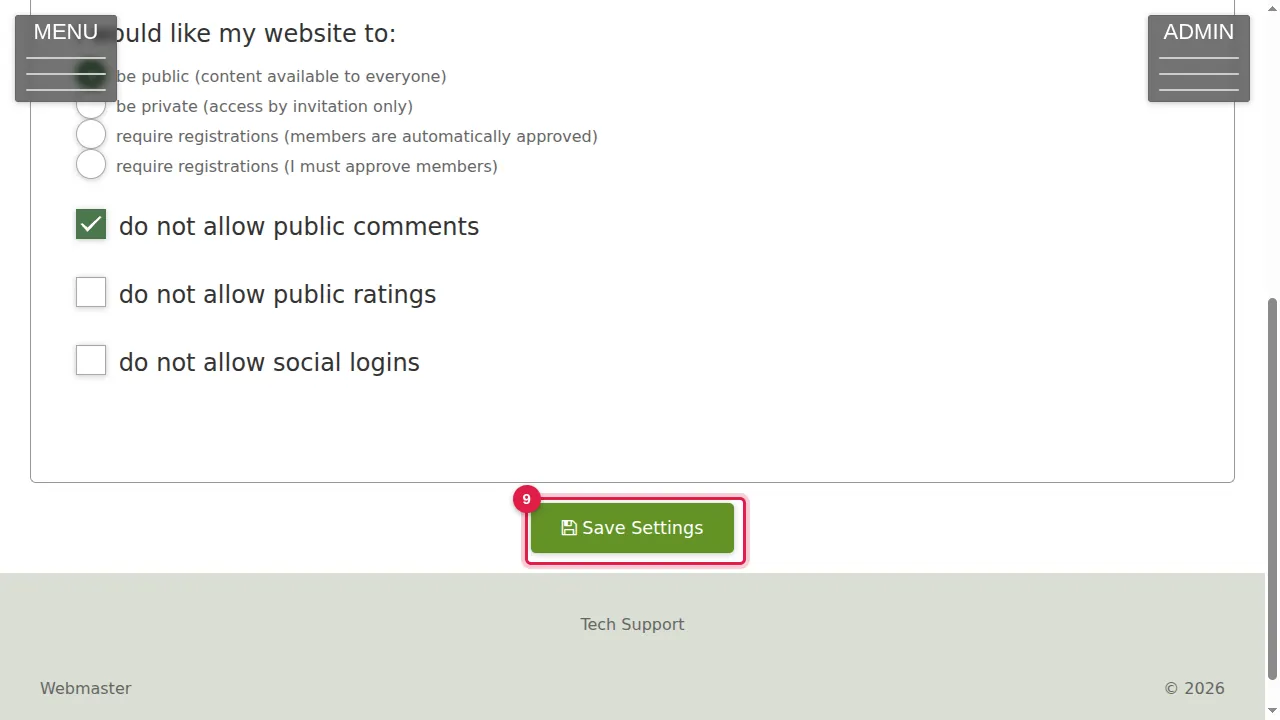
Step 6. Do not allow public comments: only logged-in members can comment. (Ticked on this site, so visitors read "You must be logged in to leave comments".)
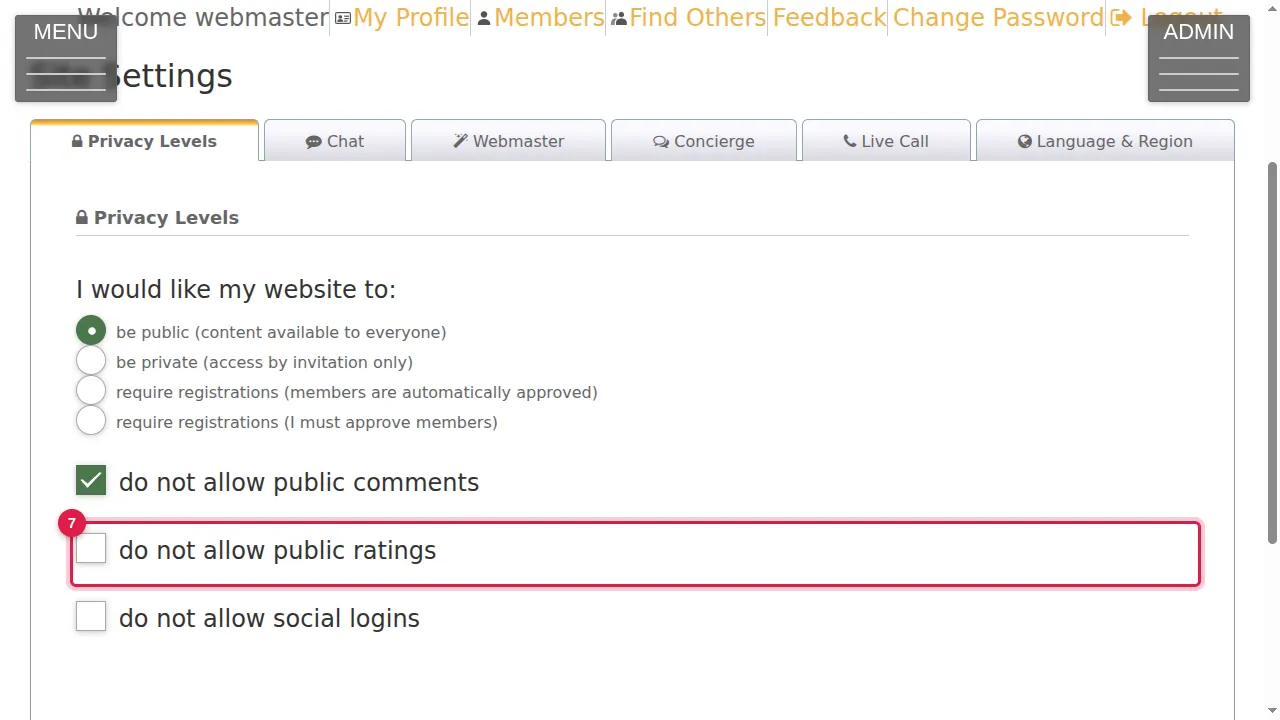
Step 7. Do not allow public ratings: the same for ratings.
Step 8. Do not allow social logins: tick it if people should not log in with a social account.
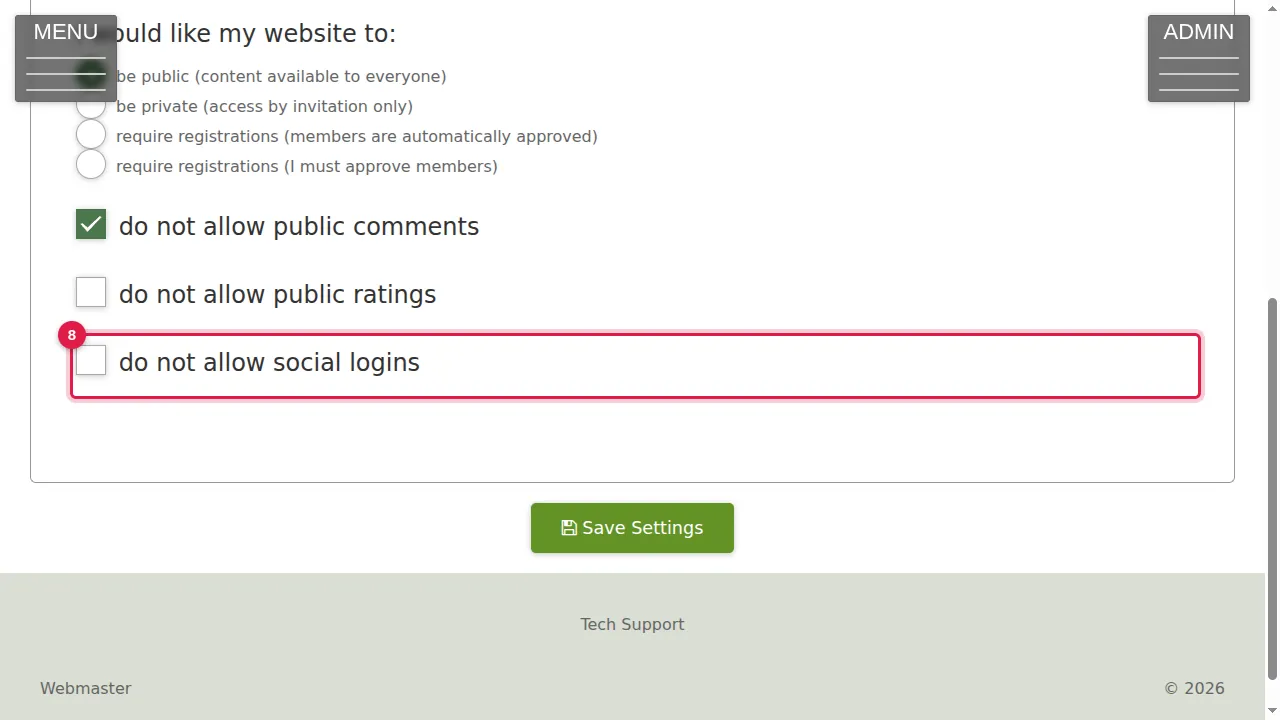
Step 9. Click Save Settings to keep your choice. (In this demonstration nothing was changed.)
Check it worked
After saving, open your site in a private window to see it the way a visitor does.
Good to know
- Choosing private or a registration level changes what every visitor sees at once. Choose it when your members know how to get in.
Related help
Shown on the 2026 version of the SoNET Web Engine. Last checked 21 October 2026. Something different on your screen? Tell us through the Contact page.