Help Center Pages & Editing
Move, close and re-open sections
In edit mode every section has a toolbar to move it up and down the page, to close it (take it off the page but keep it) and to put it back later.
Watch it done: a short silent video with captions · 1:28. The steps below show the same thing picture by picture.
Before you start
- Log in and open the page.
Move a section
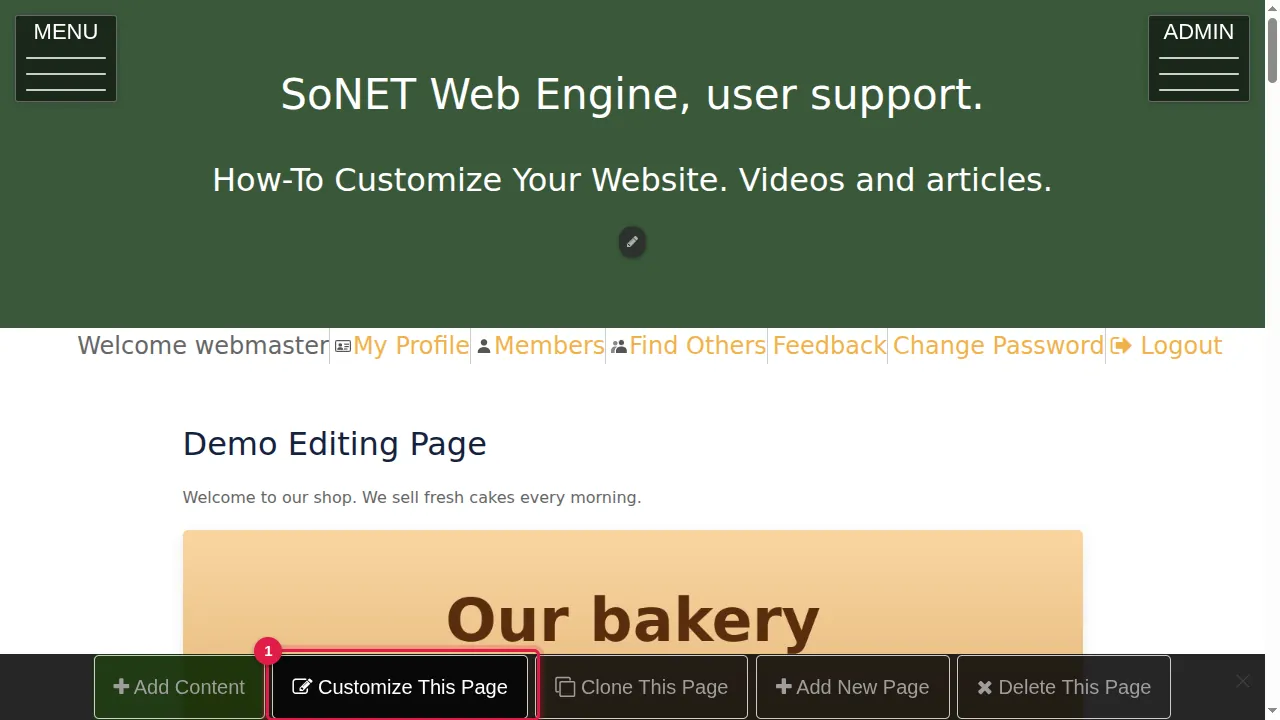
Step 1. Click Customize This Page in the bar at the bottom.
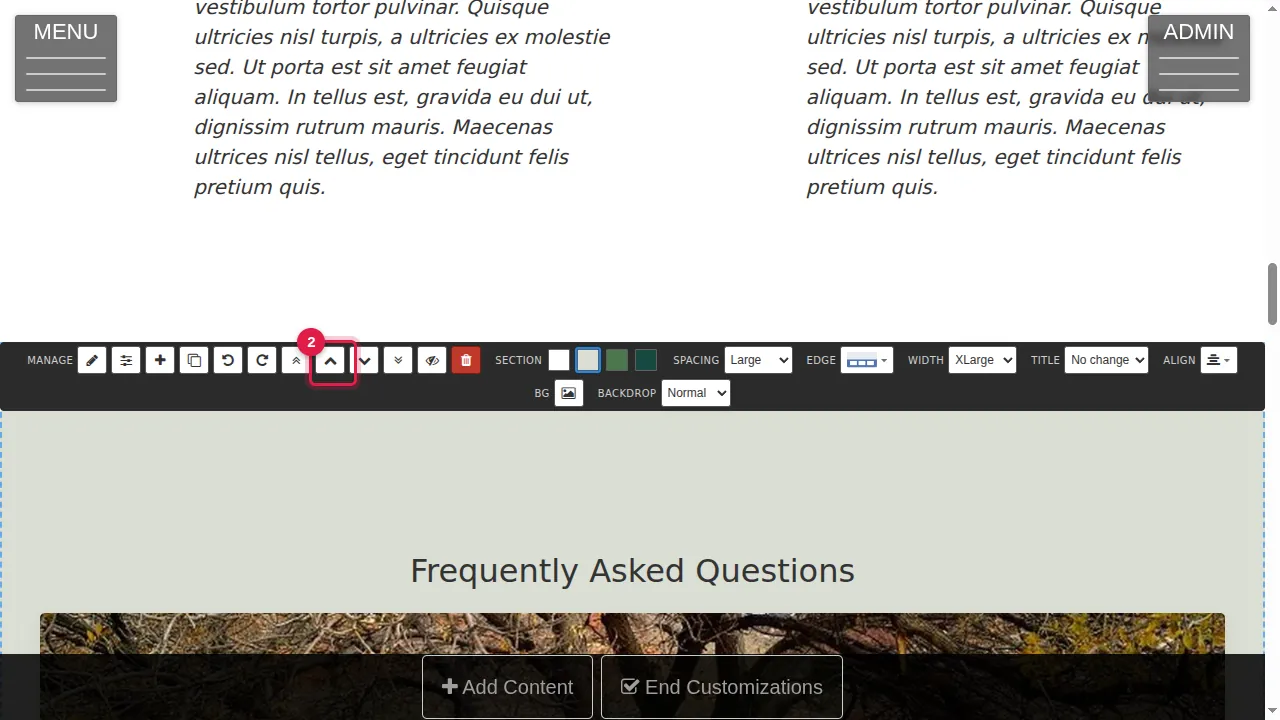
Step 2. Each section has a toolbar above it. Its arrows move the section to the top, one place up, one place down or to the bottom of the page. Here the section moves one place up.
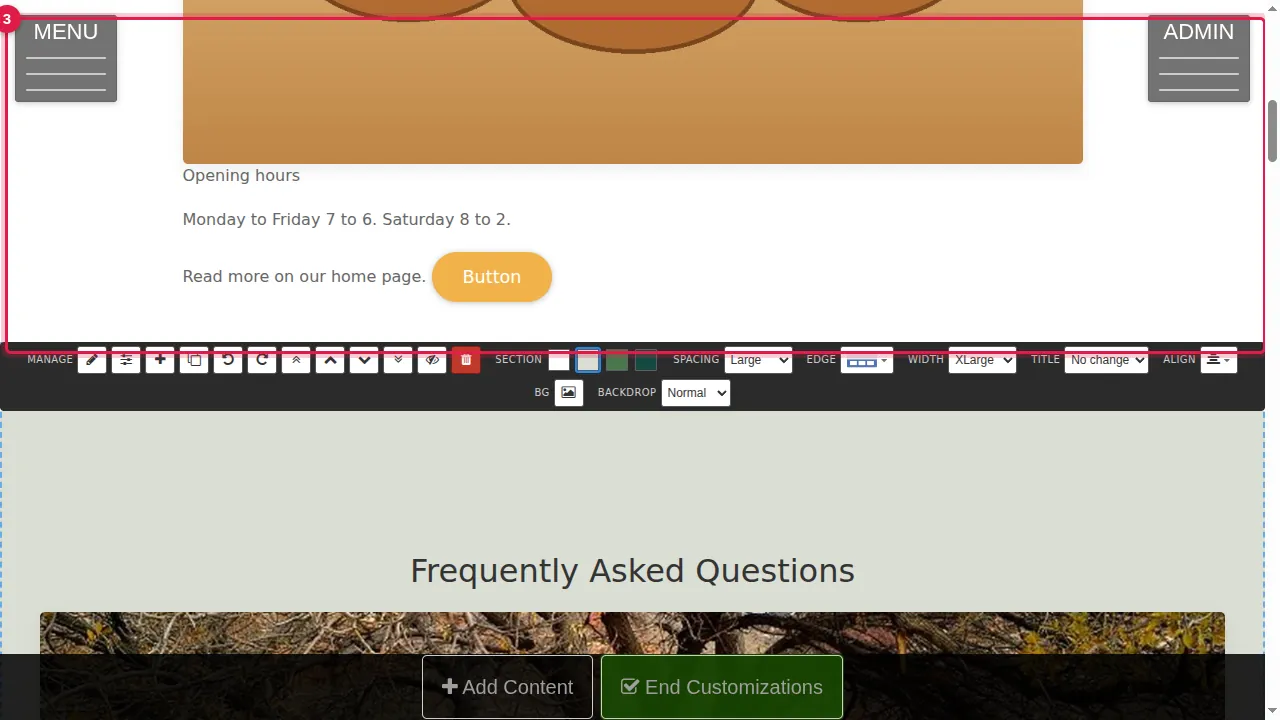
Step 3. The section is now one place higher.
Close a section
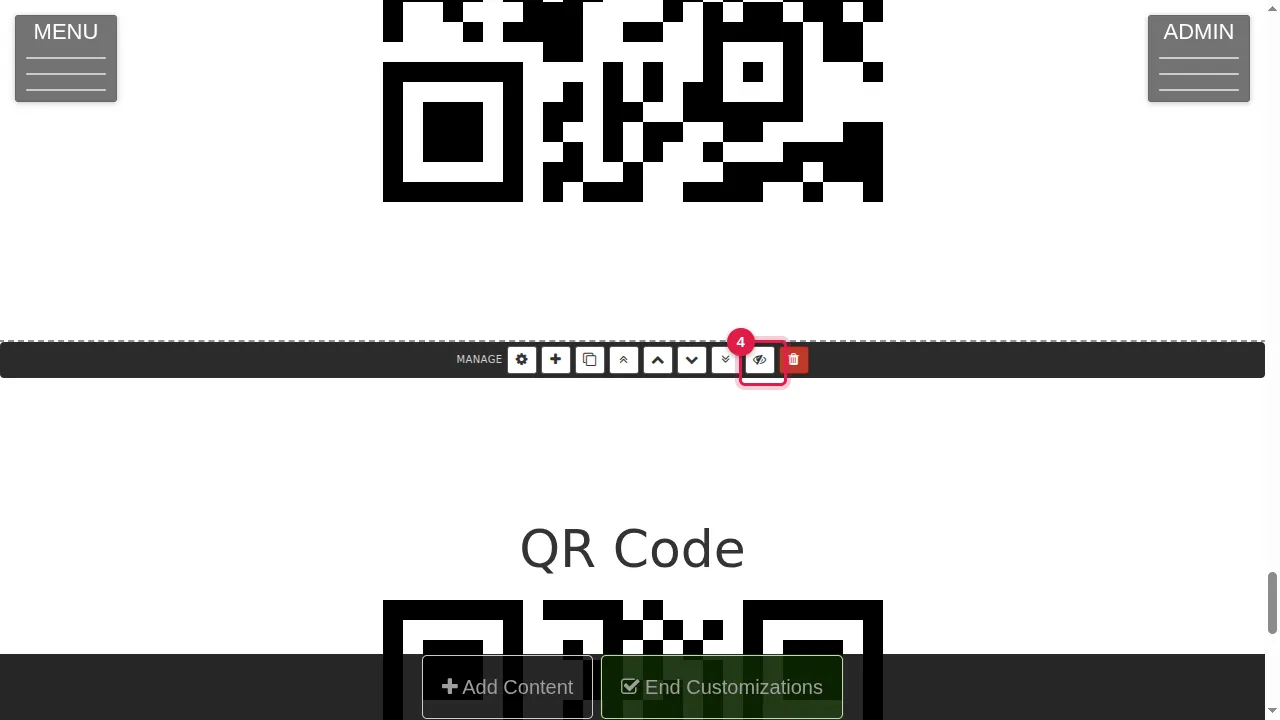
Step 4. To take a section off the page without losing it, click the eye in its toolbar ("Close this section"). It disappears from the page and waits under Add Content › Closed.
Put a closed section back
Step 5. To bring it back, click Add Content in the bar at the bottom.
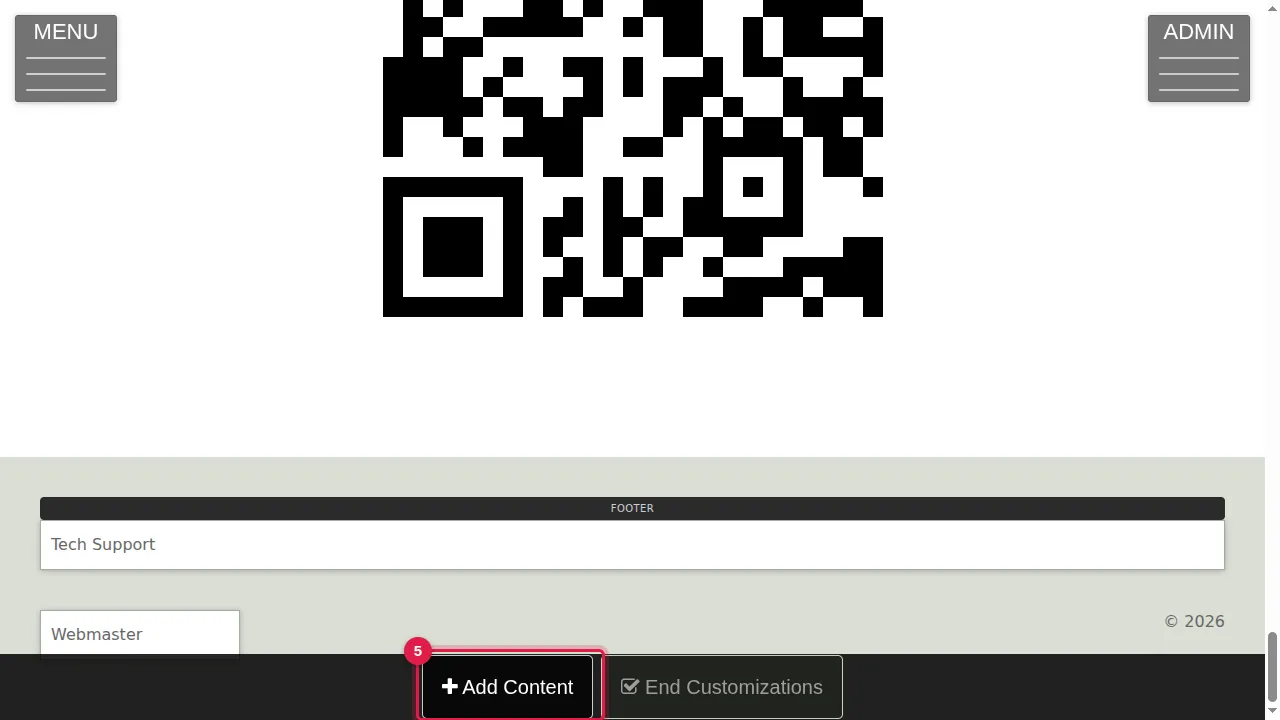
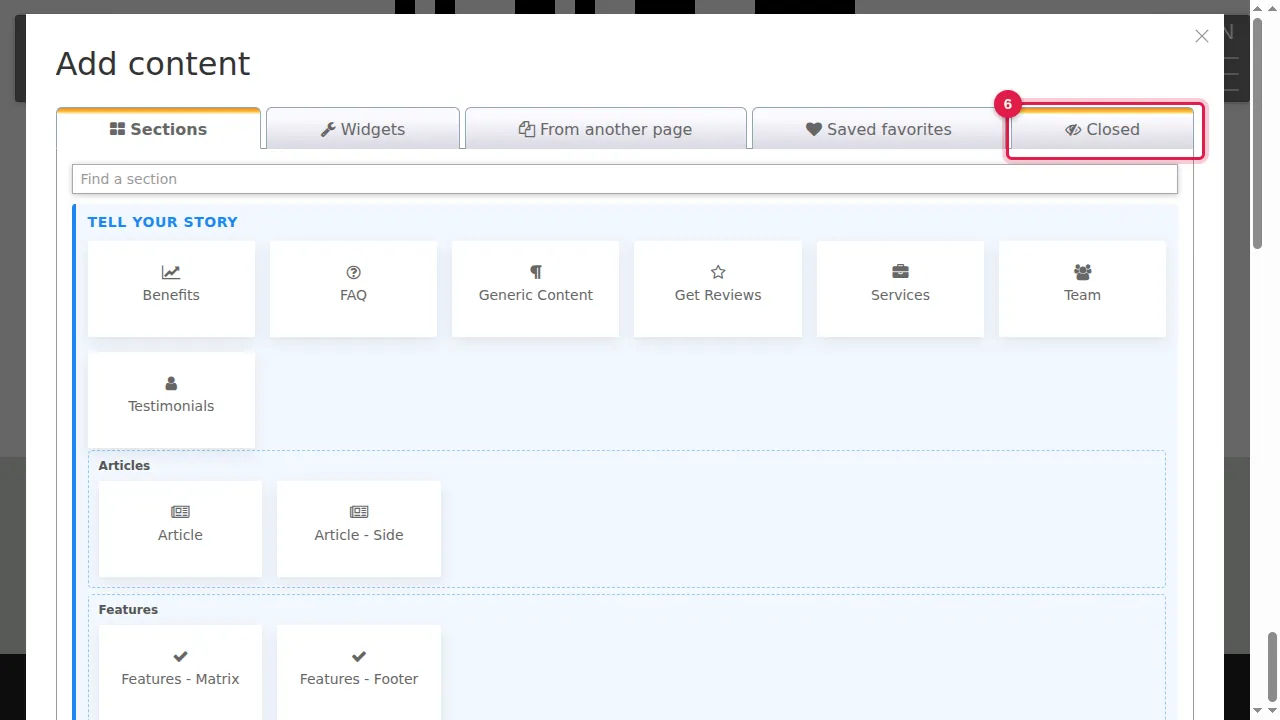
Step 6. Open the Closed tab. Every closed section of this page is listed there.
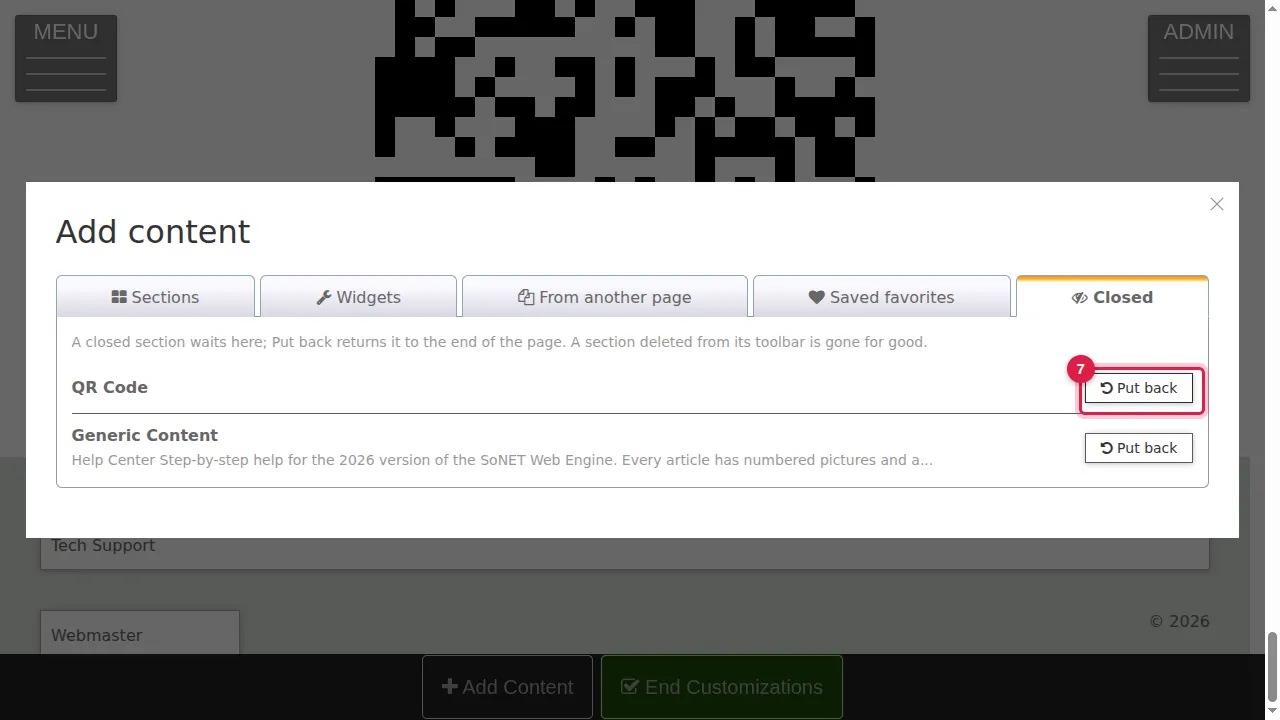
Step 7. Click Put back next to the section. It returns at the end of the page.
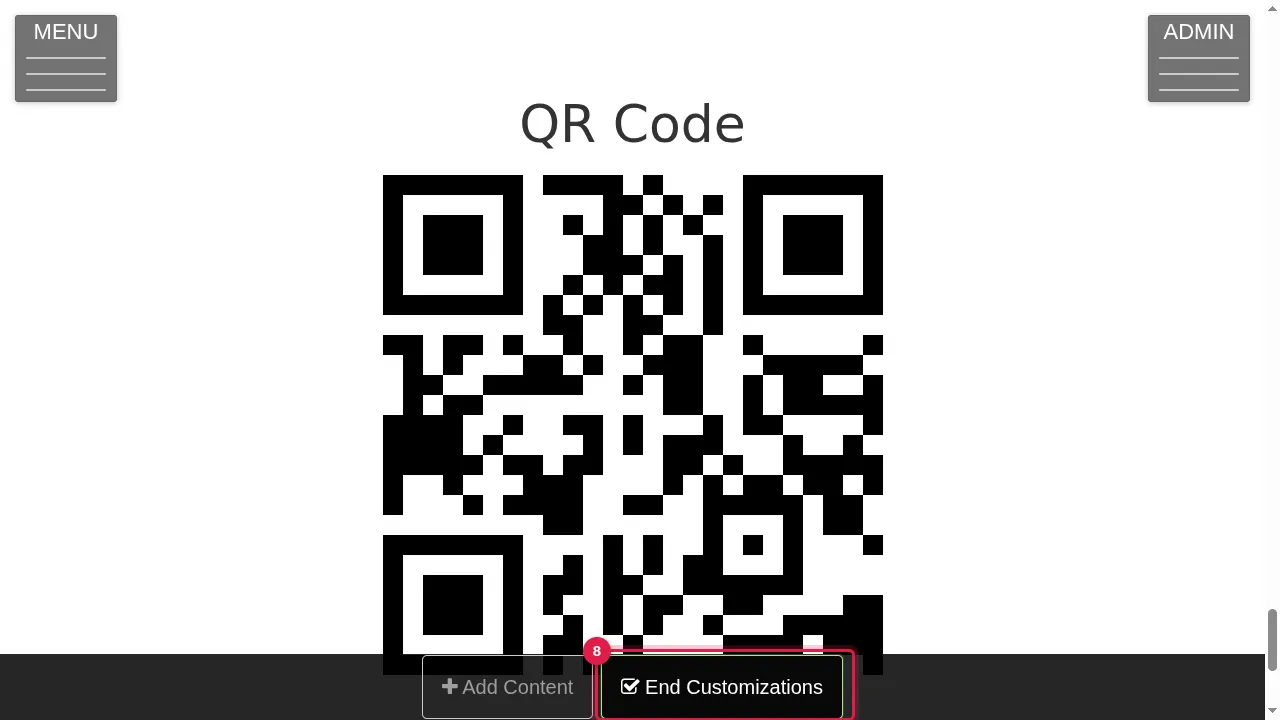
Step 8. Move it to the right place with the arrows, then click End Customizations.
Check it worked
Look at the page as a visitor: closed sections are not shown, put-back sections are.
Good to know
- Closing is the safe way to hide a section for a while, for example a seasonal offer.
- The red bin in the toolbar deletes the section for good: it does not go to the Closed tab. Use the eye if you might want it back.
Related help
Shown on the 2026 version of the SoNET Web Engine. Last checked 21 October 2026. Something different on your screen? Tell us through the Contact page.