Help Center Users & Privacy
Message another website's owner
Find other websites on the SoNET Web Engine and send a message to a website's owner. You confirm your own account first.
Watch it done: a short silent video with captions · 0:43. The steps below show the same thing picture by picture.
Before you start
- Log in to your website.
- Click Find Others under the header.
Find the website
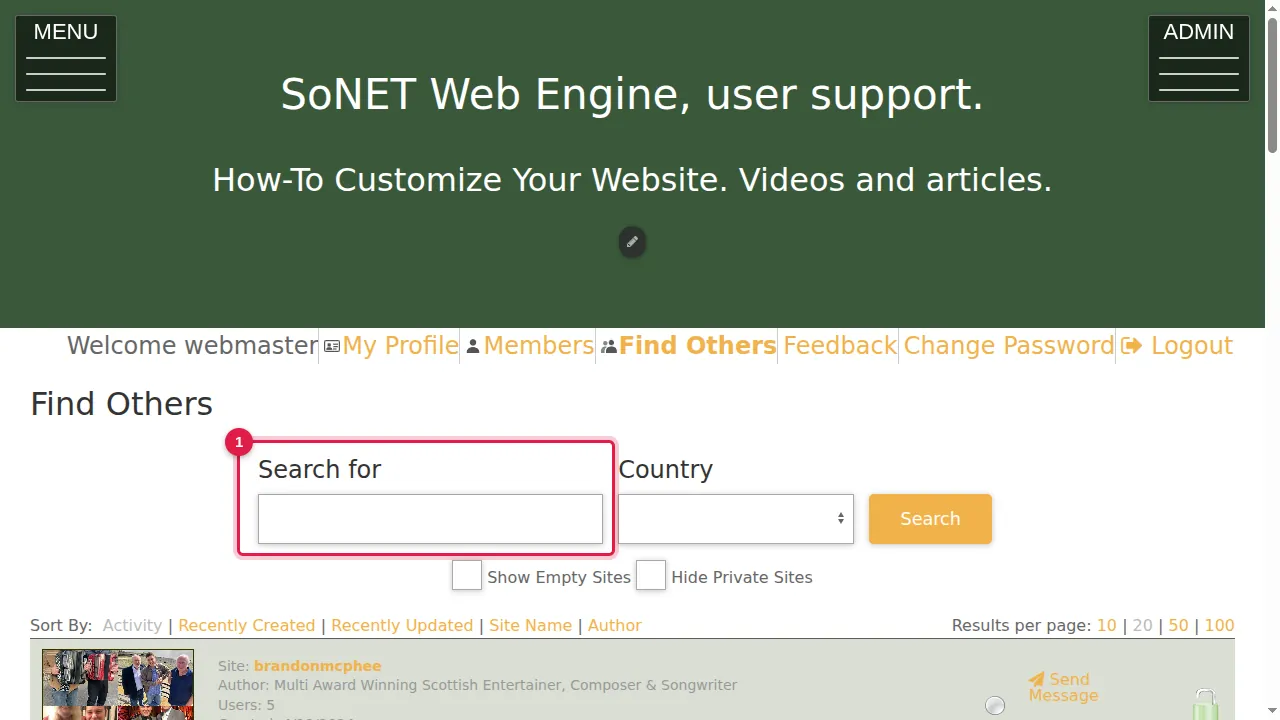
Step 1. Find Others lists the websites on the SoNET Web Engine. Search by words or by country, and sort the list.
Send a message
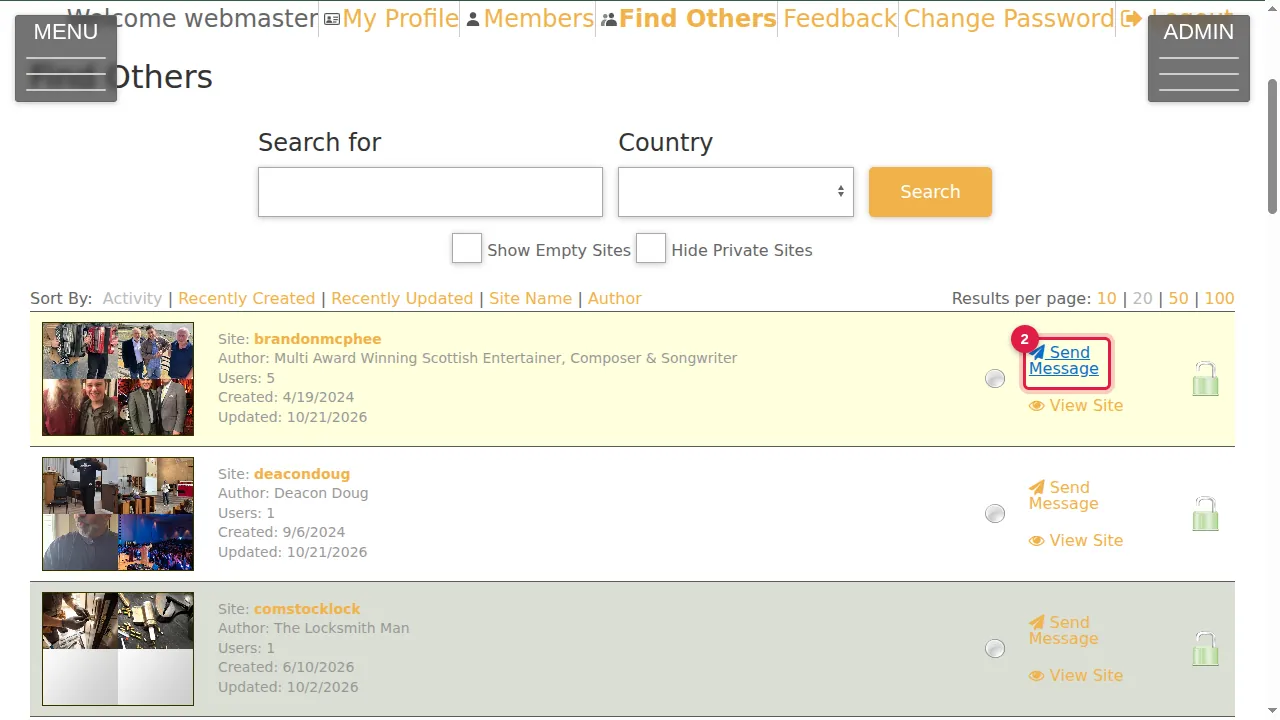
Step 2. Each website has Send Message. Click it to write to that website's owner.
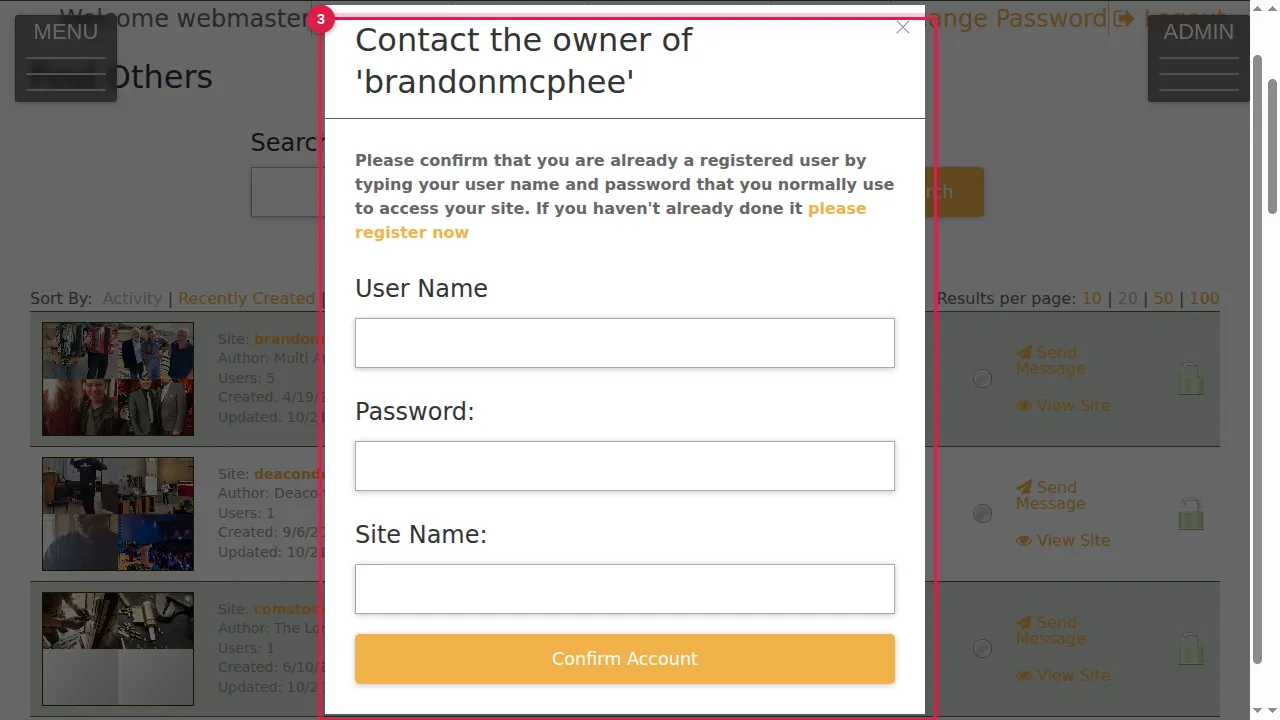
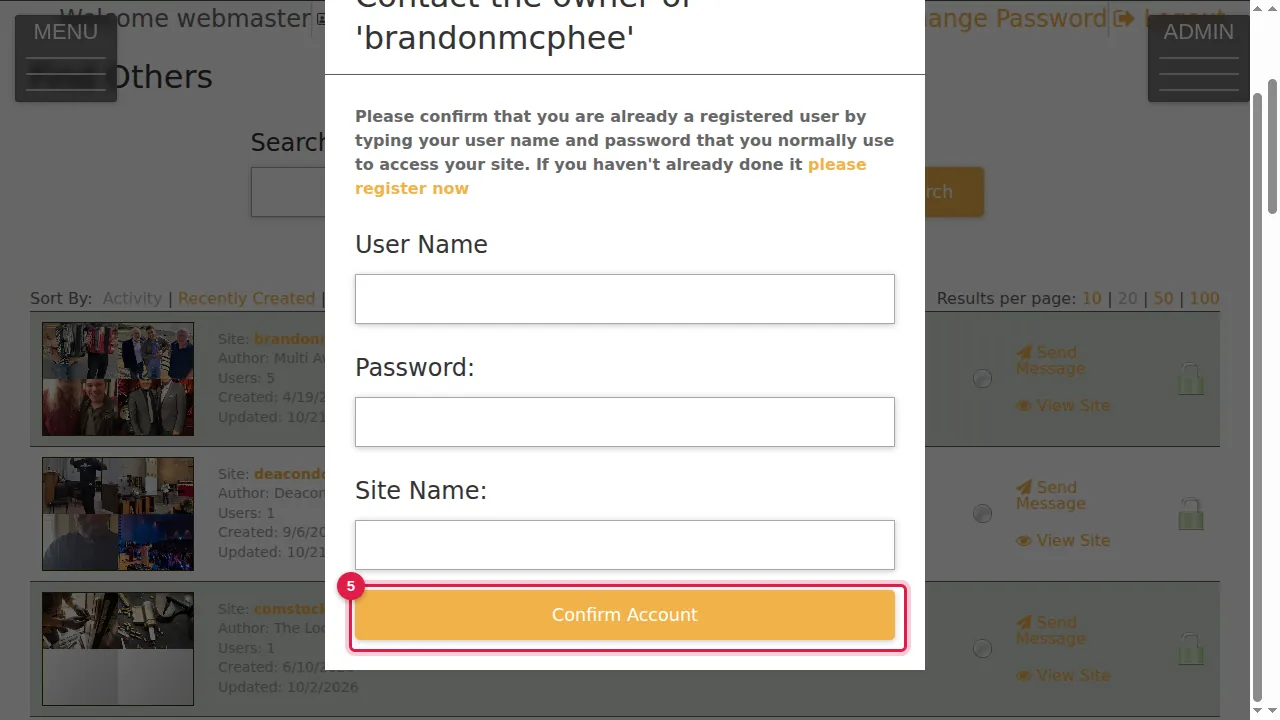
Step 3. "Contact the owner of …" first asks you to confirm that you are a registered user. If you are not, "please register now" lets you sign up.
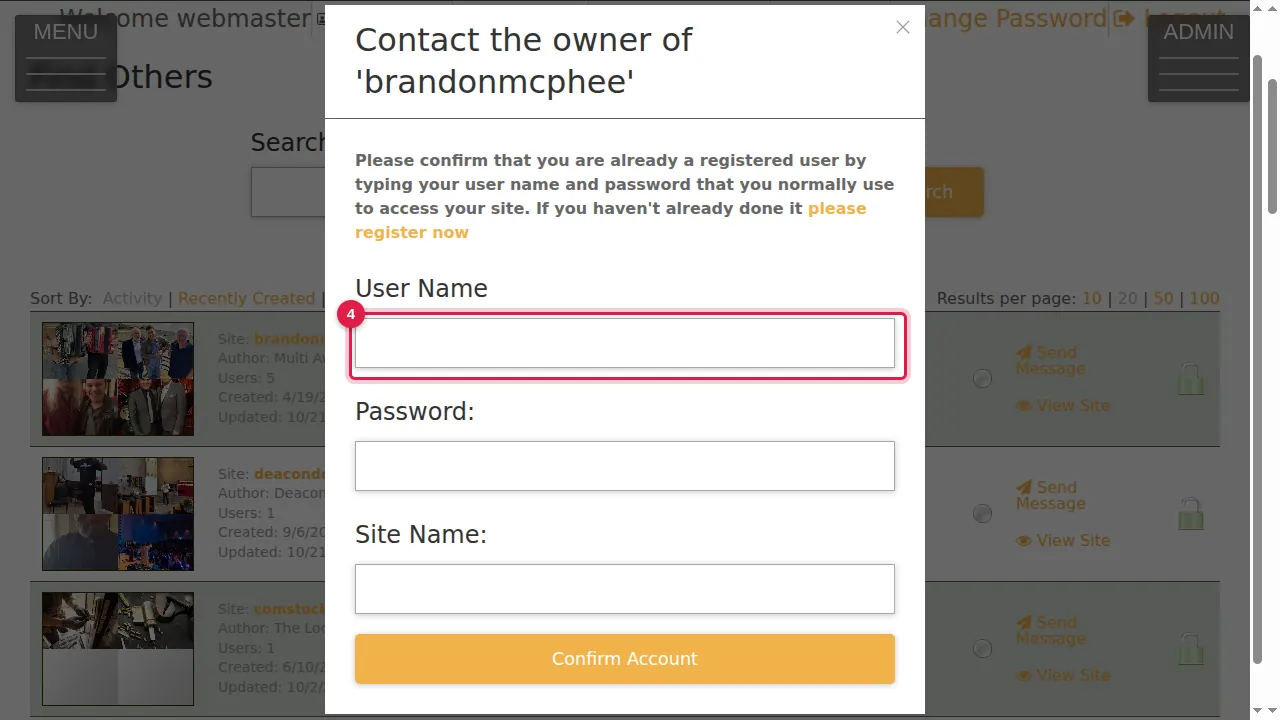
Step 4. Type the User Name and Password you normally use, and your Site Name.
Step 5. Click Confirm Account. Then you can write your message. (In this demonstration nothing was sent.)
Check it worked
Before you send it, read your message once more: it goes straight to the other website's owner.
Good to know
- View Site, next to Send Message, opens that website so you can look at it first.
Related help
Shown on the 2026 version of the SoNET Web Engine. Last checked 21 October 2026. Something different on your screen? Tell us through the Contact page.