Help Center Site Settings
Language and region
Choose the language of your site's menus, buttons and e-mails, how dates, numbers and prices are written, and which languages visitors may translate your site into.
Watch it done: a short silent video with captions · 0:44. The steps below show the same thing picture by picture.
Before you start
- Log in as the site owner.
- Open ADMIN › Site Settings.
Language and format
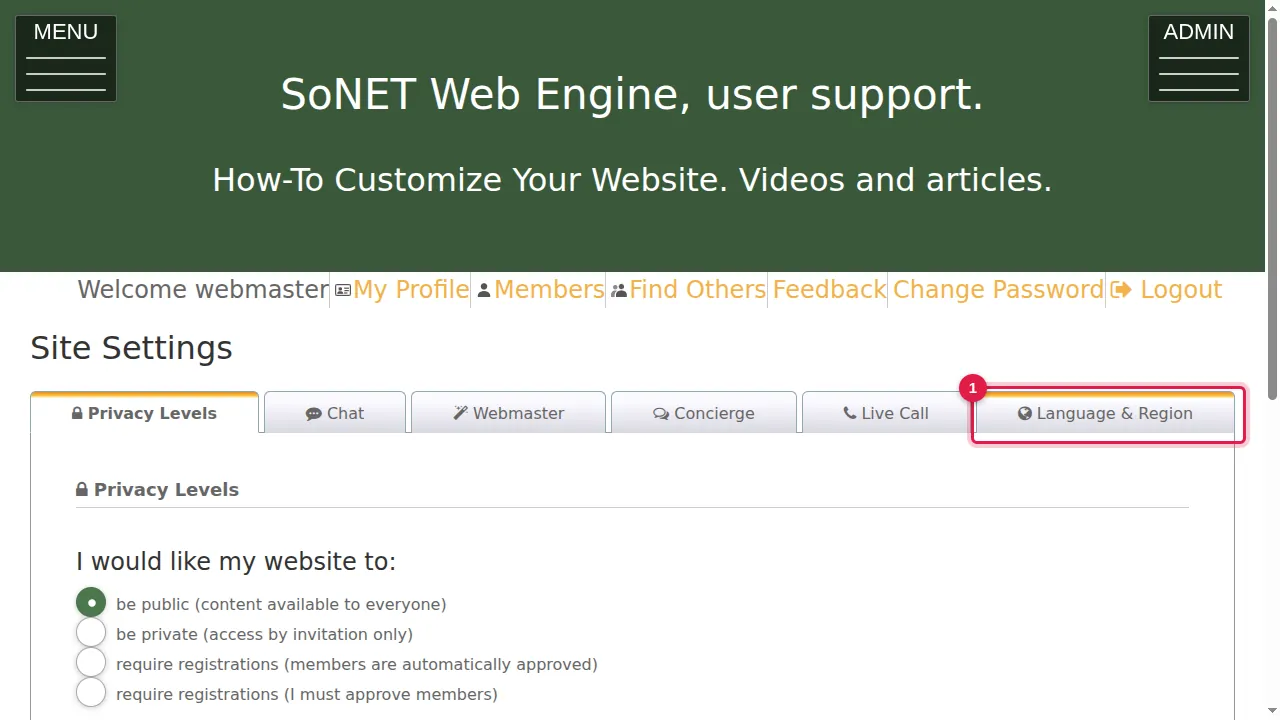
Step 1. Click the Language & Region tab.
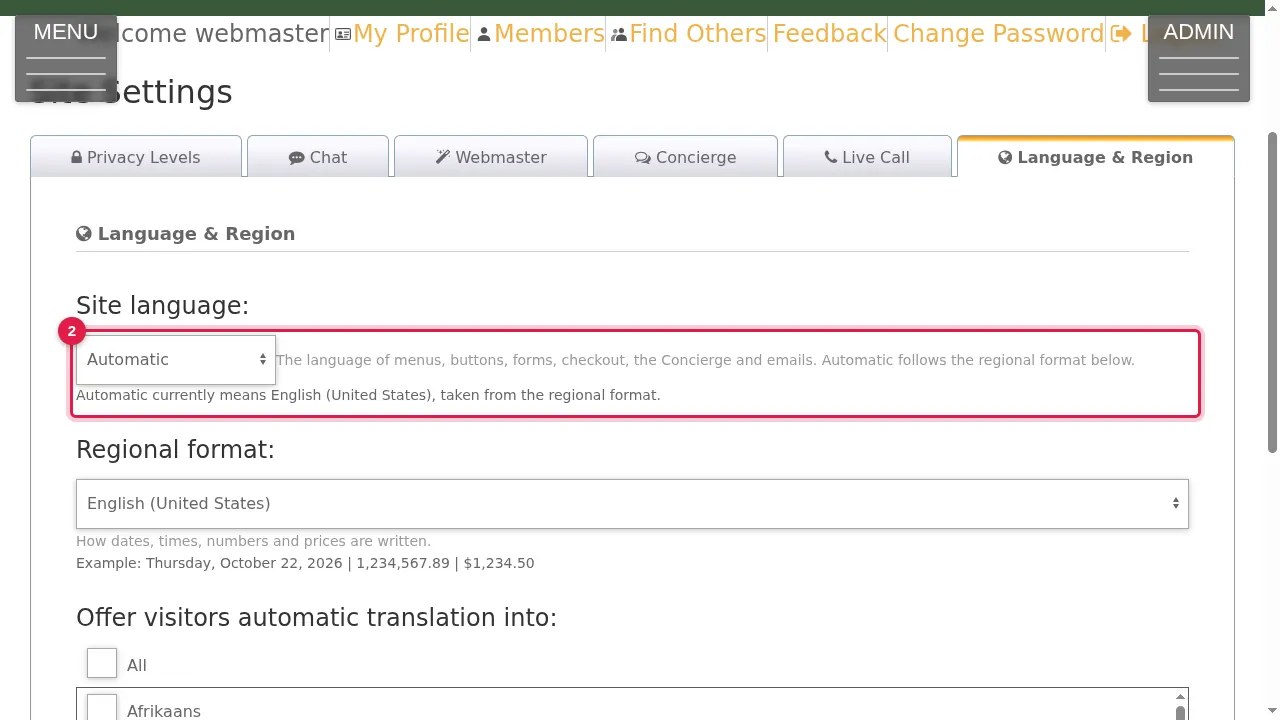
Step 2. Site language: the language of menus, buttons, forms, checkout, the Concierge and e-mails (Automatic, English (United States), English (United Kingdom), Polski, Español, Français or Italiano). Automatic follows the regional format below; here it means English (United States).
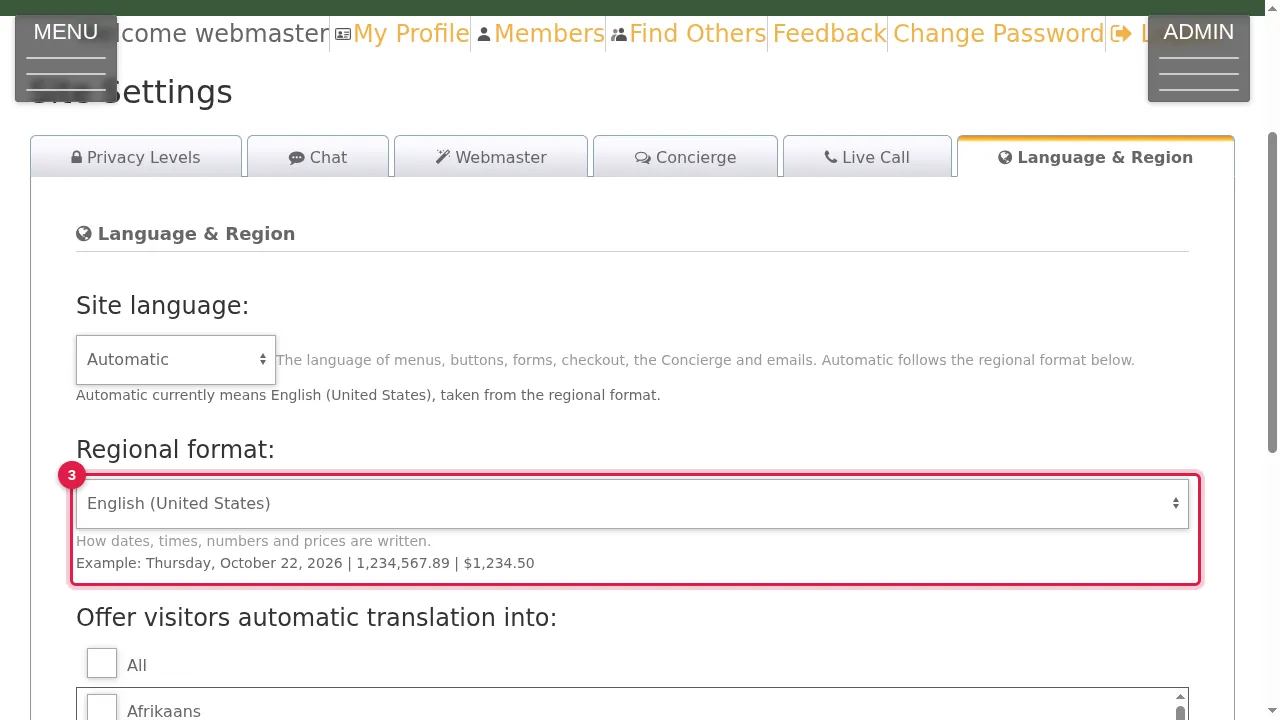
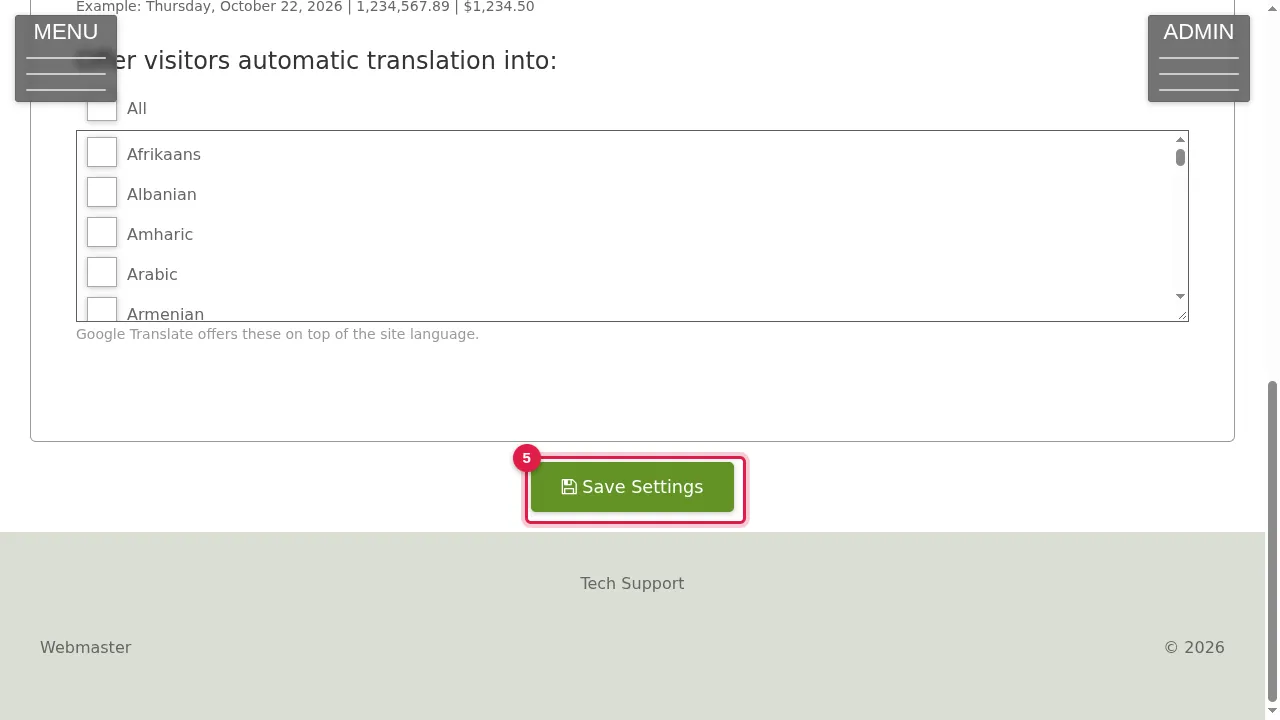
Step 3. Regional format: how dates, times, numbers and prices are written. The example under it shows the result, for instance Thursday, October 22, 2026 | 1,234,567.89 | $1,234.50.
Translation for visitors
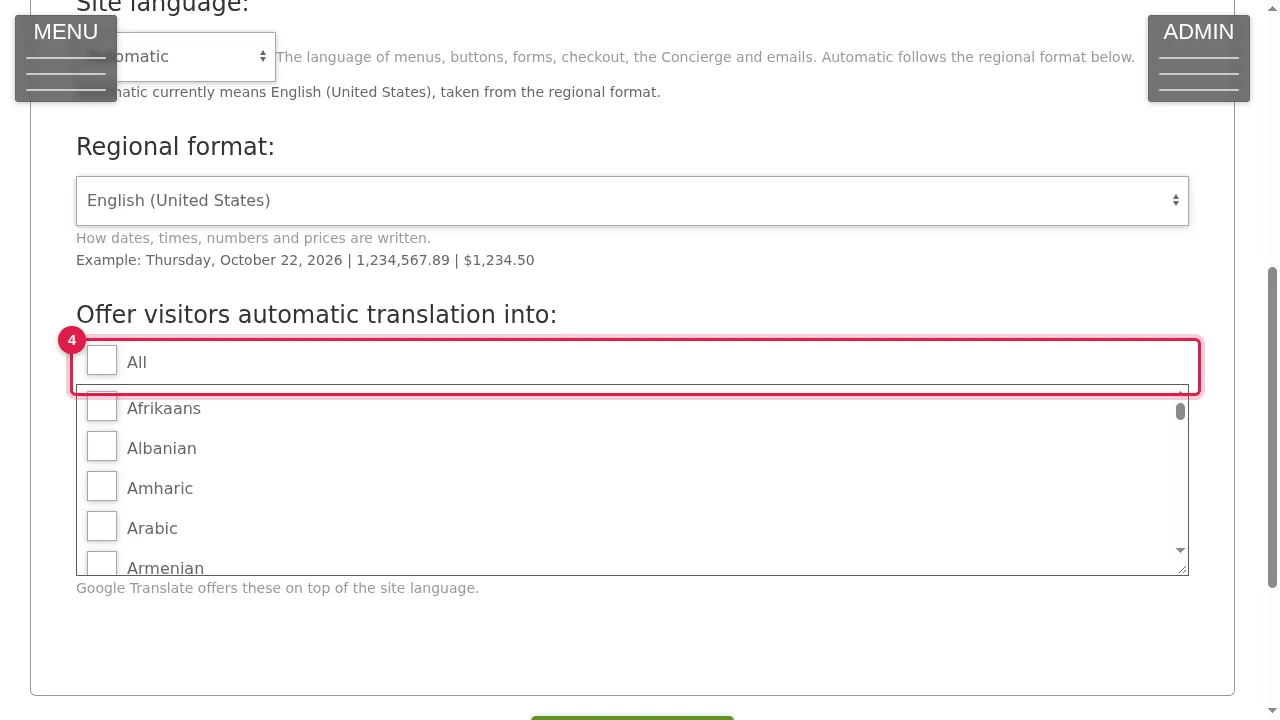
Step 4. Offer visitors automatic translation into: tick All, or only the languages you want. Google Translate offers these on top of your site's language.
Step 5. Click Save Settings to keep your choice. (In this demonstration nothing was changed.)
Check it worked
After saving, open your site in a private window and look at a date on it, for example on your blog.
Good to know
- Offer only the languages your visitors really speak: a short list is easier to use.
Related help
Shown on the 2026 version of the SoNET Web Engine. Last checked 22 October 2026. Something different on your screen? Tell us through the Contact page.