Help Center F.A.Q.
F.A.Q. settings
Choose whether visitors see the date of each F.A.Q. entry, in which order the entries are listed, and whether old or future-dated entries are hidden.
Watch it done: a short silent video with captions · 0:43. The steps below show the same thing picture by picture.
Before you start
- Log in as the site owner.
- Open ADMIN › Manage F.A.Q's.
Open the settings
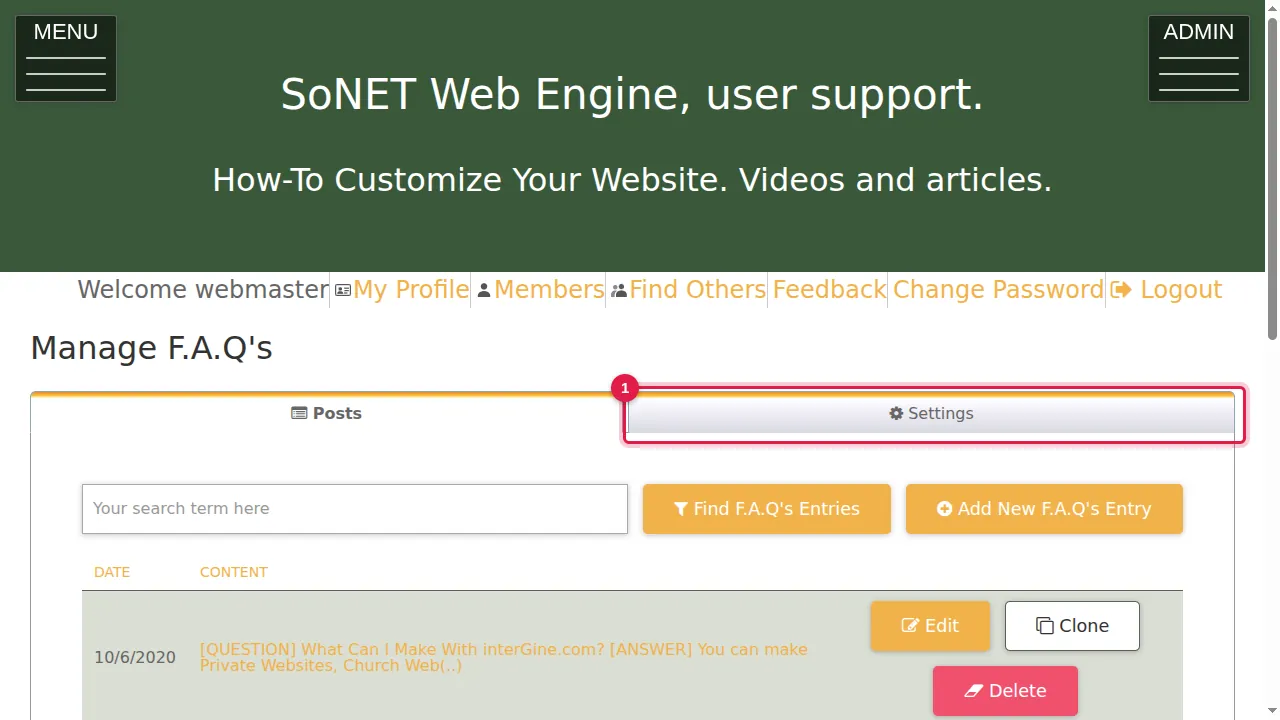
Step 1. Click the Settings tab (next to Posts).
Dates and order
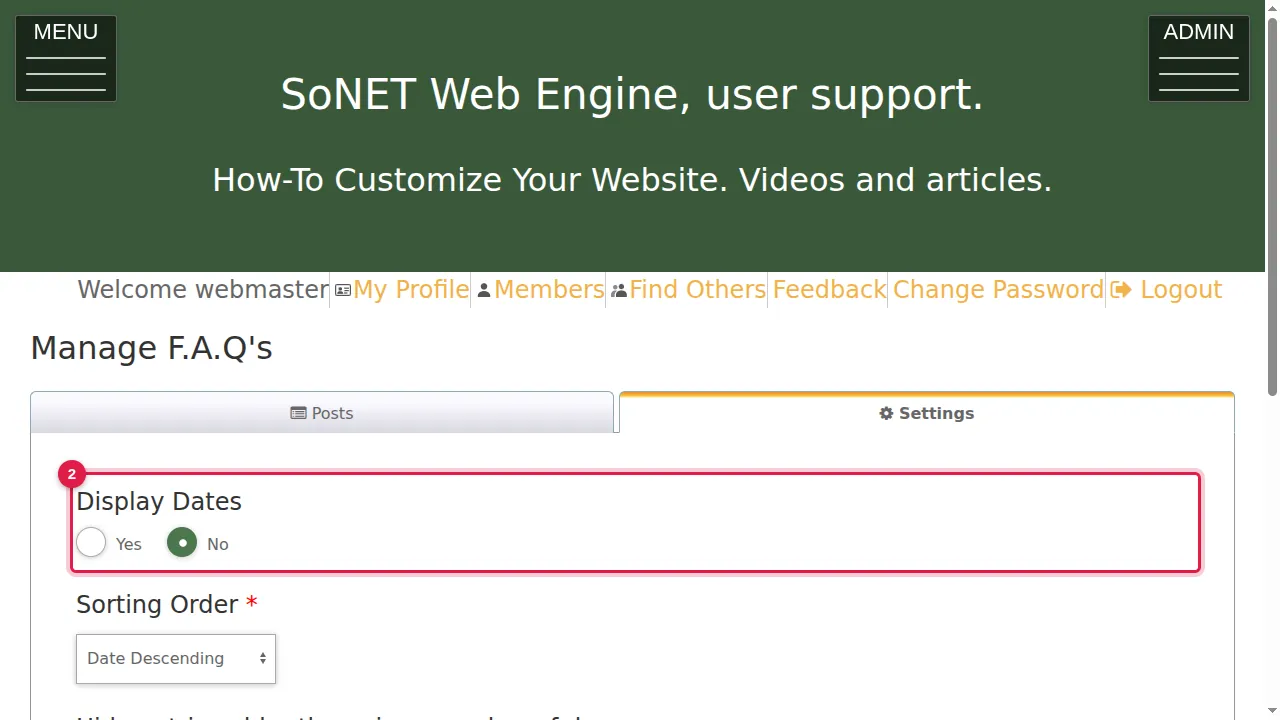
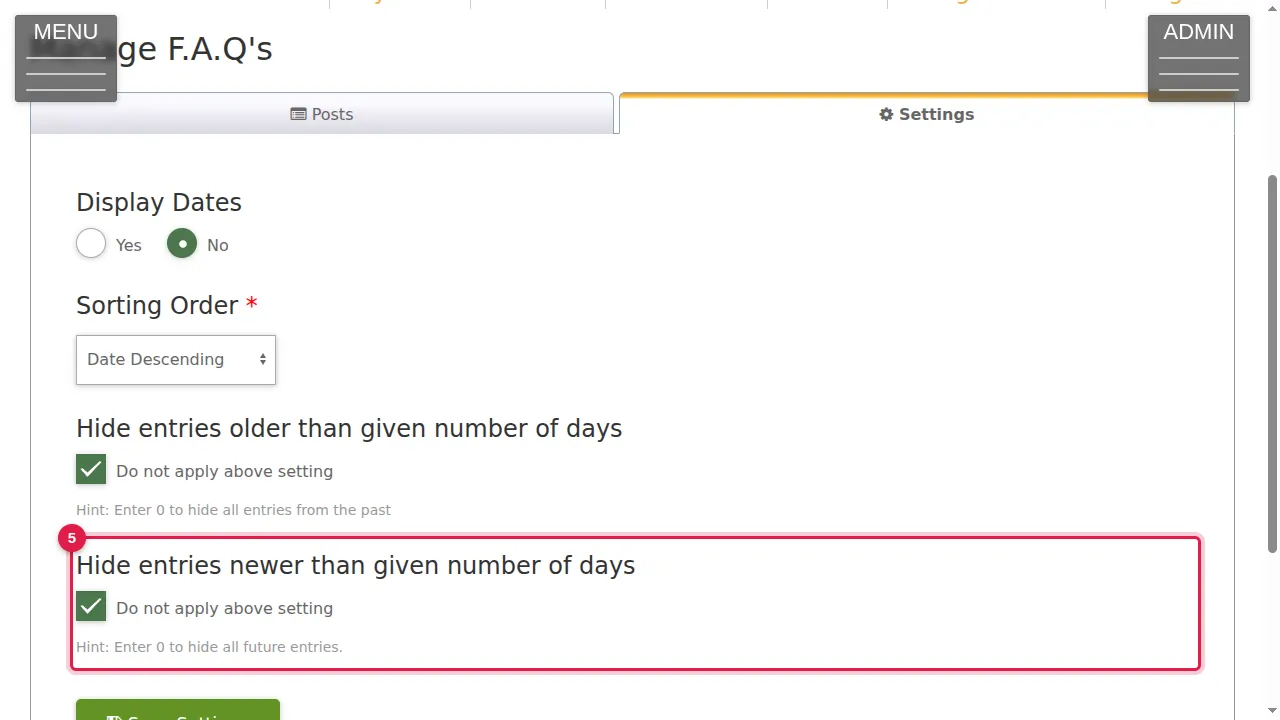
Step 2. Display Dates: Yes shows each entry's date to your visitors, No hides it (this site uses No).
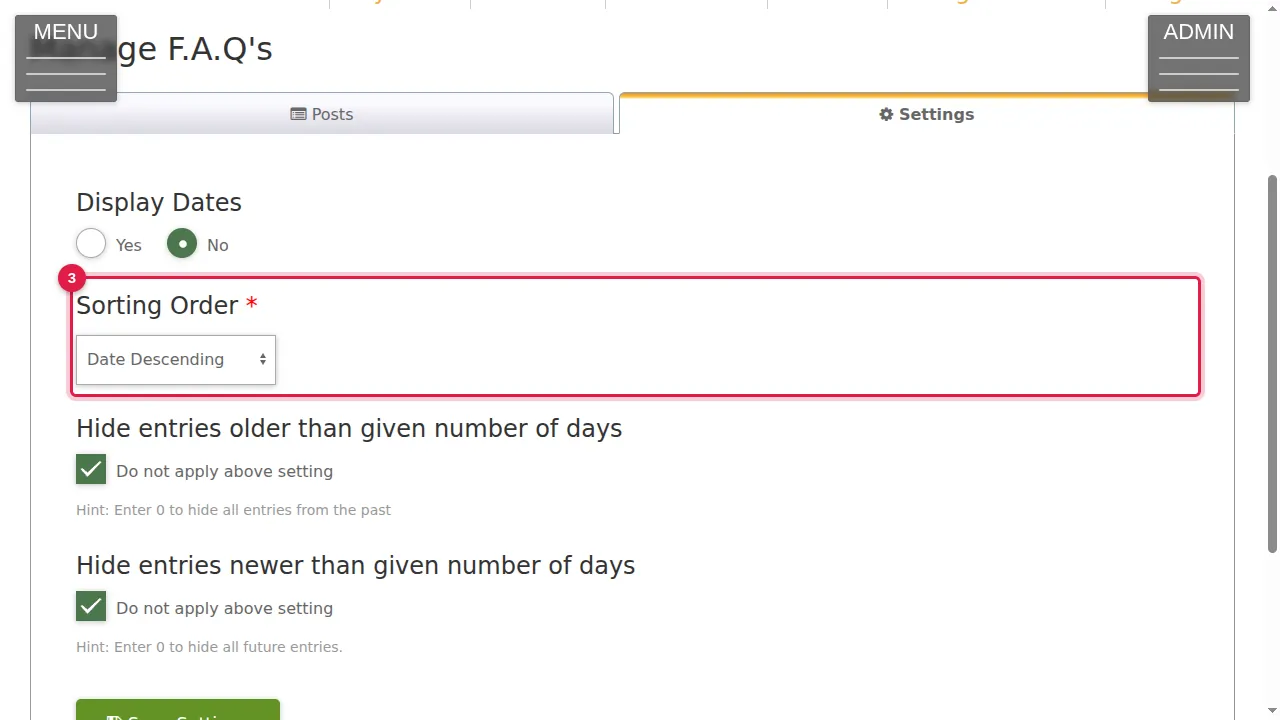
Step 3. Sorting Order: Date Ascending, Date Descending (newest first), Description Ascending or Description Descending (by the entry's text).
Hide old or future entries
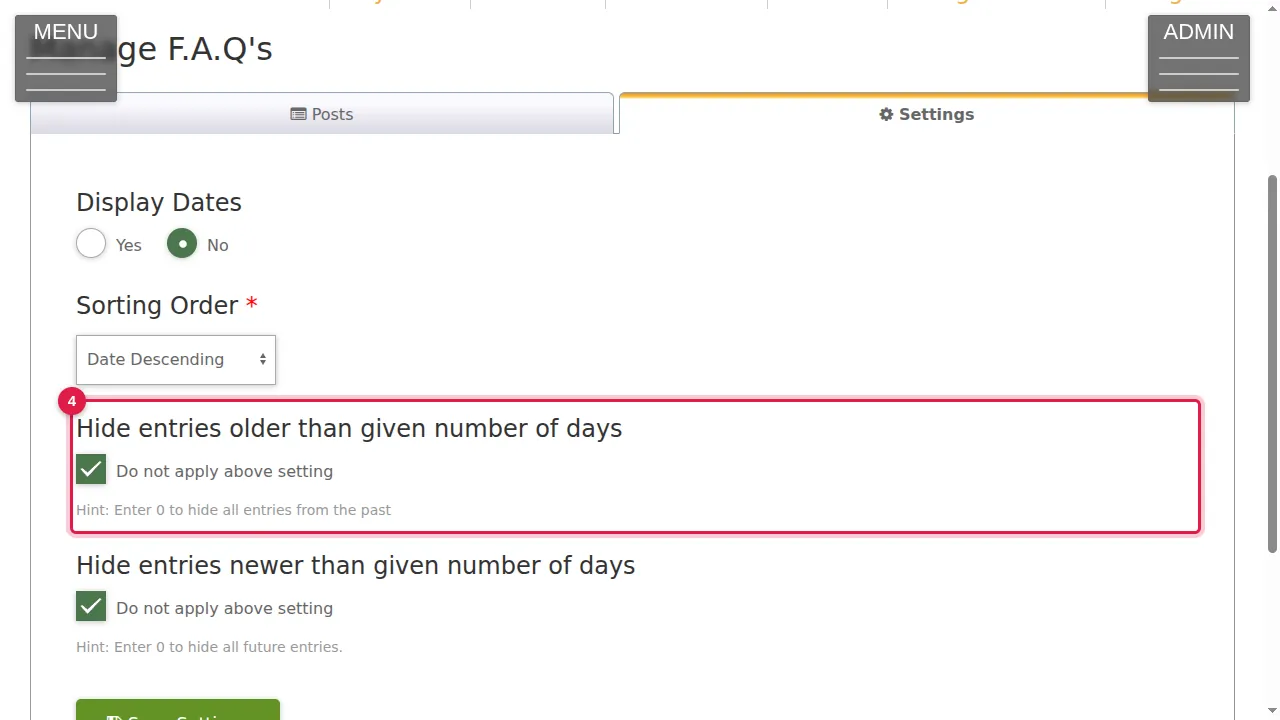
Step 4. Hide entries older than a given number of days: untick Do not apply above setting and enter the number of days. 0 hides all entries from the past.
Step 5. Hide entries newer than a given number of days works the same way for entries dated in the future. 0 hides all future entries.
Save
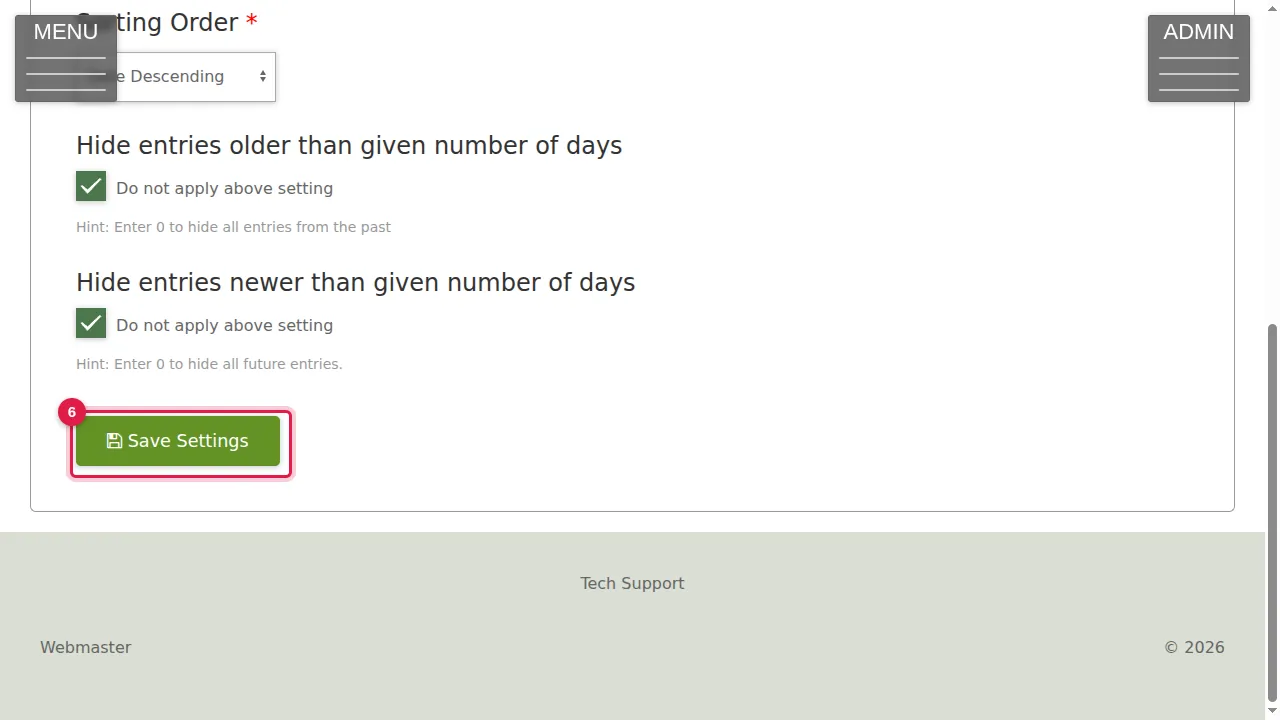
Step 6. Click Save Settings to keep your changes. (In this demonstration nothing was changed.)
Check it worked
After saving, open your F.A.Q. page in a private window and check the order and the dates.
Related help
Shown on the 2026 version of the SoNET Web Engine. Last checked 21 October 2026. Something different on your screen? Tell us through the Contact page.