Help Center Look & Design
Custom CSS from a description
In the Template Kit's Custom CSS tab, describe a style in plain words and the site writes the CSS for it. You read it, then Apply it or cancel.
Watch it done: a short silent video with captions · 0:28. The steps below show the same thing picture by picture.
Before you start
- Log in as the site owner.
- Open ADMIN › Template Kit.
Describe the style
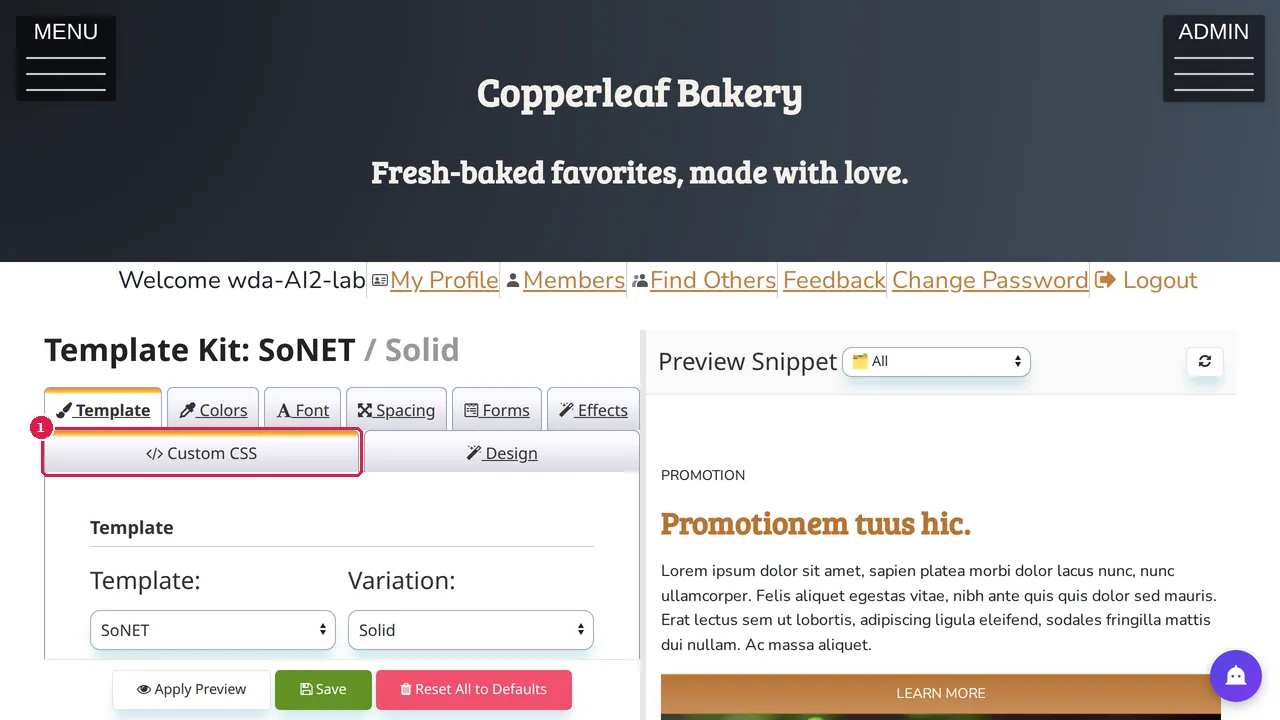
Step 1. In the Template Kit, open the Custom CSS tab.
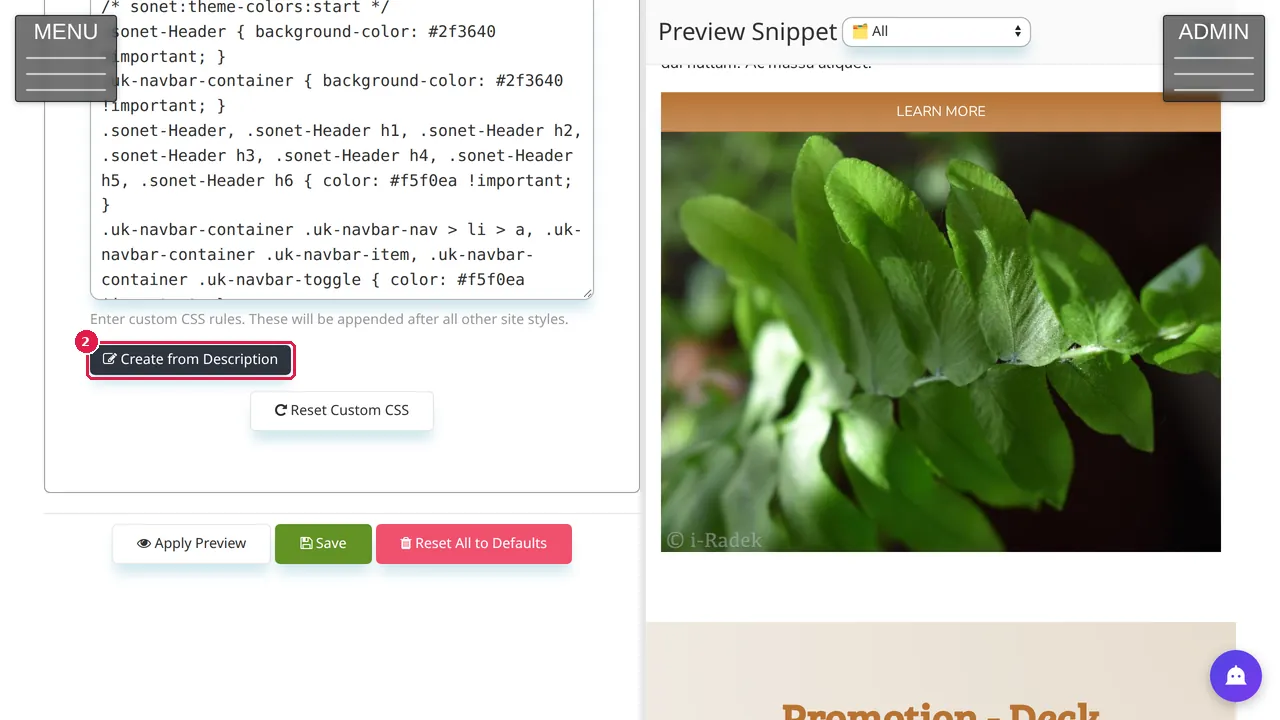
Step 2. Click Create from Description.
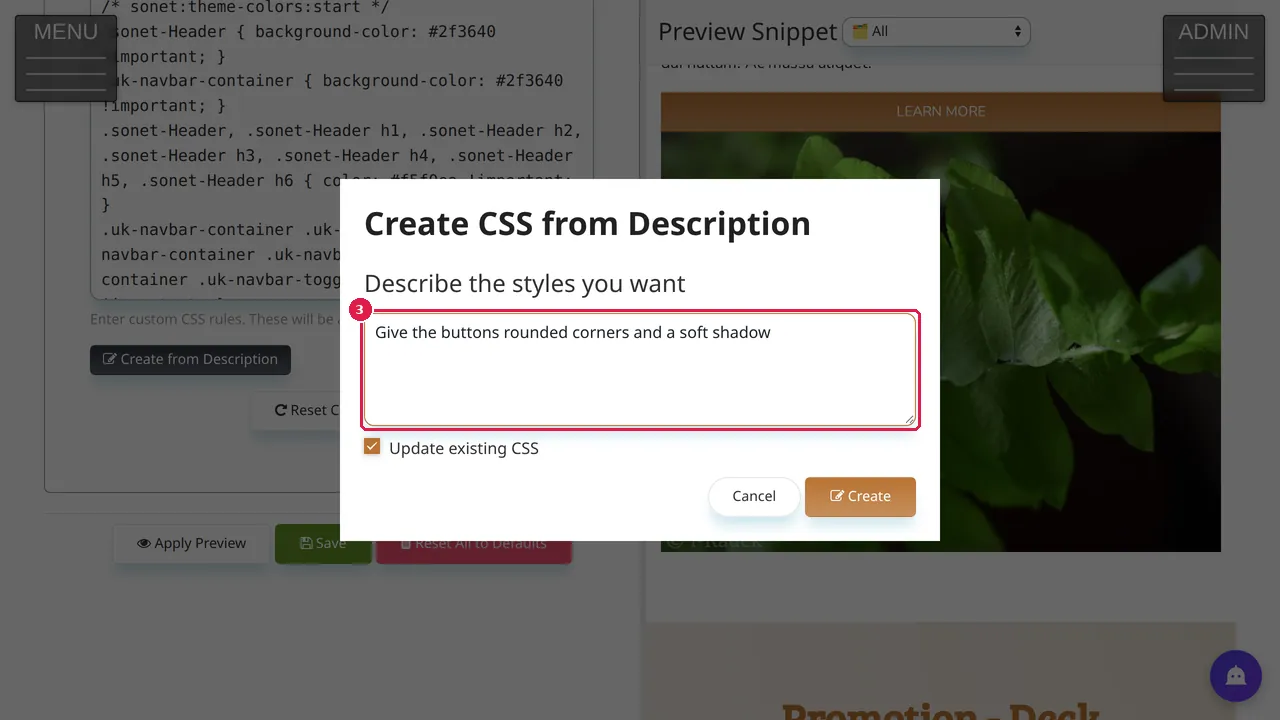
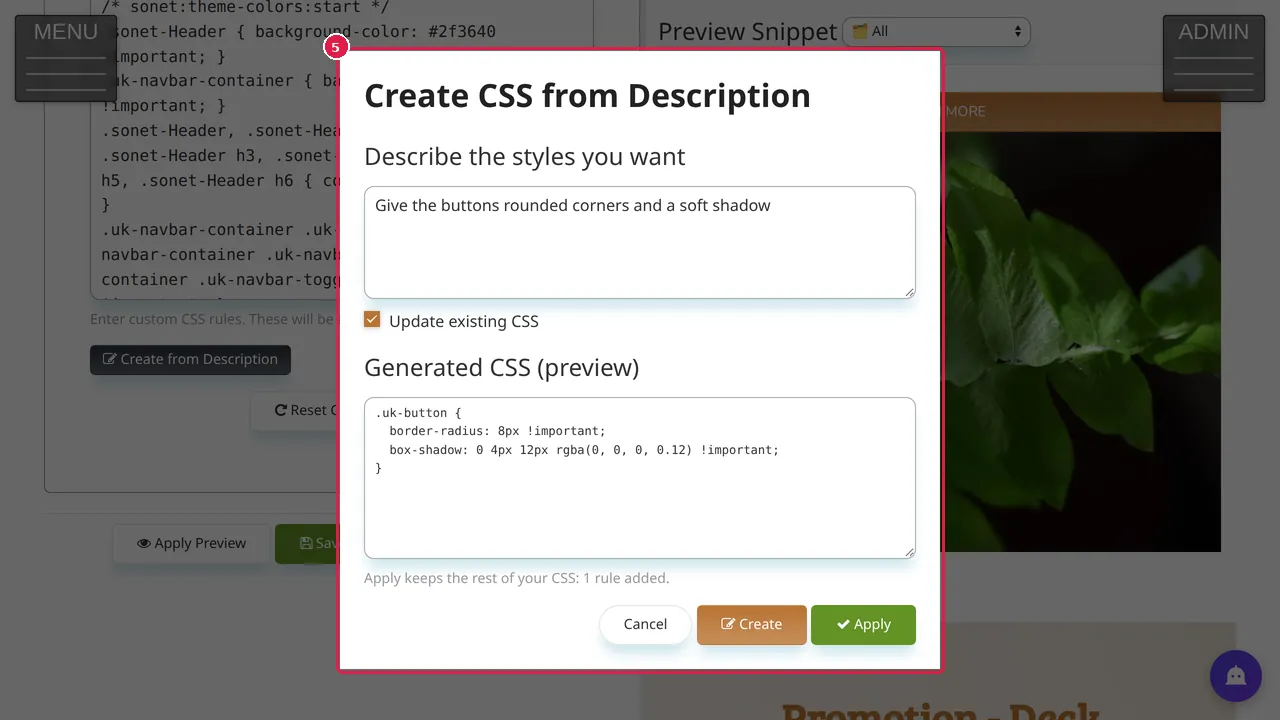
Step 3. Describe the styles you want, for example "Give the buttons rounded corners and a soft shadow". Update existing CSS (ticked) changes your CSS instead of starting over.
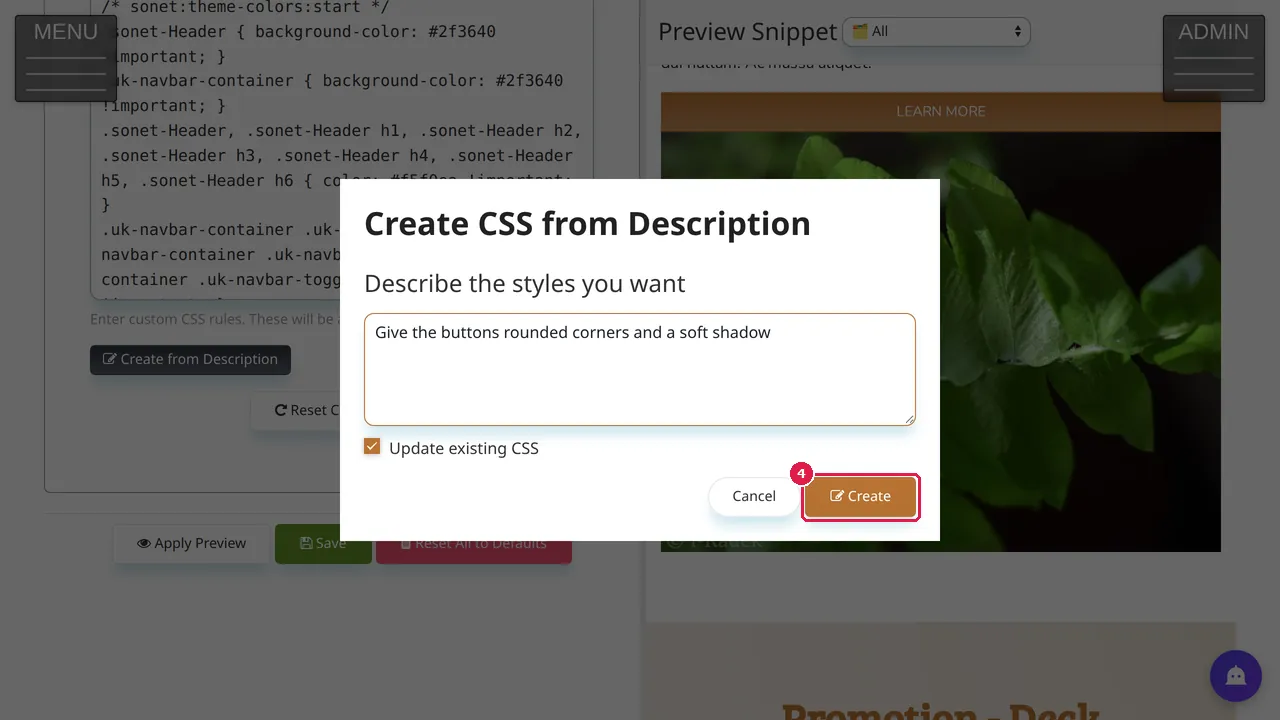
Step 4. Click Create and wait a few seconds.
Check it
Step 5. Generated CSS (preview) shows what it wrote, here one rule for the site's buttons, and how many rules Apply adds. Apply keeps the rest of your CSS.
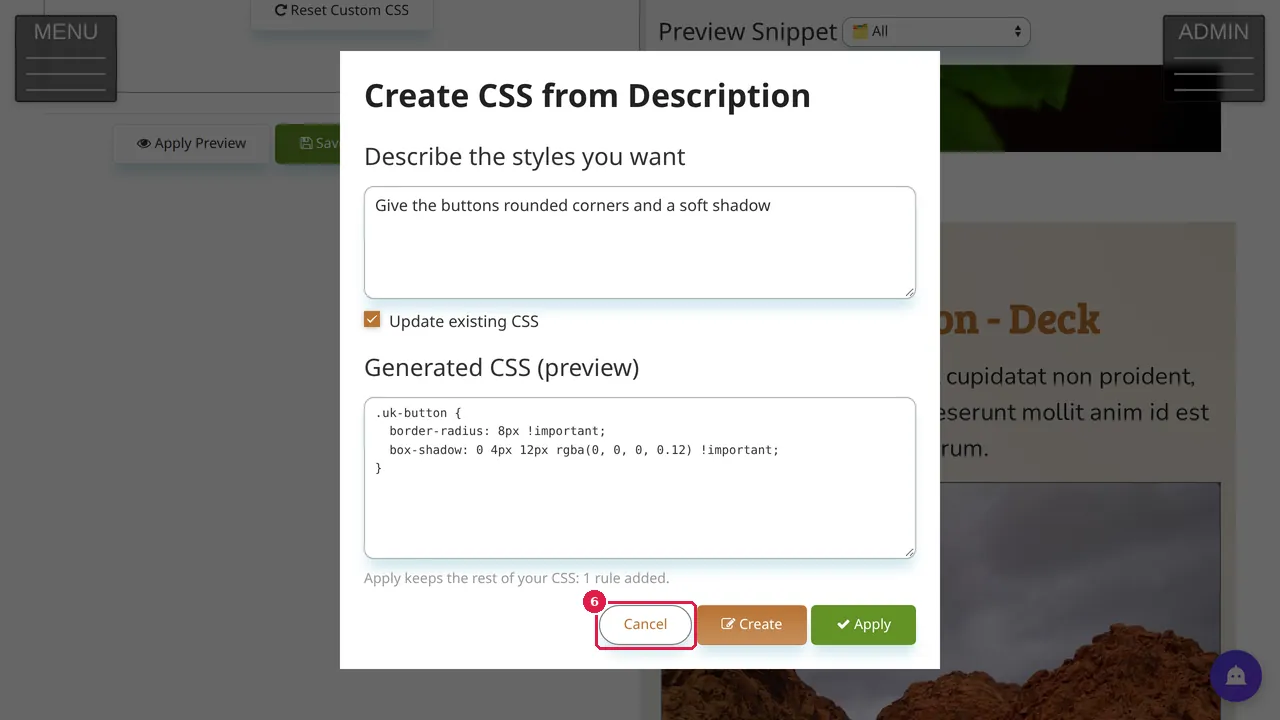
Step 6. In this demonstration Cancel was clicked, so the site's CSS stayed as it was. After Apply, use Apply Preview to look at it and Save to keep it.
Check it worked
After saving, open your site in a private window and look at the pages the style should change.
Good to know
- Colours, fonts, corners, shadows and spacing have their own fields in the Template Kit: set them there first, so they can be changed later without editing CSS. Use Custom CSS only for what the kit cannot do.
Related help
Shown on the 2026 version of the SoNET Web Engine. Last checked 10 November 2026. Something different on your screen? Tell us through the Contact page.