Help Center Pages & Editing
Add a new page
Add a new page to your website in a few seconds with Add New Page, and choose whether it appears in your menu.
Watch it done: a short silent video with captions · 1:10. The steps below show the same thing picture by picture.
Before you start
- Log in to your website. You can add a page from any page.
Create the page
Step 1. Click Add New Page in the bar at the bottom of any page.
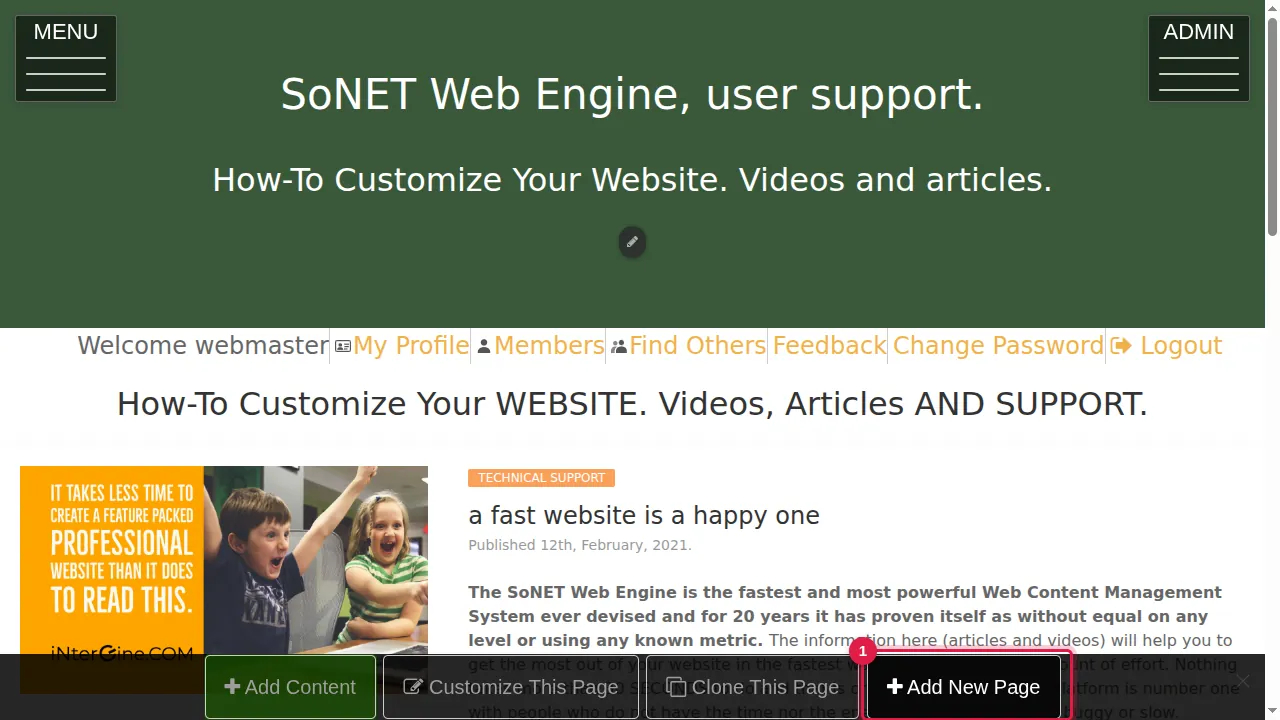
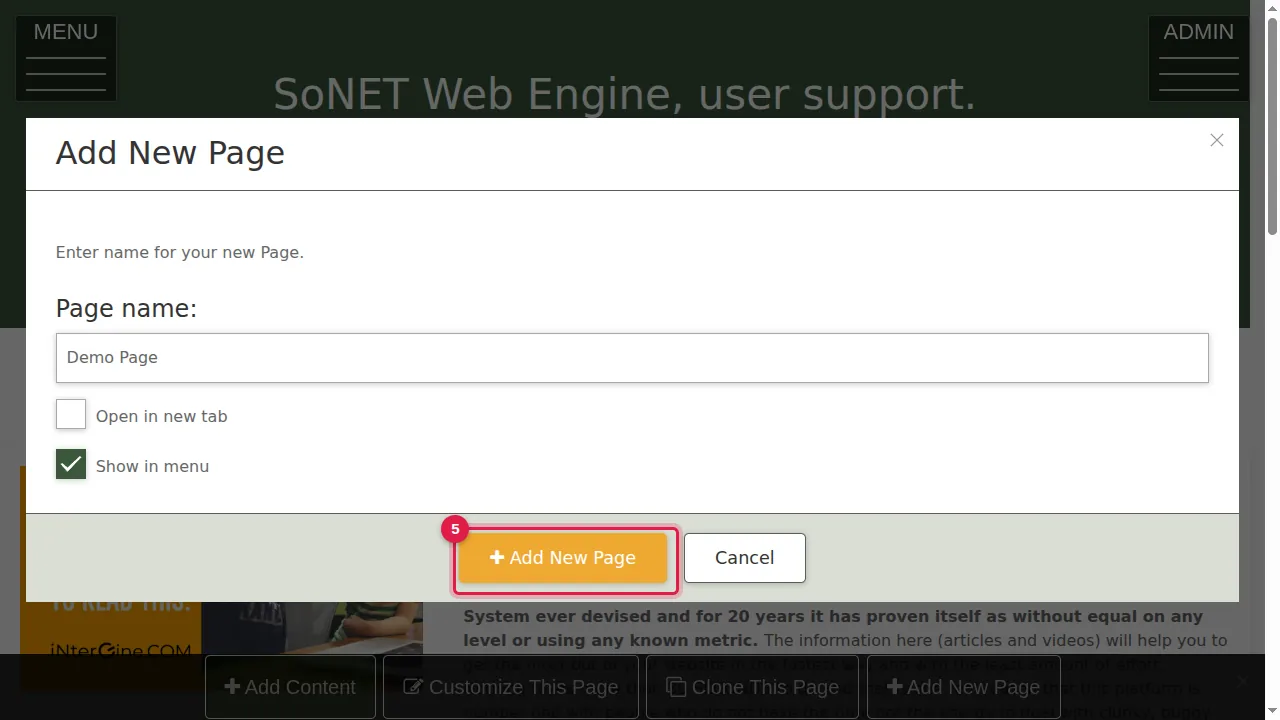
Step 2. Type a name for the page. The name becomes the page's title and its address ("Demo Page" becomes /p/Demo-Page).
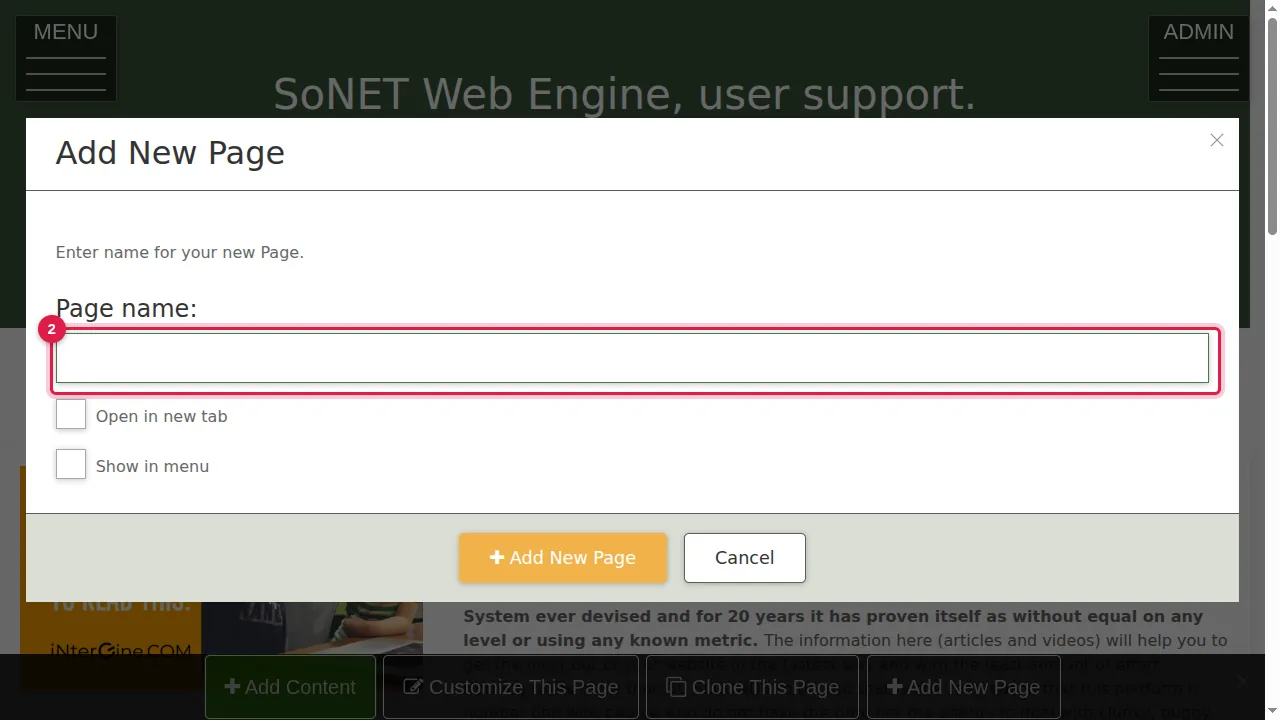
Step 3. Tick "Show in menu" if visitors should find the page in your MENU.
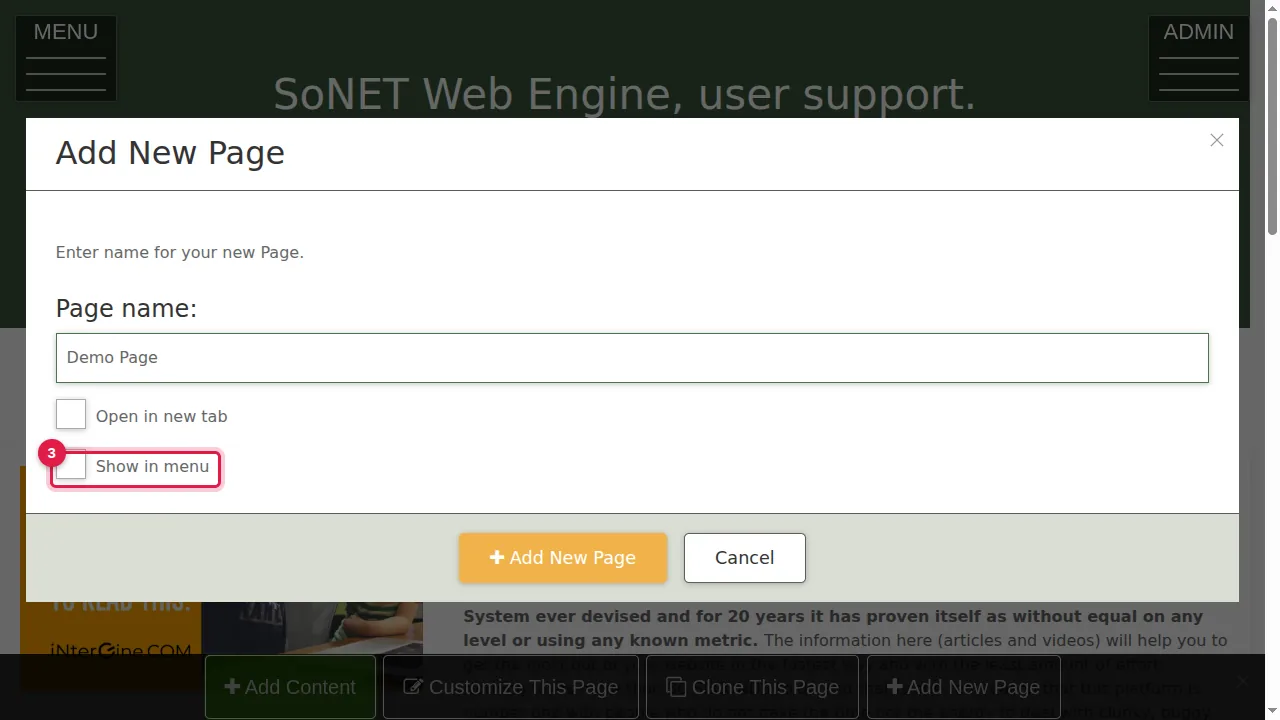
Step 4. Tick "Open in new tab" only if the menu should open this page in a new browser tab.
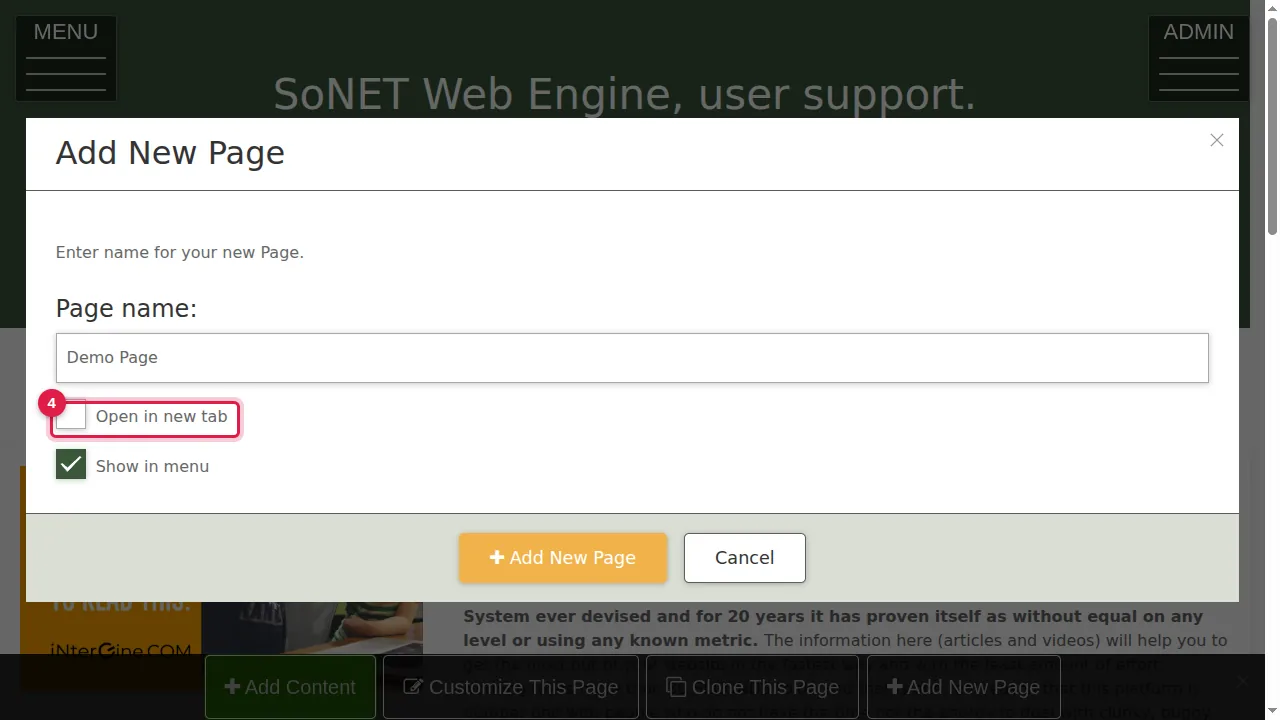
Step 5. Click Add New Page.
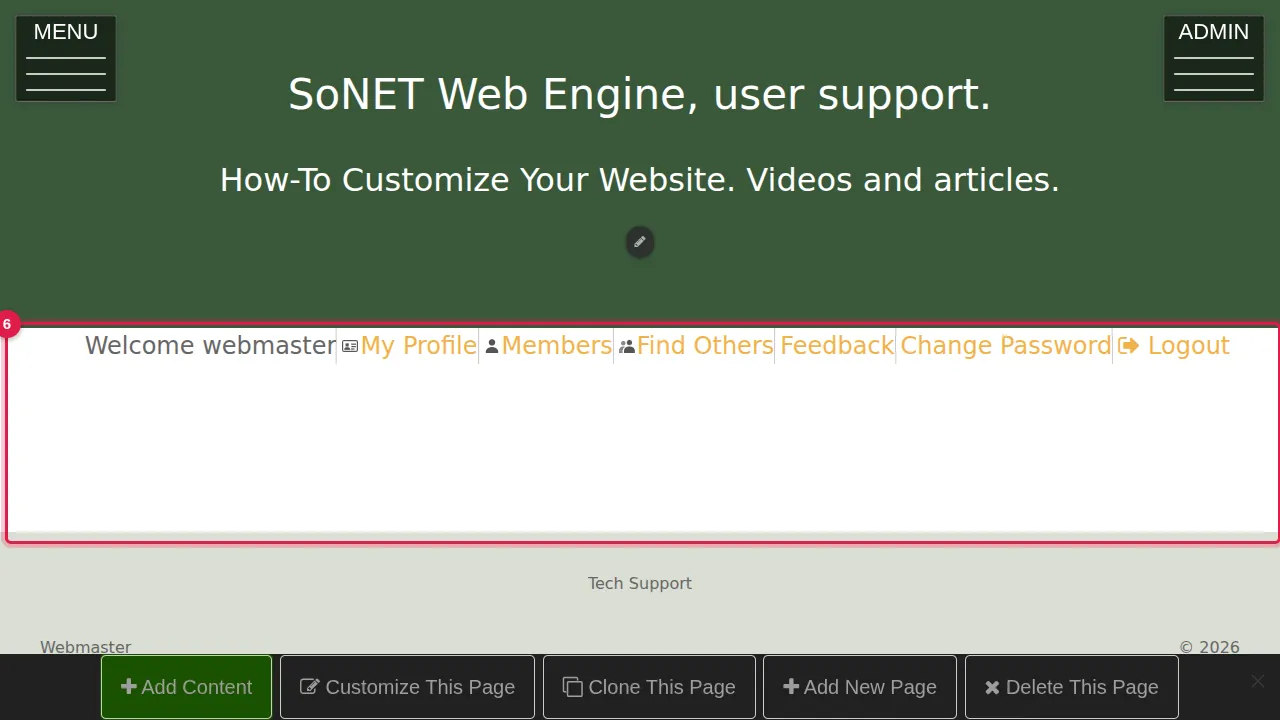
Step 6. Your new, empty page opens. Add content to it with Add Content or Customize This Page.
Find it in the menu
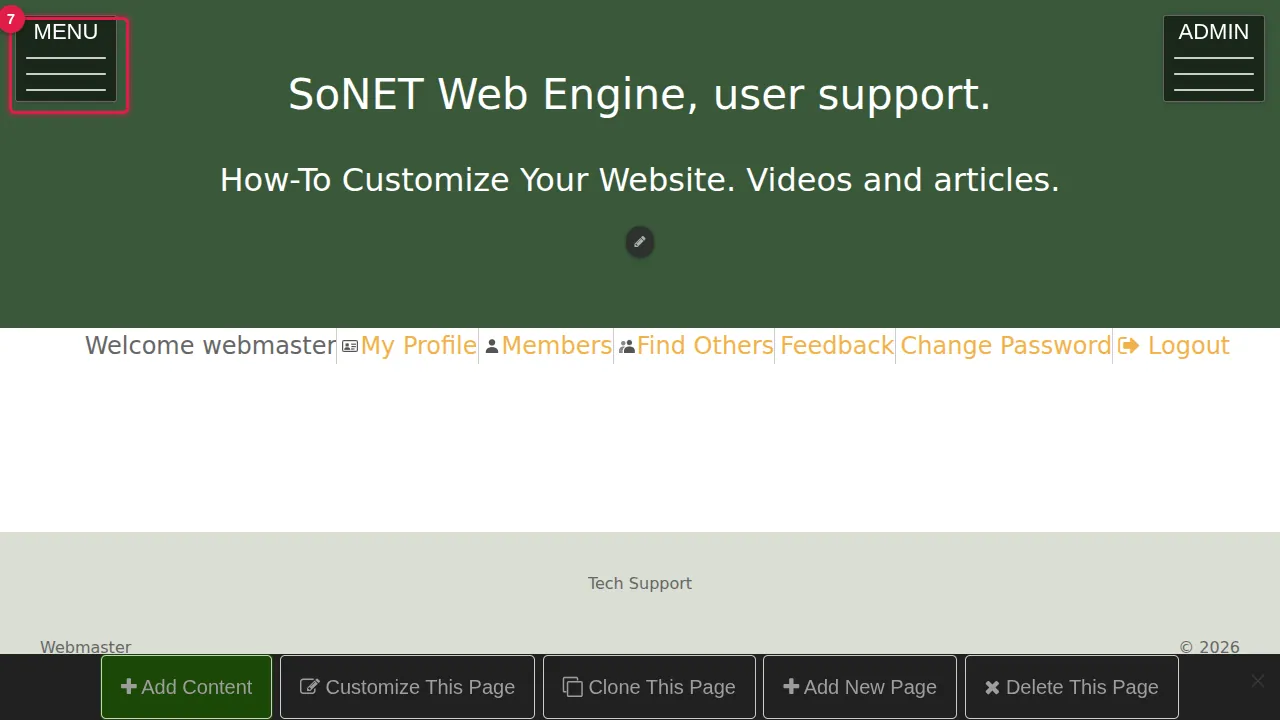
Step 7. Open the MENU at the top left.
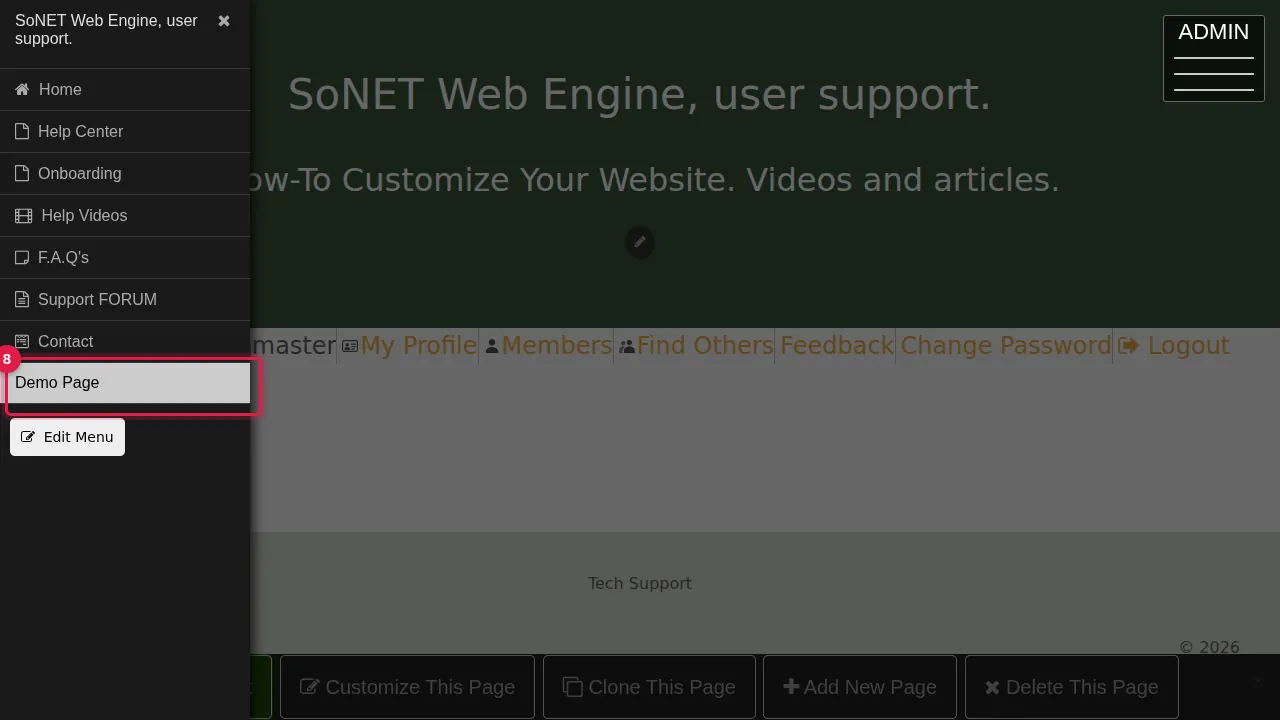
Step 8. The new page is listed at the bottom of the menu.
Check it worked
Log out (or open a private window), open the MENU and click your new page.
Good to know
- Pages you add have a Delete This Page button in the bottom bar.
- To change the order of the menu or hide a page from it, use Edit Menu at the bottom of the MENU.
Related help
Shown on the 2026 version of the SoNET Web Engine. Last checked 20 October 2026. Something different on your screen? Tell us through the Contact page.